

Creating a Transition Program for Teens: How DO-IT does it, and how you can do it, too
© 2007 University of Washington
Creating a Transition Program for Teens: How DO-IT does it, and how you can do it too is available in HTML and PDF versions. For the HTML version, follow the table of contents below. For the PDF version, go to Creating a Transition Program for Teens - PDFs.
This publication is based upon work supported by the National Science Foundation (cooperative agreement #HRD-0227995; grants #HRD-9255803, #HRD-9550003, and #HRD-9800324). Any opinions, findings, and conclusions or recommendations expressed in this material are those of the authors and do not necessarily reflect the views of the National Science Foundation, and you should not assume their endorsement.
Creating a Transition Program for Teens - PDFs
- Cover, Table of Contents, Introduction
- Chapter 1: Foundations for DO-IT Practices
- Chapter 2: How to DO-IT: An Overview
- Chapter 3: Computer and Internet Access
- Chapter 4: Peer and Mentor Support
- Chapter 5: Summer Study
- Chapter 6: Work-Based Learning
- Chapter 7: Lessons Learned
- Chapter 8: References and Resources
- Appendices
- Appendix A: Program Application
- Appendix B: Participant Information
- Appendix C: Parent/Guardian Permission for Summer Study Activities
- Appendix D: Media Release
- Appendix E: Volunteer Application Form
- Appendix F: Publications Release
- Appendix G: Netiquette Guidelines
- Appendix H: Mentor Guidelines and Application
- Appendix I: Online Mentor Survey
- Appendix J: Participant Computer and Internet Use Survey
- Appendix K: Summer Study Schedule
- Appendix L: Tips for Personal Care Assistants
- Appendix M: Personal Care Assistant Scholarship
- Appendix N: Emergency Procedures
- Appendix O: Phone Interview Questions
- Appendix P: Participant Emergency and Personal Care Information
- Appendix Q: Guidelines for Summer Study Volunteers and Instructors
- Appendix R: Summer Study Participant Evaluation
- Appendix S: Faculty/Instructor Feedback
- Appendix T: Work-Based Learning Student Information
- Appendix U: Work Experience Survey
- Appendix V: Parent Feedback
- Index
Introduction
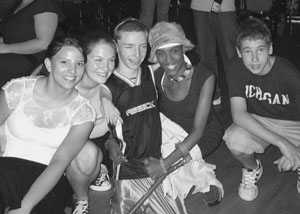
Success stories prove that some people with disabilities overcome multiple barriers to college and careers. However, this group continues to be underrepresented in challenging academic and career fields, such as science, technology, and engineering. The DO-IT Scholars program integrates activities for young people who have disabilities that, together, promote positive postschool outcomes. The disabilities of participants include sensory impairments, mobility impairments, health impairments, attention deficits, Asperger's Syndrome, and learning disabilities.
DO-IT (Disabilities, Opportunities, Internetworking, and Technology) serves to increase the participation of individuals with disabilities in challenging academic programs and careers. It was founded and continues to be directed by co-author Sheryl Burgstahler, Ph.D., at the University of Washington in Seattle. DO-IT promotes the use of computer and networking technologies to maximize independence, productivity, and participation in education and employment. Since 1992, the DO-IT Scholars program has provided students with disabilities with the tools and skills needed for postsecondary and career success through interventions that include technology access, live-in summer programs, peer and mentor support, college preparation activities, and work-based learning.
Repeated funding from the National Science Foundation has resulted in DO-IT strengths in the fields of science, technology, engineering, and mathematics (STEM). DO-IT's Alliance for Access to STEM (AccessSTEM) promotes the participation of people with disabilities, including the DO-IT Scholars, in STEM fields. For more information on AccessSTEM and for a searchable Knowledge Base of questions and answers, case studies, and promising practices, consult the AccesssSTEM page.
DO-IT has evolved into a collection of projects and programs to increase the number of people with disabilities who:
- use technology as an empowering tool
- communicate with peers and mentors in a supportive electronic community
- develop self-determination skills
- succeed in postsecondary education and employment
- pursue careers that were once considered unavailable to them, such as science and engineering
- have opportunities to participate and contribute in all aspects of life
This manual was developed to help you create summer study, work-based learning, and e-mentoring programs for youth. Although DO-IT focuses efforts on college-based teens with disabilities, activities, forms, and publications can be adapted for other groups. Chapter One provides an overview of research that supports DO-IT practices. The chapters that follow share how DO-IT employs evidence-based practices in a cohesive set of programs and activities for students who have disabilities. Within those chapters you will see how we've put research into practice to promote the success of students with disabilities as they transition from high school to college and careers. The last chapter shares information on resources that include websites, references, and a collection of DO-IT publications and video presentations, such as How DO-IT Does It, DO-IT Pals, and Opening Doors: Mentoring on the Internet. Appendices include ready-made forms and other documents that can be adapted for use in your program.
Organizational details shared in this book have been implemented for more than fourteen years at the University of Washington in Seattle. Applying these practices can promote the development of self-determination and technology skills that contribute to success in college, careers, and independent living. Please note that including content in sections and on documents and forms in this book does in no way suggest that they are applicable to any other program. Administrators should seek counsel from attorneys and decision-makers of sponsoring organizations to determine the appropriate policies and procedures for their transition programs.
Much of the content of this book is duplicated in other publications, training materials, and web pages published by DO-IT at the University of Washington, most of which can be found within the comprehensive website at https://doit.uw.edu/. Permission is granted to modify and duplicate these materials for noncommercial purposes provided the source is acknowledged.
An electronic version of this book is available at Creating a Transition Program for Teens: How DO-IT does it, and how you can do it too. Related videos and brochures are available on the Resources page. For additional information and resources on technology, education, and employment for people with disabilities, visit the DO-IT website at https://doit.uw.edu/.
Chapter 1: Foundations for DO-IT Practices
"My career goal is to attend community college to study criminal justice and then become a Crime Intelligence Analyst." –DO-IT Scholar

Most students have goals beyond high school, but some students find it more difficult than others to reach their goals. Students with disabilities, in particular, face unique challenges as they transition from high school to postsecondary academic and employment settings. What factors help students with disabilities secure success in academics and employment? This chapter summarizes research findings on school and employment outcomes for students with disabilities and practices that support successful transitions. It is adapted from publications that describe how DO-IT selects and applies evidence-based practices (Burgstahler, 2003a, 2006c; Burgstahler & Bellman, 2005; Kim-Rupnow & Burgstahler, 2004; DO-IT 2006a).
The number of students with disabilities pursuing postsecondary education continues to increase. However, individuals with disabilities are still less likely to enroll and succeed in postsecondary education, and they experience far less career success than their peers without disabilities. Differences in achievement between these two groups are less for those who participate in postsecondary education (Wagner & Blackorby, 1996; Yelin & Katz, 1994).
Most challenging careers, including high-tech fields in science, engineering, and computing, require a bachelor's degree or higher. Few students with disabilities, however, pursue postsecondary academic studies in these areas, and the attrition rate of those who do is high (National Science Foundation, 2000). Barriers such as inaccessible facilities, curricula, and information resources; lack of encouragement; and inadequate preparation and support persist (American Association for the Advancement of Science, 2001; Burgstahler, 2002a; National Center for Education Statistics, 2000; National Council on Disability and Social Security Administration, 2000; Schmetzke, 2001). Poor job preparation and lack of opportunities to gain work experiences also limit career options for people with disabilities (Colley & Jamieson, 1998; Unger, Wehman, Yasuda, Campbell, & Green, 2001).
DO-IT has created several video presentations and complementary publications that highlight challenges faced by students with disabilities in science and mathematics fields and tell how teachers, mentors, parents, and service providers can promote their success. They include:
- Working Together: Science Teachers and Students with Disabilities
- Equal Access: Science and Students with Sensory Impairments
- The Winning Equation: Access + Attitude = Success in Math and Science
These products are available is a comprehensive set of materials titled Making Math, Science, and Technology Instruction Accessible to Students with Disabilities—A Resource for Teachers and Teacher Educators.

Evidence-Based Practices
Success stories of individuals with disabilities in science, technology, engineering, and other challenging fields demonstrate that barriers can be overcome and that supports can contribute to specific positive postsecondary and career outcomes. Transition activities that develop and provide opportunities to practice social, academic, career, and self-determination skills can promote success for students with disabilities (National Council on Disability and Social Security Administration, 2000). Evidence-based practices that have helped bring students from other underrepresented groups into challenging fields of study and employment include:
- access to technology
- participation in programs that bridge to higher academic levels and employment
- work-based learning experiences
- peer support
- mentoring
- hands-on experiences (Cunningham, Redmond, & Merisotis, 2003; National Science Foundation, 2005)
Transition programs with multiple components (e.g., those involving mentors, academic enrichment, and career preparation) have been found to be more effective than programs with single interventions (Cunningham, Redmond, & Merisotis, 2003).
America's Promise–The Alliance for Youth has identified five "promises" that positively correlate to young people doing better physically, psychologically, socially, educationally, and in civic engagement. They are:
- caring adults
- safe places and constructive use of time
- a healthy start and healthy development
- effective education for marketable skills and lifelong learning
- opportunities to make a difference through helping others (America's Promise, 2006)
The Search Institute reports twenty external developmental assets that have the power during critical adolescent years to influence choices young people make and help them become caring, responsible, successful adults. These external assets are described as the positive experiences young people receive from the world around them, including support, empowerment, boundaries and expectations, and constructive use of time. The Search Institute identifies important roles that families, schools, neighborhoods, and other organizations can play in promoting healthy development. It also identifies twenty internal assets—characteristics and behaviors that reflect positive internal growth and development of young people. They are grouped into four categories: positive values, positive attitude, social competencies, and commitment to learning. These internal assets help young people make thoughtful and positive choices and be better prepared for a wide variety of situations they may encounter now and in the future. (Search Institute, 2005)
"I hope to become a mechanical engineer." –DO-IT Scholar
DO-IT applies research findings from many fields of study in its Scholars program to prepare young people with disabilities for college, careers, and other adult-life experiences. It integrates activities related to self-determination, technology, mentoring and peer support, work-based learning, and college and career preparation within a comprehensive program to enhance student skills associated with positive post-school outcomes (Burgstahler, 2003a; Burgstahler & Bellman, 2005; Burgstahler, Lopez, & Bellman, 2004; Burgstahler & Orvis, 1995; Kim-Rupnow & Burgstahler, 2004).
On the next page you will find a model of critical junctures and interventions for supporting individuals through stages of postsecondary academic and career development. In the following sections key interventions used in the DO-IT Scholars program are described.
Self-Determination
The development of self-determination skills is related to positive post-school and adult outcomes for students with disabilities. Self-determination is defined as the skills, knowledge, and beliefs that enable a person to participate in goal-directed, self-regulated, autonomous behavior. Being self-determined involves understanding one's own strengths and limitations, believing in oneself, taking risks, and making informed choices (Burgstahler, 2006e; Field, Martin, Miller, Ward, & Wehmeyer, 1998).
"I want to study engineering, music, and international business when I go to college." –DO-IT Scholar
Self-advocacy is a core skill of someone who is self-determined. Self-advocacy requires self-knowledge and the abilities and skills necessary to articulate and successfully meet one's personal, educational, and employment needs. It also requires knowing if, when, and how to disclose a disability in school, work, and social situations (National Collaborative on Workforce and Disability, 2006). The skills and attitudes necessary for self-determination should be developed throughout a young person's life. Particular attention should be given to this area during high school as part of the transition process.

DO-IT Scholars are given many opportunities to learn and practice self-determination skills. For example, DO-IT Scholars practice asking for accommodations by role-playing with volunteer faculty. They explore their personal strengths, interests, learning styles, and accommodation needs. When appropriate they learn how to manage personal assistants. They also learn how their roles and responsibilities change as they move from high school to postsecondary institutions to employment settings (Kim-Rupnow & Burgstahler, 2004).
In DO-IT's video series Taking Charge: Stories of Success and Self-Determination and the accompanying handout, students with disabilities share key aspects of leading a self-determined life. These products can be obtained from DO-IT or viewed freely online on the Resources page.
Progress of Teens with Disabilities Toward Careers: Project Inputs Leading Students to Critical Junctures

Technology
The use of technology is a necessity in most academic and employment settings. For people with disabilities, technology can level the playing field with peers who do not have disabilities and can facilitate full participation in school and work. Specifically, computers can help students with disabilities complete coursework independently, access distance learning courses; communicate with instructors, mentors, and peers; and participate in high-tech careers (Burgstahler, 2002b). However, people with disabilities face a myriad of challenges in gaining access to technology (Kaye, 2000, National Center for Education Statistics, 2000; National Council on Disability, 2000).
"I plan to go to a four-year college and major in physical therapy." –DO-IT Scholar
DO-IT Scholars are provided with computer equipment, assistive technology (AT), and Internet access in their homes. Scholars are loaned this equipment and software for as long as they are active participants in the program. With the assistance of a technology specialist, Scholars are provided with technology that addresses their specific needs. For example, students who are blind or have disabilities that affect their reading ability may receive speech output systems. Speech input and alternative keyboards are provided for people who do not have full use of their hands.
The following five video presentations, along with publications with the same titles, demonstrate computer technology for students with disabilities. They can be viewed freely online on the Resources page.
- Working Together: People with Disabilities and Computer Technology
- Working Together: Computers and People with Learning Disabilities
- Working Together: Computers and People with Mobility Impairments
- Working Together: Computers and People with Sensory Impairments
- Access to Technology in the Workplace: In Our Own Words

Mentoring and Peer Support
Mentors can provide important and valuable relationships for youth with disabilities (Hawken, Duran, & Kelly, 1991; Stainback, Stainback, & Wilkinson, 1992). Due at least in part to a shortage of available adult mentors, group mentoring programs have emerged. Typically, in this model, one mentor is assigned to a small group of young people, or several mentors work with a group of protégés. In group mentoring situations, positive outcomes can be achieved as a result of peer interactions, in addition to those between mentors and protégés (Byers-Lang & McCall, 1993; Kram & Isabella, 1985). Participants in group mentoring report improvements in social skills, relationships with individuals outside of the group, academic performance, and attitudes (Herrera, Vang, & Gale, 2002; Sipe & Roder, 1999).
In-person mentor, peer, and near-peer relationships can be limited by physical distance, time, and schedule constraints and, in some cases, disability-related communication barriers (e.g., speech impairments). Computer-mediated communication (CMC) does not impose these constraints. The lack of social distinctions like gender, age, disability, race, and physical appearance in CMC can promote interaction (Rheingold, 1993). With the development of assistive technology, all individuals, regardless of disability, can participate in CMC. E-mentoring, online mentoring, or telementoring refer to situations where mentoring occurs via CMC (Wighton, 1993).
"After high school I would like to go to college to study law." –DO-IT Scholar
Group discussions in an e-mentoring community can occur via email, a bulletin board, a blog, or other forms of online communication. Positive benefits of electronic communication include the following:
- Participants benefit from the experiences of a large group of mentors, peers, and near-peers.
- Mentors can specialize in areas where their expertise is strongest.
- The program can perform successfully even when some mentors are less skilled than others.
- The mode of communication does not erect barriers imposed by location, schedule, and disability.
- The program administrator can view all group conversations and thereby more easily manage the mentoring forum. (Burgstahler & Cronheim, 2001)
DO-IT has demonstrated that peer and mentor support, traditionally provided in person, can be delivered within a supported electronic community (Burgstahler, 1997; Burgstahler & Cronheim, 2001). Such support plays an important role in the preparation of Scholars for college and careers (Burgstahler, 1997; Burgstahler & Cronheim, 2001; Kim-Rupnow & Burgstahler, 2004). DO-IT Scholars use electronic communications to connect with peers and adult mentors, most of whom have disabilities themselves. DO-IT staff and mentors pose discussion questions to the online community via electronic mail and share information about schools, internships, and resources. Smaller electronic groups focus on access issues and challenges for specific types of disabilities. From mentors, students learn about career options, how to be more independent and advocate for themselves, and to persevere. Peers provide similar supports in addition to friendship and a sense of belonging. Both types of relationships promote self-esteem.
DO-IT videos provide further information on DO-IT's e-mentoring community. The video and publication Opening Doors: Mentoring on the Internet can be freely viewed online, on the Resources page. The publication and video DO-IT Pals: An Internet Community shares the student perspective regarding peer and mentor support.

College Preparation Activities
Participation in college preparation programs can help students complete an application, prepare for entrance exams, explore majors, obtain disability-related accommodations, and secure financial aid. Involvement in such activities is associated with a higher likelihood of college enrollment for students with diverse characteristics and backgrounds (Cunningham, Redmond, & Merisotis, 2003).
DO-IT helps students explore challenging fields of study and prepares them for transitions from high school to postsecondary environments. DO-IT Scholars attend Summer Study for two consecutive summers at the University of Washington. They learn how to navigate a large campus, request disability-related accommodations, get along with roommates, and succeed in college courses. One DO-IT Scholar summarized the program's impact this way: "It showed me that I really can succeed in a college setting."
Students who participate in college preparation activities through DO-IT perceive meaningful changes in their level of preparation and skills in these areas (Kim-Rupnow & Burgstahler, 2004). Scholars report developing social, academic, and self-determination skills that lead to success in academics, employment, and adult life. They also become more aware of the challenges other students face as the Scholars work with peers who have a wide variety of disabilities, including sensory impairments, mobility impairments, learning disabilities, health impairments, and psychiatric impairments. For example, in a science lab, it is not unusual to find a student with a visual impairment working with someone without functional use of his hands to perform bypass "surgery" on a sheep heart. They learn quickly to use their combined abilities to complete the lab assignment. An increased awareness of diversity and the abilities, challenges, and accommodation needs of others prepares participants for leadership roles in adult life.
DO-IT does not end on the last day of the on-campus program. Year-round, online communication enhances the value of Summer Study activities and helps students stay in contact with peers, mentors, and staff. As soon as Scholars return home from Summer Study, they log on to the Internet to continue their friendships and receive support from DO-IT staff and mentors. "It's kind of like going to summer camp," reports one Scholar, "but to a certain extent I don't ever have to go home."
The video and publication titled College: You Can DO-IT! can be used to help teens prepare for college. The video can be freely viewed online at on the Resources page.

Career Preparation Activities
Career exploration and work-based learning experiences can help students build real-world, job-related skills, as well as integrate and apply academic learning (Benz, Yovanoff, & Doren, 1997; Phelps & Hanley-Maxwell, 1997). The likelihood of future employment is higher for students with disabilities who are involved in some kind of work experience while in high school than it is for those who are not (Stodden & Dowrick, 2000).
During Summer Study, DO-IT Scholars begin to explore career fields. Students have opportunities to develop résumé writing, problem-solving, and interviewing skills as well as apply academic, vocational, interpersonal, and computer skills to work situations. Students also practice disclosing their disabilities in mock interviews, as well as negotiating and testing the effectiveness of specific accommodations in job settings. Participants in DO-IT's work-based learning offerings report that these experiences help prepare them for careers (Burgstahler, 2001; Burgstahler, Lopez, & Bellman, 2004).
Additionally, DO-IT participants are supported in applying for and participating in internships. After completing two years of DO-IT's Summer Study, Scholars have the option to return to Summer Study as interns. They help with the work that goes on behind the scenes and share their experiences with younger participants. Opportunities to participate in paid internships on college campuses, in government agencies, and in high-tech companies are also available through DO-IT.
Two videos and accompanying handouts, Learn and Earn: Tips for Teens and Learn and Earn: Supporting Teens, help students and staff, respectively, understand the value of work-based learning. They can be freely viewed online on the Resources page.
Conclusion
DO-IT Scholars and parents report that participation in DO-IT programs has had a positive impact on academic and career outcomes. DO-IT program participants report significant short-term and long-term growth in their level of preparation for college and employment and increased development of self-advocacy and social skills (Burgstahler, 2002c; Burgstahler, 2003a; Kim-Rupnow & Burgstahler, 2004). Data provide evidence that DO-IT's Summer Study, work-based learning opportunities, and year-round peer and mentor support improve the social, academic, and career skills of students with disabilities (Kim-Rupnow & Burgstahler). They have a positive impact on postsecondary academic and career outcomes for people with disabilities.
DO-IT applies evidence-based practices to increase the number of people successful in challenging college and career fields such as science, technology, engineering, and mathematics. Ultimately, project outcomes will benefit society by increasing participation in these fields and by enhancing these fields with the perspectives of people with disabilities. These efforts support the goals proposed in recent reports from the Committee on Prospering in the Global Economy of the 21st Century (2006), the Office of Science and Technology Policy (2006), and the National Science Foundation (2006).

How to Download or Purchase This Book
It might be helpful for you to have electronic copies of forms and other content for modification and application in your setting. The most current electronic copy of these materials can be found at Creating a Transition Program for Teens: How DO-IT does it, and how you can do it, too. Videos that complement the content of this book can also be found there for free online viewing; trainers can freely download copies of videos to project from their own computers by directing requests to doit@u.washington.edu. Other DO-IT videos can be viewed online on the Video page.
What's Next
The remaining sections of this book describe how DO-IT's evidence-based program components and comprehensive strategies are applied to the DO-IT Scholars program. We highlight key considerations to help you get started in developing programs that include computer technology access, peer and mentor support, college preparation activities, and/or work-based learning. Appendices include forms and other documents that can be tailored to specific programs. Please note that inclusion of content or forms in this book does not mean endorsement for use in other programs. Administrators should research federal, state, and local laws and policies, as well as policies and procedures at their sponsoring institutions, as they develop appropriate procedures for their programs.
Chapter 2: How to DO-IT: An Overview
"I hope DO-IT will help me learn how to get the accommodations I need to help me reach my goals." –DO-IT Scholar

Creating and running the DO-IT Scholars program takes a team! This chapter includes details about student recruitment, the application and selection processes, and the overall program sequence for participants. The content is adapted from the publication DO-IT Scholars (DO-IT, 2006a). View the video How DO-IT Does It to better understand planning and implementation steps. It can be freely viewed online on the Resources page.
The DO-IT Scholars
DO-IT Scholars are college-capable students with disabilities who have leadership potential. They typically begin their participation as Scholars at the end of their sophomore year of high school. Scholars have a variety of disabilities, including visual impairments, hearing impairments, mobility impairments, health impairments, attention deficits, Asperger's syndrome, and learning disabilities. Some students receive special education services in their schools. Many use academic accommodations to access curriculum materials and classroom activities.
As part of the DO-IT Scholars program, high school students:
- learn to select and use adaptive technology
- experience college life on a university campus
- network with peers and working professionals with disabilities
- learn to identify reasonable accommodations at school and in the workplace
- explore careers and the world of work
- gain prerequisite knowledge to enter and succeed in college and challenging careers
The video and complementary publication entitled Snapshots: The DO-IT Scholars provide an overview of the program. They are freely available online on the Resources page.
Recruitment
To recruit students, email messages and information packets with applications are sent to high schools, school districts, and community organizations throughout Washington State, the region for which the DO-IT Scholars program is currently funded. DO-IT staff members participate in conferences year-round to distribute additional applications and brochures. Press releases are sent to relevant media to announce the application process and encourage students to apply. Staff members also make personal phone calls to under-represented areas of the state to speak with special education teachers and other educators about the DO-IT Scholars program. Since many Scholars, Mentors, and parents know other people who have disabilities, the entire DO-IT community is encouraged to recruit applicants.
Application
High school sophomores and juniors with disabilities who are residents of Washington State are encouraged to apply by January to be considered in the first round of selection by the DO-IT Advisory Board. Priority is given to students in their sophomore year of high school. Twenty Scholars are accepted each year, and their multiple years of program involvement are funded by Washington State. Occasionally an organization chooses to fund an additional Scholar from another state.
Each student who applies to be a DO-IT Scholar must complete a student application and provide a (a) school transcript, (b) recommendation from a high school teacher or administrator, and © letter of recommendation and consent from a parent or guardian. A sample DO-IT application form can be found in Appendix A.
Selection
The DO-IT Advisory Board selects the DO-IT Scholars. The Board consists of community members, professionals, and parents of students with disabilities. Each Board member reviews applications and recommends participants according to the following criteria:
- Interest in pursuing college and a challenging career, as evidenced by personal responses to application questions and by letters of recommendation.
- Aptitude to succeed in college, as determined by letters of recommendation and by academic record.
- Motivation to participate in the program, as evidenced by personal responses to a question about desire to participate and by letters of recommendation.
- Potential benefit to be gained from the program and contribute to diversity of the participant pool, as evidenced by all application materials.
"DO-IT will help me see what living on a college campus is like for a person with Cerebral Palsy. I hope to determine whether I want to live on campus or continue living at home while going to school." –DO-IT Scholar
DO-IT Advisory Board members choose participants who will benefit the most from the program and represent a wide variety of disabilities and other characteristics. Selected applicants are notified in the spring by phone and mail. Applicants who are not accepted are notified by mail and given the option of applying the following year if they continue to meet eligibility requirements. All applicants who are not accepted as DO-IT Scholars are urged to join the DO-IT Pals online community and participate in other DO-IT activities.
Students become Phase I DO-IT Scholars once accepted into the program. Phase I Scholars begin interactions with DO-IT staff members, receive computer technology in their homes, and are introduced by email to the electronic community of peers and mentors.
DO-IT Scholar Activities
The figure below illustrates a DO-IT Scholar's typical progression through the program. The following section describes program components in more detail.
DO-IT Scholar Typical Participation Timeline

"In Summer Study I saw what college life is really like, and met people who are going through similar situations to mine." –DO-IT Scholar
Phase I (Year One) Scholars
Phase I Scholars are high school students in their sophomore or junior year. In Phase I, DO-IT Scholars participate in the following activities:
Internetworking. DO-IT Scholars learn to use computers to enrich their education and to explore academic and career interests via the Internet. From home, they communicate electronically with DO-IT Mentors and other participants using computers, the Internet, and, as needed, special assistive technology. DO-IT Scholars who do not have the necessary technology are loaned computer equipment and software while they participate in program activities.

Mentoring. Frequent electronic communications and personal contacts bring Scholars together with DO-IT Mentors to facilitate academic, career, and personal achievements. Mentors are college students, faculty, and professionals in technology and other challenging fields, many with disabilities themselves.
Summer Study I. During a two-week, live-in summer program at the University of Washington in Seattle, DO-IT Scholars participate in academic lectures and labs, live in residence halls, learn about how to secure postsecondary accommodations, and practice skills that will help them be independent and successful in a college setting.
"I am looking forward to being a part of the DO-IT program so that I can learn about technology that will assist me with my disabilities and meet new people." –DO-IT Scholar
Phase II (Year Two) Scholars
Phase II DO-IT Scholars are high school juniors or seniors. Phase II Scholars are supported with information about college application procedures, entrance requirements, scholarships, and additional tips and resources to help them prepare for college. They participate in the following activities:
Projects. DO-IT Scholars apply their interests, skills, and knowledge to design and complete independent and team projects. DO-IT Mentors and staff act as resources.
Internetworking and Mentoring. DO-IT Scholars develop and practice communication and leadership skills by acting as peer mentors for incoming Phase I DO-IT Scholars. Communication occurs in-person during the Summer Study program and electronically throughout the year.
Summer Study II. DO-IT Scholars return to the University of Washington campus for a one-week, live-in summer program to create and complete group projects of personal interest. They also continue to prepare for college and explore careers.
Phase III (Year Three) Scholars
Phase III includes opportunities for DO-IT Scholars to mentor younger Scholars and otherwise contribute to the DO-IT community. Examples of individual activities include developing campus programs for students with disabilities, participating on DO-IT panels, contributing to the DO-IT newsletter, and assisting with summer camps.
Life Stages of DO-IT Participants
Level Participants
High School DO-IT Scholars College
College DO-IT Ambassadors
DO-IT Mentors
Careers DO-IT Ambassadors
DO-IT Mentors
Ambassadors (after high school graduation)
A Scholar who graduates from high school can become a DO-IT Ambassador. An Ambassador helps with program activities, participates in electronic communications, and mentors Scholars. Ambassadors are eligible to become interns during the live-in Summer Study program. Interns serve as peer mentors and support DO-IT staff with a range of duties and responsibilities during the summer program.
For more information about the DO-IT Scholars program, view the video and consult the publication titled DO-IT Scholars. They can be found online, along with other DO-IT videos and publications, on the Resources page. They can also be obtained (with video in DVD format) from DO-IT.

Sample Documents
Consult the following Appendices for samples of application forms and information sheets for the DO-IT Scholars Program.
- Appendix A: Program Application and Parent/Guardian Consent
- Appendix B: Participant Information
- Appendix C: Parent/Guardian Consent for Summer Study Activities
- Appendix D: Media Release
- Appendix E: Volunteer Application Form
- Appendix F: Publications Release
What's Next
The next chapters describe how staff prepare DO-IT Scholars for participation and how major components of the program are developed, organized, and implemented.


Chapter 3: Computer and Internet Access

Electronic communication is a core activity of the DO-IT Scholars program. This chapter provides information on the computer technology and electronic communication tools used within the program. The structure and organization of DO-IT's electronic discussion groups are also described. The content is adapted from earlier publications (Burgstahler, 2003a, b; Burgstahler & Cronheim, 2004; Kim-Rupnow & Burgstahler, 2004; DO-IT, 2006a).
Background
Technology plays a role in almost all educational, employment, and recreational activities. People with disabilities benefit from the capabilities technology offers everyone, such as word processing, Internet exploration, and database access. In addition, however, some individuals use technology to compensate for the inability to perform a specific function due to a disability (Burgstahler, 2003). For example, people who cannot speak with their own voices can use a computer-based speech synthesizer to "speak" for themselves. Technology access that leads to success in postsecondary education has the potential to improve career outcomes for people with disabilities.
In order for students with disabilities to pursue postsecondary academic and career options, they must have access to the high-tech tools available to their peers without disabilities. These include computers, websites, technology-based distance learning courses, instructional software, and scientific equipment. Achieving this goal requires that (a) appropriate assistive technology be readily available and (b) barriers to electronic tools and resources be eliminated.
For example, it is important that students who are blind have access to speech and/or Braille output devices. But access to this assistive technology is not enough. In order for them to benefit fully from this technology, the educational software, applications, web pages, and other electronic resources they use must be designed in such a way that full functionality can be accessed via their keyboard and speech or Braille output system.
DO-IT Scholar Responsibilities
- Maintain an active electronic mail account. Notify DO-IT staff when your address changes.
- Read and respond to electronic mail messages at least once per week.
- Respond to personal messages sent directly to you by a Mentor, Scholar, Ambassador, or DO-IT staff member (response may be as simple as "Thanks for the information").
- Regularly communicate with DO-IT Scholars and Mentors by sending electronic mail messages to the entire doitkids, doitchat, or doitsem groups.
- Respond to all requests for information sent to the DO-IT discussion lists and surveys distributed by DO-IT staff (an acceptable response is "I choose not to participate in this particular survey" or "I am unable to attend this event").
- Send personal greetings to new DO-IT Scholars, DO-IT Pals, and other DO-IT participants.
- Use the computer and electronic resources in your regular academic schoolwork (for example, to write papers or to obtain information to use in class papers, projects, or discussions).
- Attend DO-IT special events and workshops when possible.
- Complete the special requirements of Phase I, II, and III Scholars and Ambassadors as described in the DO-IT Scholars publication.
Technology
DO-IT Scholars have access to a wide range of assistive technology such as scanners and screen-reading software, alternative keyboards, and speech recognition software. DO-IT Scholars who do not have the necessary technology are loaned computer equipment, software, and assistive technology while they are active participants in the program. A list of technologies that have been used by Scholars with specific types of disabilities can be found on page 19.
DO-IT's technology specialist works with each student individually to identify the best match of hardware, software, and assistive technology. The technology specialist provides ongoing training and technical support for the Scholars throughout their participation in the program. Scholar technology skills and resources vary considerably from student to student; therefore training and support is provided on an individualized basis.
Scholars who are loaned computer technology receive their equipment at their homes prior to their first Summer Study. The technology specialist delivers the equipment, provides introductory training, and assesses the participant's technology skills and support needs.
Loaned computer equipment and software is systematically inventoried and then tracked each year. The equipment is insured through the University of Washington. Active DO-IT Scholars and Ambassadors strive to meet the goals listed in the figure above titled DO-IT Scholar Responsibilities.
Examples of Assistive Technology Used by DO-IT Scholars
Appearance on this list does not suggest product endorsement. A more complete list of current products used as well as company information can be found on the page Assistive Technology Used by DO-IT Scholars.
Low Vision
- 19" Monitors:
Various manufacturers - Screen enlargement software:
ZoomText, AI Squared
MAGic, Freedom Scientific
Blindness
- Braille Embosser:
Braille Blazer, Freedom Scientific - Scanner and Software:
Open Book, Freedom Scientific
Kurzweil 1000, Kurzweil Educational Systems - Screen Reading Software:
JAWS, Freedom Scientific
Window-Eyes, GW Micro
Mobility Impairments
- Alternative entry options:
Dragon NaturallySpeaking, Nuance
Mouthstick
Sip and Puff Morse Code switch, Toys for Special Children - Alternative pointers:
Joystick, trackball, various manufacturers
Headmouse, Origin Systems - Keyboard adaptations:
Co:Writer, Don Johnston, Inc.
Easy Access, Apple Computer, Inc.
IntelliKeys, IntelliTools
ScreenDoors2000, Madentec
Learning Disabilities
- Scanning/Reading Software:
WYNN, Freedom Scientific
Kurzweil 3000, Kurzweil Educational Systems - Skills enhancement software:
Word processing with spelling and grammar checking - Writing/brainstorming/organizing software:
Inspiration, Inspiration Software, Inc. - Speech output:
Write: OutLoud, Don Johnston, Inc.
textHELP, textHELP Systems
Staying Connected
Email and electronic discussion lists were selected as tools for formal communication between DO-IT Scholars, Ambassadors, Mentors, and staff because they are accessible to all participants, regardless of disability, and because they do not require that participants go to another resource (e.g., website) outside of their email inbox to participate. Scholars are added to email discussion lists shortly after they are accepted into the program and their technology and Internet access has been established. All DO-IT discussion lists are managed and monitored by DO-IT staff. A typical message that goes to all members of the existing electronic community when a new Scholar joins the list follows:
Hi All,
Please welcome Washington 2005 Scholar Jane Doe to the DO-IT Scholars program. Jane lives in Bugtussle, Washington. Her favorite academic subjects are forensic science and physics.
Jane's email address is [Jane's address].
Scholars stay in contact with peers, staff, and Mentors through multiple electronic discussion lists. Scholars are added to the lists based on their year of entry into the program, their disability, and their interests. DO-IT email discussion lists include the following:
- [year] do-it@u.washington.edu—where Scholars communicate directly with peers from the same year of entry into the program
- doitkids@u.washington.edu—where Scholars connect with Scholars from all years
- doitchat@u.washington.edu—where Scholars communicate with other Scholars and Mentors
Scholars are also added to a list based on type of disability to allow for discussion of disability-specific issues. These lists include the following:
- doitli@u.washington.edu—for participants with learning issues (e.g. learning disabilities, attention deficits)
- doitmh@u.washington.edu—for participants with mobility and health impairments
- doitvi@u.washington.edu—for participants with visual impairments and blindness
- doithi@u.washington.edu—for participants who are deaf or hard of hearing
- doitmi@u.washington.edu—for participants with mobility impairments
- doitasd@u.washington.edu—for participants with Autism Spectrum Disorders

DO-IT Scholar parents are also invited to join a discussion list:
- doitparent@u.washington.edu—a forum for Scholar parents to communicate, stay informed, and share experiences and information
Other lists supported by DO-IT are mentors@u.washington.edu for mentors and doitpals@u.washington.edu for college-bound teens with disabilities who are not Scholars.
All of these lists are open only to DO-IT participants. These individuals are also part of a larger group that is open to anyone:
- doitsem@u.washington.edu—where DO-IT Scholars, Ambassadors, and Mentors, along with other list members discuss issues pertaining to individuals with disabilities and their pursuit of science, technology, engineering, and mathematics (STEM) academic programs and careers. To join this list consult the Doitsem info page.
Staff members stay connected with Scholars via email and use the Internet and discussion lists to inform Scholars and Mentors about special events, such as Disability Mentoring Day and statewide pizza parties with teleconferencing connections between sites. Staff also post information about internships, scholarships, and other relevant college and career preparation activities and resources.
The doitchat list serves as an important forum for the DO-IT community. The following "The Thread" article from the May 2005 issue of DO-IT NEWS provides an example of electronic discussion topics and participant dialogue. It illustrates the value of the discussion lists for all involved and of rich conversations about technology that occur in the DO-IT community. This "Thread" is a portion of a discussion about the benefits of technology. The conversation was started by a staff member, and contributions were made by DO-IT Scholars, Ambassadors, and Mentors.

The Thread—Benefits of Mainstream Technology
DO-IT Director: We are writing an article for DO-IT NEWS with ideas about how technology that was not designed specifically for people with disabilities is useful to people with disabilities. We're hoping to have lots of examples from people with a wide variety of disabilities. So what technology benefits you and others with your disability, or what technology have you noticed benefits people with other types of disabilities? We will have a prize for the best contribution, but others can suggest items for the article, too.
DO-IT Ambassador: This is kind of an obvious one but I thought I would just throw it out there. The technology is modern word processors, specifically the spell check functionality. These features are so important for me as a student with a learning disability. I will always struggle with spelling, but spell checkers allow me to communicate effectively and efficiently.
DO-IT Mentor: My deaf friends and I have found text pagers (or text messaging features in cell phones) to be helpful communication devices!
DO-IT Ambassador: Spell checker, and not just in word processing programs, but EVERYWHERE—email, Excel, etc. It gives me a lot more confidence in my writing. The built-in thesaurus and dictionary fall into that category as well.
DO-IT Ambassador: I have a reading disability and one tool I use a lot on the computer is the "find" function. Especially on web pages where I'm looking for one thing in a sea of words. Also my email provider allows me to Google search all the text of my messages so I can find a message without reading anything. Good topic!
DO-IT Mentor: I love e-books particularly because of the convenient use of the "find" command. That's not just because I'm basically lazy, but also because I don't have the fine motor skills that make turning pages easy. So, for instance, if I'm looking for "genome" I don't have to look in the index and then at twenty-five different pages. Instead I can use the "Find" command. Reading newspapers online is easier for the same reason.
DO-IT Ambassador: Word processing was the first thing to come to mind for me... but I got thinking, and one that is equally important for me is the Internet. It helps me in a variety of ways: first, many books are available free in electronic formats, and this has been a tremendous resource for me... even aside from text-to-speech software. Because I am not able to skim books to find quotes (especially for papers) if I can find the full text online, I can search it using my web browser.
Another place I find the Internet incredibly powerful is when I need to look up information. I am dyslexic and have trouble alphabetizing things, so finding something in a paper dictionary, thesaurus, or encyclopedia is slow. With the Internet I can go to Google and type "define:MyWord," and it comes back with sometimes 20 different definitions from different places with a brief description, and all I need to do is skim them down for the one I want. In the same way, instead of needing to do research in a library, I can find materials online and search them for the specific information I want. The Internet, and Google, are probably my pick.

DO-IT Ambassador and prize winner: Being a person who has a few disabilities at the same time, I benefit from a number of different technologies out there.
Cell Phones—I use a cell phone for mainly emergencies, such as if my power wheelchair quits working, I can call for help. This actually happened to me once when I got my first power wheelchair. I learned the hard way that I was desperately in need of new batteries.
- Cordless Phones—A cordless phone allows me to use a headset (on almost all cordless phones) to hear better and be able to carry it with me, instead of having to struggle to reach or not be able to get it at all.
- Headsets & Speakerphones—I have a hard time holding the phone for more than a couple minutes, so headsets and a speakerphone really help me when I'm not using a TTY. Plus, nowadays many headsets allow me to adjust the volume to hear the person better.
- Audiobooks—Although I'm a visual learner, I use audiobooks in addition to the printed book so that I can read faster and longer.
- Remote Controls—For the computer, DVD, and TV, if I didn't have a remote control, I would need assistance to operate them.
- Spell Checkers—I usually know how to spell, but when I write down or type, letters are flipped around, and I may not realize it. A spell checker corrects my spelling mistakes.
- Computers & Internet—The computer and Internet allow me to connect to/with the outside without the difficulties of getting to places, even when I'm in the hospital.
- Instant Messaging & Email—This allows me to communicate with others much more easily, more conveniently/effectively, and for longer periods of time.
- Glider Point Maxe—This type of mouse is easier for me to use, allowing me to use the mouse with a single finger.
- Voice Recognition—Speaking to my computer allows me to get things written faster.
- Portable Note Takers—As a person who types much faster and easier than I write, I use a portable note taker to take notes.
- Scanners—A scanner allows me to scan text and have it transferred to my computer so I can enlarge text that would otherwise be too small for me to read.
- Tape Recorders—Tape recorders allow me to record class lectures and make notes of things I may have missed during class time.
More "Thread" columns can be found on the DO-IT News page. Details about setting up and managing an electronic community can be found in the next chapter on peer and mentor support.
Chapter 4: Peer and Mentor Support

Friends, parents, teachers, and counselors help shape who we are. Although most interactions develop informally, supportive relationships can also be developed intentionally. Peer and mentor support are essential components of the DO-IT Scholars program. This chapter describes how to create and sustain an e-mentoring community to promote the success of teens with disabilities in school, careers, and other life experiences. The content is adapted from earlier publications (e.g., Burgstahler, 1997, 2003b, 2003c, 2006a, 2006c; Burgstahler & Cronheim, 2001).
Activities within the DO-IT e-mentoring community are supported by a large body of research and practice in the areas of:
- success, self-determination, and transition
- peer and mentor support
- computer-mediated communication (CMC), e-mentoring, and electronic communities
Peer and Mentor Support
Mentors can help protégés explore career options, set academic and career goals, develop professional contacts, identify resources, strengthen interpersonal skills, and develop a sense of identity. They can guide young people through the transition from structured high school environments to less structured postsecondary environments.
Peers can offer some of the same benefits as mentors, including coaching, counseling, advice, information, encouragement, and role modeling. Peers are sometimes easier for young people to approach than adults and typically offer a higher degree of mutual assistance. Relationships with individuals who are a year or two older, near-peers, can also help high schoolers learn about academic accommodations, work with professors, live independently, and make friends. Near-peers make short-term goals seem within reach. In addition, mentor, peer, and near-peer supporters can become empowered as they come to see themselves as contributors in their supportive roles with young people.
DO-IT Mentors offer Protégés...
Information. Mentors share their knowledge and experiences with protégés.
Contacts. Mentors introduce their protégés to valuable academic, career, and personal contacts.
Challenges. Mentors stimulate curiosity and build confidence by offering new ideas and opportunities.
Support. Mentors encourage growth and achievement by providing an open and supportive environment.
Direction. Mentors help protégés discover their talents and interests and devise strategies to attain their goals.
Advice. Mentors make suggestions to help protégés reach their academic, career, and personal goals.
Role Modeling. Mentors accomplish many of these goals by letting their protégés know who they are.
DO-IT Protégés offer Mentors...
Challenges! Mentors develop their own personal styles for sharing their skills and knowledge via electronic communication.
Opportunities to Help Set Goals. One Mentor explains, "I try to tell the DO-IT kids to listen to their hearts and think about what they really want to do. Don't listen to people who say no, you can't do this or that, or you should be thinking only about this kind of work; just think about what you really want to do, what turns you on, and go for it."
A Chance to Share Strategies. Mentors pass on hard-earned experiences. One Mentor reports, "I've been through this thing. I had a stroke and so on. And I find it incredibly gratifying to be able to share that with someone, and to be able to help someone else who's going through some of the same things."
New Ideas. Mentors join an active community of talented students and professionals with a wide range of disabilities who are eager to share their own strategies for problem-solving and success.
Fun. Mentors share in the lives of motivated young people. Listening to them, hearing about their dreams, helping them along the road to success—it's fun!
DO-IT's E-Mentoring Community
DO-IT Mentors are valuable resources to their protégés. Most Mentors are college students or faculty or practicing engineers, scientists, or other professionals who have disabilities. Protégés are DO-IT Scholars and DO-IT Pals. Frequent electronic communications and personal contacts bring DO-IT protégés and mentors together to facilitate academic, career, and personal achievements.
Introducing protégés to Mentors with similar disabilities is a strength of the DO-IT program. As reported by one protégé, she had never met an adult with a hearing impairment like hers before getting involved in DO-IT: "But when I met him, I was so surprised how he had such a normal life, and he had a family, and he worked with people who had normal hearing. So he made me feel a lot better about my future."
Participants learn strategies for success in academic studies and employment. Mentors provide direction and motivation, instill values, promote professionalism, and help protégés develop leadership skills. As one Scholar noted, "It feels so nice to know that there are adults with disabilities or who know a lot about disabilities, because I think that people who are about to go to college or start their adult life can learn a lot from mentors." As participants move from high school to college and careers they too become mentors, sharing their experiences with younger participants.
Most mentoring in DO-IT takes place via the Internet. Through electronic communications and projects using the Internet, mentors promote personal, academic, and career success. For example, the following "The Thread" article from the May 2003 issue of DO-IT NEWS provides an example of conversations that take place.
The Thread—Transportation in College

DO-IT Scholar: Hi, I have cerebral palsy and I have a question for all you brilliant wheelchair-using Mentors: Did you have transportation challenges when you attended college? How did you deal with them? This is an important issue to me, as a wheelchair will be my mode of mobility in college. Thanks for any responses.
DO-IT Mentor: I was really lucky because the small town where I went to college had a completely wheelchair-accessible taxi service. My wheelchair is an electric one, so if I needed it wherever I planned to go, I usually would just meet my friends there. I also obtained and learned how to use a manual wheelchair in college. That worked well because my friends could fold it and fit it into their car if we were going somewhere.
DO-IT Mentor: I also have cerebral palsy and used both a manual and a power wheelchair while on campus. Transportation is definitely an issue. I suggest getting familiar with places you need to visit regularly on and off campus, and plan ahead to be able to get there. For example: Will you live in a dorm, have to visit the dining hall or library regularly, or be working on or off campus? What is the terrain of the campus like? Will you drive or be using a form of public or specialized transit? If you plan to use specialized transit services, be sure you have applied and qualify beforehand. Can you ride with friends too when going places?
I know this might seem like a lot of questions, but the more you know about your needs and the options available to you, the more prepared you will be. A campus visit or two might be very helpful.
DO-IT Mentor: I used a manual wheelchair in college. I lived on campus in a dorm that was accessible to me and I rolled everywhere on campus. I was not used to rolling distances outside and I found it tiring to roll from class to class. I eventually built up my muscles in my arms and found I could do the whole campus successfully over time. My wheelchair was a folding model and once my friends had cars, they were more than willing to toss it into the trunk and off we'd go. I don't recall feeling limited at all about my wheelchair and getting around on and off campus.
Now, in hindsight, the best option for me would have been to have a choice in my transportation: to have both a manual folding chair (or a lightweight rigid model that could be easily tossed in a car, had they been available then) and a powered chair or scooter for long distances. Of course, I don't know your strength level or what sort of wheelchair you typically use. If the campus has some sort of shuttle system for students and it is accessible to wheelchair users, you could use that to get longer distances on big campuses in a manual chair. If you want to go off campus, depending on the local terrain, a scooter or power chair might allow you to get to the local store or music club on your own power.
Learning how to transfer into a car if you are not familiar with that would be a great task right now. Practice going out with your high school friends in their different vehicles (Gee, Mom, I NEED to go to the movies! wink, wink) so you can feel confident doing so with new friends. If you feel confident with transferring independently or with light assistance, taking a taxi is an option for you. In my experience, taxi drivers are willing to put wheelchairs in trunks.
If you are a power chair user and transferring is not an option, don't worry, you and your buddies will find other ways to get around. Many college students can't afford cars so walking and biking are their primary means of transportation. As a power chair user, you'd be able to go along with them!
Perhaps having some backup parts/batteries for your chair in case of breakdown is one way of ensuring that you will always have transportation. Great question!
DO-IT Mentor: I am a senior at Colorado College in Colorado Springs. Most of the events that I go to are fairly close to my on-campus apartment, and since I don't drive, I have had to rely largely on my parents who are nearby. Eventually I hope to solve this in a city with great mass transit (plus getting a van friends can drive), but this is a tough problem for me too.
DO-IT Scholar: Thank you for your advice. I agree with your idea that campus visits are important, and I have already visited my primary and secondary schools of choice (UW and EWU). I have experienced both their advantages and weak points and will take them in to account when I apply.
Thanks for all the good advice, Mentors!
DO-IT encourages one-to-one communication between protégés and Mentors via electronic mail. It also facilitates communication in small groups through the use of electronic discussion lists. For example, one group includes both Mentors and protégés who are blind. They discuss common interests and concerns such as independent living, speech and Braille output systems for computers, and options for displaying images and mathematical expressions. Benefits of email over other types of communication noted by DO-IT participants include the ability to communicate over great distances quickly, easily, conveniently, and inexpensively; the elimination of the barriers of distance and schedule; the ability to communicate with more than one person at one time; and the opportunity to meet people from all over the world. Many report the added value that people treat them equally because they are not immediately aware of their disabilities. Negative aspects include difficulties in clearly expressing ideas and feelings, high volumes of messages, and occasional technical difficulties.
Consult the book Creating an E-Mentoring Community: How DO-IT does it, and how you can do it, too (Burgstahler, 2006) for the text of dozens of messages that can be used to support an online community. Each can be sent by a program administrator to mentors alone or to mentors and protégés together. Included in this book are seven recommendations for success that were synthesized from hundreds of responses from young people and adults in the DO-IT community. They are:
- Define success for yourself.
- Set personal, academic, and career goals. Keep your expectations high.
- Understand your abilities and disabilities. Play to your strengths.
- Develop strategies to reach your goal.
- Use technology as an empowering tool.
- Work hard. Persevere. Be flexible.
- Develop a support network. Look to family, friends, and teachers.
DO-IT's E-Mentoring Community, Step by Step
Creating an online mentoring community requires vision, a technological and administrative infrastructure, and ongoing facilitation. Following are steps for setting up such a community. Challenges and experiences of the DO-IT e-mentoring community are shared as examples. The following content, along with additional details, can be found in Creating an E-Mentoring Community: How DO-IT does it, and how you can do it, too (Burgstahler, 2006a).
- Establish goals for the e-mentoring community. The purpose of DO-IT's e-mentoring community is to promote the academic, career, technology, leadership, self-determination, and social skills of young people with disabilities. The ultimate goal is a successful transition to adult life for each participant.
- Decide what technology to use. DO-IT uses electronic mail and distribution lists as primary communication tools because this text-based, asynchronous approach is fully accessible to everyone and results in messages appearing in participant email inboxes, making it difficult for students and mentors to ignore the conversations that occur. In contrast, chat systems require that participants be on the same schedule and are not accessible to all students, in particular those who are very slow typists. Web-based bulletin boards and chat both require that all participants have the motivation and discipline to regularly enter the bulletin board system to participate.
DO-IT Scholars are encouraged to use a wide range of technologies (e.g., blogs, online chat, web-based bulletin boards, text messaging, cell phones, teleconferencing) in individual and small group discussions with specific participants. - Establish the mentoring group structure. In DO-IT, the doitkids@u.washington.edu discussion list is for the DO-IT Scholars. DO-IT Mentors can communicate on their list, mentors@u.washington.edu. For group e-mentoring discussions, the list doitchat@u.washington.edu is used; it comprises all of the members of the e-community, including Scholars, Mentors, and Pals. As DO-IT grew in size, individuals expressed an interest in conversations in smaller groups of people with accommodation issues similar to their own. To address this need, DO-IT set up specialized discussion lists. For example, doithi@u.washington.edu was set up for Scholars and Mentors who have hearing impairments. Members of this list discuss topics that include sign language interpreters, FM systems, and cochlear implants.
- Select an e-mentoring administrator and make other staff and volunteer assignments. A DO-IT e-mentoring administrator obtains the informed consent of parents, distributes training and rules for participation in the community (including Internet safety guidelines), promotes communication in group discussions, and disseminates web resources of interest to community members. To assure that individual needs are met, each DO-IT Scholar and Ambassador is assigned to a staff member. Other staff assignments include technical support and mentoring leads for subgroups.
- Establish roles and develop guidelines, orientation, and training for mentors. DO-IT disseminates simple, straightforward guidelines to help potential applicants understand mentor responsibilities and provides Internet-based training.
- Standardize procedures for recruiting and screening mentor applicants. In DO-IT, mentoring opportunities are communicated by word of mouth through organizations with which DO-IT has connections. This approach helps assure the quality of mentors and the safety of student participants. Prospective mentors complete applications, provide references, and undergo criminal background checks.
- Develop procedures to recruit protégés. Information about the DO-IT Scholars program is regularly distributed to schools, parent groups, and organizations. The DO-IT Advisory Board selects DO-IT Scholars by reviewing their applications, teacher recommendations, parent recommendations, and school records.
- Provide guidance to parents. DO-IT encourages parents to put their Internet-connected computers in high-traffic areas of their homes and to talk to their children about Internet safety.
- Establish a system whereby new mentors and protégés are introduced to community members. The electronic community administrator sends messages to introduce new DO-IT Mentors and protégés to the group and invites these individuals to sent their own introductions.
- Provide ongoing supervision and support for mentors. In DO-IT, the mentors discussion list is used by mentors to support one another and by the electronic community administrator to distribute resources and guidance.
- Monitor and manage online discussions. In DO-IT the e-mentoring administrator monitors discussions within the e-mentoring community. This person sends questions to focus discussions and encourages protégés and mentors to contribute questions or thoughts to the group. The administrator distributes weekly messages called "DO-IT Lessons" that point to interesting online resources. Samples of these messages can be found on the DO-IT Internet Lessons page.
- Employ strategies that promote personal development. The types of online activities for teens employed by DO-IT include recognized strategies for self-development. Among these are role modeling, affirmations, self-assessment, self-reflection, and visualization.
- Monitor the workings of the community as it evolves. Adjust procedures and forms accordingly. DO-IT regularly surveys participants in the e-mentoring community to assess their level of satisfaction and collect their suggestions for improvement.
- Have fun! Communication between participants in DO-IT's e-mentoring community is enjoyable for everyone. Sharing humor and personal stories is encouraged.
Existing Online Mentoring Programs

Programs without the resources to develop and support their own e-mentoring community should search for an appropriate existing community for participants to join. For example, any teen with a disability who plans to attend college can join DO-IT's e-mentoring community by simply sending a message to doit@u.washington.edu and asking to join DO-IT Pals. More information about this program can be found on the DO-IT Pals page. Information about online mentoring options can be found in the DO-IT article, Are there electronic mentoring programs for students with disabilities?
Sample Documents
Consult the following Appendices for samples of e-mentoring community program guidelines, mentor application form, and evaluation instruments.
- Appendix G: Netiquette Guidelines
- Appendix H: Mentor Guidelines and Application
- Appendix I: Online Mentor Survey
- Appendix J: Participant Computer and Internet Use Survey
The next chapter shares information regarding how to run a summer program, such as DO-IT's Summer Study.
DO-IT's E-Mentoring Participants
DO-IT Scholars
High school students with disabilities who are accepted into the DO-IT Scholars program communicate electronically with mentors and other DO-IT participants using computers and, if necessary, assistive technology. DO-IT Scholars who do not have the necessary technology are loaned equipment and software. DO-IT Scholars attend summer programs at the University of Washington in Seattle where they participate in academic lectures and labs, live in residence halls, and practice skills that will help them succeed in college and career settings.
DO-IT Ambassadors
When DO-IT Scholars graduate from high school and move on to postsecondary studies, they can become DO-IT Ambassadors, sharing their experiences and advice with DO-IT Scholars and DO-IT Pals and otherwise promote DO-IT goals.
DO-IT Pals
Teens with disabilities who want to go to college and who have access to the Internet can apply to become DO-IT Pals. DO-IT Pals come from all over the world and use the Internet to explore academic and career interests and communicate with DO-IT Scholars, Ambassadors, and Mentors. To become a DO-IT Pal, a teenager with a disability who already has access to the Internet, must send email to doit@u.washington.edu.
DO-IT Mentors
Adult mentors are an important part of the DO-IT team. DO-IT Mentors are college students, faculty, and professionals in a wide variety of career fields. Many DO-IT Mentors have disabilities themselves. Mentors support DO-IT Scholars, Ambassadors, and Pals as they transition to college, careers, and self-determined lives.
DO-IT Staff
The e-mentoring community administrator monitors discussions, introduces new members to the group, and sends messages with mentoring tips to the mentors and lessons and activities to all members of the community. Other staff join in discussions, particularly during times of low participation by others, and send useful information and resources (Burgstahler, 2006a).
Chapter 5: Summer Study

This chapter describes organizational details of the DO-IT Summer Study residential program for DO-IT Scholars and provides specific examples of successful DO-IT activities. A sense of what the program is like can be gained by viewing the video Snapshots: The DO-IT Scholars. It can be purchased in DVD format from DO-IT. The video may also be freely viewed online on the Resources page along with a yearly publication with the same title. They share bios and perspectives of DO-IT Scholars and Ambassadors.
Universal design principles provide a foundation for accessible program planning that meets the needs of students with a wide range of abilities and disabilities. Details are intended to help you systematically plan and implement your own program. You can begin by taking the following first steps:
- Put together a planning team.
- Outline your instructional goals, activities, and schedule.
- Find a facility for the academic program and the live-in program.
- Develop program support materials, forms, and student correspondence.
The following figure, titled DO-IT Scholars Program Planning at a Glance, illustrates the year-round planning timeline used by DO-IT staff. A checklist of major planning areas follows. Evaluation instruments along with other useful forms and documents can be found in the Appendices of this book.

DO-IT Scholars Program Planning at a Glance
Listed below are key program planning components in the DO-IT Scholars program.
Recruitment and Selection
- Information dissemination
- Application distribution
- Selection process
- Pre-program interest survey
Facilities Planning
- Academic program facilities
- Lodging
- Meals
- Safety and emergency plan
- Transportation
- Access
- Signage
Program Planning and Scheduling
- Phase I academic program
- Phase II academic program
- Intern schedule
- Special events
- Evening activities
- Field trips
Scholar Correspondence
- Notification
- Program details
- Permission forms
- Accommodations
- Follow-up
- Parent communication
Program Development and Support
- Staff
- Volunteers
- Instructors
- Mentors
- Media/publicity
- Personal care assistants
Technology Consultation
- Computer lab
- Personal computer/AT selection and setup
- Technical support during Summer Study
- Year-round tech support
- Email discussion lists
- Equipment delivery
Supplies and Equipment
- Non-perishable supplies
- Perishable products
- Notebooks
- Binders
Feedback and Evaluation
- Summer Study Participant
- Evaluation
- Daily formative feedback
- Participant Computer and Internet Use Survey
- Faculty/Instructor Feedback
- Parent Feedback
- Work Experience Survey
Universal Design
Principles of universal design are applied throughout DO-IT Summer Study activities to fully include and maximize the participation of all students. Universal design is defined as "the design of products and environments to be usable by all people, to the greatest extent possible, without the need for adaptation or specialized design". Universal design principles can be applied to any product and/or environment, including curriculum and instruction.
The DO-IT video, Equal Access: Universal Design of Instruction, shares principles and applications of universal design. It can be used to help program instructors make their presentations, workshops, and labs fully accessible to all participants. It can be purchased from DO-IT in DVD format or freely viewed online on the Resources page. A complementary publication with the same title provides expanded content and references to resources. For other applications of universal design, select Universal Design from the DO-IT home page.
It should be noted that universal design of instruction minimizes, but does not eliminate, the need for accommodations for some students. For example, a sign language interpreter might be needed for a student who is deaf. For examples of accommodations for students with disabilities, consult the DO-IT video that was developed for postsecondary faculty, Building the Team: Faculty, Staff, and Students Working Together. It can be purchased from DO-IT in DVD format or freely viewed online on the Resources page.
In DO-IT, universal design principles are applied to the overall design of instruction as well as to specific instructional materials, facilities, and strategies such as curricula, lectures, classroom discussions, group work, handouts, web-based instruction, labs, and demonstrations (www.cast.org). Examples of universal design strategies DO-IT employs include the following (Burgstahler, 2006b):
Class Climate
Activities are designed to facilitate a learning environment that respects and values both diversity and inclusiveness. Scholars are encouraged to discuss disability-related accommodations and other special learning needs.
Physical Access, Usability, and Safety
Efforts are made to assure that classrooms, labs, and field trip locations are accessible to Scholars with a wide range of physical abilities and disabilities; that equipment can be used by all students; and that everyone is in a safe environment.
Delivery Methods
Instructors are encouraged to use multiple modes to deliver content, including lecture, discussion, hands-on activities, and Internet-based interactions. Group work allows Scholars with different abilities and disabilities to support one another. For example, in a science dissection activity, a Scholar who cannot use his hands may direct another Scholar who is blind to do the physical work.

Information Resources
DO-IT uses captioned videos and makes the content of printed materials available in electronic format, large print, and Braille.
Interaction
Scholars interact with each other through multiple modes of communication, including in-class questions and discussion, group work, and email. Some participants use FM systems, sign language interpreters, or alternative communication devices. Efforts are made to assure that all participants can communicate effectively.
Feedback
Instructors and support staff provide effective feedback during and after activities.
Assessment
Scholars are encouraged to explore multiple ways to demonstrate knowledge. For example, they are required to do a focused project in between Year I and Year II Summer Study programs. Project formats and requirements are flexible in order to address individual interests and needs. More information can be found on the Universal Design of Instruction page.
Accommodations
DO-IT staff plan for accommodations with students for whom the instructional design does not meet their needs. Such accommodations include sign language interpreters and alternate formats, such as Braille, that may be necessary to maximize the access and participation in some activities. The figure titled Building the Team: Faculty, Staff, and Students Working Together provides other specific examples. Applying universal design concepts in program planning assures full access to the content for all Scholars and minimizes the need for special accommodations.
Typical Accommodations for DO-IT Scholars in Summer Study
Deaf or Hard of Hearing
- Sign language interpreter
- FM system
- Written/email communication
Mobility Impairments
- Personal care assistant
- Accessible transportation
- Note taker
- Single occupancy dormitory room
- Alternative computer keyboard/mouse
Visual Impairments
- Preferred seating
- Braille
- Text-to-speech software
- Enlarged print and images
Learning Disabilities
- Text-to-speech software
Health Impairments
- Rest breaks
- Single occupancy dorm room
Program Schedule and Activities
The academic schedule for Summer Study includes lectures, demonstrations, field trips, labs, and small group activities. Classes are taught by campus faculty, graduate students, community educators, and DO-IT staff. Academic classes promote positive outcomes in key areas as summarized in the following paragraphs.
Self-Determination
Self-determination skills, including self-advocacy, are fostered throughout the DO-IT Scholars program (Burgstahler, 2006d). Workshops and activities promote self-knowledge, awareness of personal strengths, development of academic and career interests and skills, disability-related accommodations, goal setting, awareness of rights and responsibilities, and creation of a network of support. In addition, Scholars are given opportunities to practice skills by self-advocating for accommodations during Summer Study, role playing with UW professors participating in internships, serving on panels, and taking advantage of the many other opportunities DO-IT offers.
College Preparation
College preparation activities include educating students about their rights and responsibilities in postsecondary settings, the roles of disabled student service offices, understanding and advocating for the accommodations they need, and communicating with faculty members about their disabilities. Skills are practiced in a role-playing exercise with university professors.

Academic and Career Exploration
These activities involve mini-workshops, science labs, and demonstrations on interesting and innovative topics in science, engineering, and other areas. Presentations and labs have featured topics ranging from nanotechnology, aeronautics, and robotics to sheep heart dissection.
Career Preparation
Employment preparation activities include job readiness experiences such as résumé writing, interview strategies, mock interviews, and work-based learning. Presentations and workshops introduce and encourage exploration of challenging careers and courses of study. They also provide opportunities to discover what types of accommodations Scholars might need in specific fields.
Technology
DO-IT Summer Study technology instruction focuses on general computing skills, web design, Internet exploration, and assistive technology. Some Scholars have had extensive technology experience before entering the program; others have had very little. Planned activities are flexible and address the innate challenges presented by a group with diverse technology skills, interests, and types of assistive technology.
Sample Summer Study Sessions
Examples of academic- and career-oriented sessions that can be offered in a Summer Study or other program for teens can be found on pages 40-57.
Phase I Academic Program
Phase I Scholars participate in a variety of 60- to 90-minute workshops and classes, generally introductory in nature, that focus on college preparation, career exploration, technology, and academic fields. Examples of program sessions that include objectives and an overview of the lessons can be found on pages 40-56.
Phase II Academic Program
Phase II Scholars indicate their project interests and then are assigned to a group for their entire week of Summer Study. In a special interest workshop, they work closely with faculty and four or five other Scholars on one specific area of study every morning. Each group delivers a final presentation on the last day of Summer Study and writes an article about the workshop in DO-IT NEWS. Examples of Phase II workshops are described on page 57; in the shaded box is an example of a DO-IT NEWS article written by a Phase II workshop participant.
Phase II Projects
Between the first and second Summer Studies, Scholars are expected to complete independent projects based on their interests. Project guidelines are flexible. Staff members work with Scholars to monitor progress and provide support as participants develop their projects. Scholars present their projects at the following Summer Study to staff, peers, and the new Phase I Scholars in a mini-symposium. Scholar projects have included web page development, job shadows, school presentations to younger peers about their disabilities, accessibility assessments of schools, and community service activities.
Phase II Scholars Explore the "Art" of Computing
by Phase II Scholars Annemarie, Jessie, Tasha, and Jamie
As frequently as we all use computers, rarely do we realize the complex problem-solving skills necessary to create the programs. In August, we touched the surface of such programming in The Game of Life Summer Study workshop. Instructed by Professor Richard Ladner, several undergraduate and graduate assistants, and a DO-IT intern, Scott, we worked on separate projects for a week that demonstrated a few of the different uses for computer programming.
Scott created several "hunter and prey" and "maze" games. He had to work through the difficulties of "debugging," or finding errors in the program code and use logic to create the appropriate behavior for the characters of his games.
Creating programs for an entirely different use, Scholars Tasha and Jamie developed maps of the University of Washington campus for blind students and visitors. They had to first simplify the visual maps through image processing and then add Braille text to the resulting images. These maps were printed on a tactile printer that has the ability to punch bumps into paper.
Annemarie used image processing to configure gray-scale images into black-and-white images using a process called dithering, which is like pointillist art. Additionally, she applied sharpening programs, edge detections, and background filters to find crystallized proteins automatically from images.
Jessie worked with Stephen Wolfram's A New Kind of Science as a basis for using more classical programs. Several of these resulted in complex and beautiful patterns and shapes.
The workshop revealed the wonders of computer programming as well as the frustrations. (DO-IT, 2004)
Assistive Technology Overview and Consultation Summer Study Session
Area of Focus
Technology
Objective for Session
Students will learn about the wide variety of available assistive technology (AT) that provides computer access to people with disabilities and about how to better use their individual assistive technology hardware and/or software.
Materials/Space Needed
- Computer lab with Internet-connected computers equipped with assistive technology, as needed
- Projection system
- DO-IT video titled Computer Access: In Our Own Words; for audiences with specific disabilities, consider showing Working Together: Computers and People with Learning Disabilities, Working Together: Computers and People with Sensory Impairments, or Working Together: Computers and People with Mobility Impairments
- Handout possibilities include the following DO-IT publications: Working Together: Computers and People with Sensory Impairments, Working Together: Computers and People with Mobility Impairments, Working Together: Computers and People with Learning Disabilities, and Working Together: People with Disabilities and Computer Technology
- Handout with list of participant and mentor email addresses
Overview
Participants learn about the wide variety of assistive technology usage and features of their particular adaptive technology.
Outline of Session
Introduce topic and activities.
Define and give examples of assistive technology.
Show video.
Discuss assistive technology in the lab, encouraging students to share information about their own systems.
Staff provide AT guidance as students use their technology to send email to each other and mentors.
Computer Security Summer Study Session
Area of Focus
Technology
Objective for Session
Participants will learn how to keep their computer secure and free from viruses, worms, adware, spyware, keyloggers, and other threats.
Materials/Space Needed
Computer lab with Internet-connected computers equipped with assistive technology
Overview
Students learn about the major threats to their computers and strategies to minimize or prevent exploitation of their machines. Some hands-on examples can be incorporated into the session.
Outline of Session
- Introduce topic and activities.
- Define terminology (e.g., virus, worm, spyware, adware, keylogger). Survey class on techniques they use to protect themselves, "What do you use and why?"
- Antivirus programs—Describe how they work, how to keep them up-to-date, and their limitations. Give URLs of sites for further directions/information.
- Firewalls—Describe how they work and why they are necessary.
- Other adware/spyware detection and removal tools—list specific products and what they do (e.g., Ad Aware, Spybot Search, Destroy). Discuss how these threats can invade your system, privacy concerns, system performance degradation, and strategies to deal with threats.
- Keyloggers (physical and software version)—Describe what they are and how they threaten computer users.
- Consider physical access to your computer, BIOS passwords, shoulder surfing, strong passwords, and wireless network issues.
- Summarize what was covered and why topics discussed are important to participants.
Planning for College Summer Study Session
Area of Focus
College preparation
Objective for Session
Participants will learn what services postsecondary disability services offices typically provide.
Materials / Space Needed
Classroom
Projection system
DO-IT video titled College: You Can DO-IT!
DO-IT publication titled College: You Can DO-IT!
Overview
Students are introduced to the typical services of a campus disability services office; differences between requesting accommodations in high school and college; and responsibilities regarding disability disclosure and documentation for academic accommodations. Ideally, a college student co-presents the session.
Outline of Session
- Introduce session goal.
- View video College: You Can Do It!
- Present and discuss postsecondary disability services and accommodations typically available on college and university campuses.
- Discuss typical differences between two-year, technical, small liberal arts colleges and universities, and larger research institutions.
- Answer questions from participants.
- Summarize content and share resources for further information.
Web Search Strategies Summer Study Session
Area of Focus
Technology
Objectives for Session
Participants will learn how to make quick and efficient use of web search engines when making use of the World Wide Web.
Materials / Space Needed
- Computer lab with Internet-connected computers equipped with assistive technology as needed
- Scavenger hunt handout with list of words (e.g., red boat, teddy bear), placed face down at each workstation until the start of the activity
Overview
Participants are queried as to what their favorite search engine sites are, learn about Boolean logic as it applies to searches with examples of how it helps narrow down number of results to "fine tune" the process, and apply search strategies while doing an Internet scavenger hunt.
Outline of Session
- Introduce topic.
- Discuss how the Internet would be chaotic without search engines.
- Informally survey class on favored search engines, "What do you use and why?"
- Discuss Boolean logic—What is it and how does it help you get the best search results?
- Conduct scavenger hunt—Participants look for pictures of objects described on the handout, working individually or in pairs. Each individual/pair may use a specific website collection (e.g., Google Images) only once.
- Collect sheets, score, and give out prizes for those with the most finds.
Taking Charge Summer Study Session
Area of Focus
Self-determination
Objectives for Session
Students will increase their understanding of the importance of self-determination and what it means to be self-determined.
Materials / Space Needed
- TV /VCR
- One video in DO-IT's 3-video series Taking Charge: Stories of Success and Self-Determination
- Handout from DO-IT titled Taking Charge: Stories of Success and Self-Determination
- Worksheet that lists suggestions outlined in the video and handout with space for writing after each.
- Define success for yourself.
- Set personal, academic, and career goals. Keep your expectations high.
- Understand your abilities and disabilities. Play to your strengths.
- Develop strategies to meet your goals.
- Use technology as an empowering tool.
- Work hard. Persevere. Be flexible.
- Develop a support network. Look to family, friends, and teachers.
Overview
Students are introduced to the concept of self-determination. Following the viewing of video, the different components of self-determination are emphasized. They are asked to define success, set goals, and identify two strengths, two strategies, technology, and risks they have taken. Students begin to identify support in their network.
Outline of Session
- Introduce the concept of self-determination.
- View video.
- Discuss video content.
- Provide participants with handout that lists the seven issues identified in video.
- Have participants identify at least one goal and write a specific strategy relevant to this goal for each of the areas.
- Discuss what participants learned and how they will apply it.
Preparing for College (Careers) Summer Study Session
Area of Focus
College (or career) preparation
Objectives for Session
- Participants will be more aware of college types, offerings, admission steps, and resources for students with disabilities; or
- Participants will increase their awareness of career interests, options, and preparation steps.
Materials / Space Needed
- Computer lab, Internet access
- Handout from DO-IT titled Preparing for College: An Online Tutorial (or Preparing for a Career: An Online Tutorial)
Overview
Participants are introduced to web resources for college (or career) preparation to explore college (or career) decision-making and academic majors. Students are encouraged to research and compare and contrast two colleges according to their interests and the parameters provided (e.g., size, cost, location) or two career fields.
Outline of Session
- Introduce session topic and goal.
- Distribute and discuss handout contents.
- Give students assignments (independently or in pairs) to consult specific college (or career) resources and to explore other resources as time permits.
- Discuss as a group what students learned about themselves, about steps to college (or careers), and about resources available to them.
- Ask participants to share what steps they will take to move them closer to a successful postsecondary education (or career)?
College Life Summer Study Session
Area of Focus
College preparation
Objectives for Session
Participants will:
- Learn to address academic and nonacademic (e.g., student housing, campus life) issues tied to specific disabilities.
- Interact with interns, older students, and adults who share their disabilities.
- Become familiar with the many aspects of nonacademic life involved in postsecondary education and what considerations may be involved to assure their involvement.
- Share their experiences in accessing and participating in academic and nonacademic activities in order to learn from each other.
Materials/Space Needed
- Large room with tables and chairs that can accommodate groups of 5-8 people
- Group facilitator for each group
- Materials for note taking
- Provide guiding questions for each topic area related to academic and nonacademic life for small group facilitation, such as the following:
- What accommodations have you used in the past? What kinds of accommodations do you think you will need in a classroom? In a lab? In a residence hall? At a sporting or arts event?
- In what ways do you do things differently from your peers who do not have disabilities similar to yours?
- What areas of participation in the university/college setting are important to you? Do you want to be in student government, join a fraternity or sorority, go to sporting or arts events, participate in a religious group? What will you need to facilitate your participation in these activities?
- Where do you expect to live while attending college? Will you live with a roommate in college? What disability-related issues, if any, will you need to acknowledge if living in a residence hall, fraternity, sorority, or apartment? Have you ever lived with a roommate? What was that like for you? What are your expectations of your roommate? What issues would you need to address with a roommate?
- How do you envision connecting with friends and romantic partners? What will make it easier for you to make connections? What will make it harder for you to connect with other people? What steps can you take to have a satisfactory social life?
Overview
Participants will learn about what campus life will be like for them both academically and nonacademically. Upon entering the room, participants are assigned small groups based on their disability; a flip chart or LCD display can facilitate this process. Students are seated around tables marked with place cards for their areas of disability along with a group facilitator. Small groups spend time going through a series of questions posed by the facilitator related to academic and nonacademic areas of college life. They learn from each other and from their facilitators. Each group compiles a list of tips to take with them. After the small groups meet, everyone reconvenes as a large group to share what was learned. This session may take approximately 90 minutes.
Outline of Session
- Set up a large room with separate tables for each group. Use a large place card to indicate the specific disability group for each table.
- Place a large flip chart or projector image near the door that participants will enter with group designations so that they can be immediately seated at their group table with their facilitator.
- Give a brief overview of the session, and format.
- Direct each group to discuss specific questions posed by the facilitator and have one participant record responses.
- Have groups reconvene as a whole and share tips for college success. Ask note takers to submit notes.
- After the session, compile a list of tips for college success and send them to participants via postal or electronic mail.
Articulating Your Needs and Communicating With Faculty Summer Study Session
Area of Focus
College preparation
Objectives for Session
- Students will understand the general process and best practices for requesting accommodations at college.
- Faculty will understand their role in meeting the student's needs through accommodation.
Materials / Space / Faculty Needed
- One faculty member for each group of four or five students
- Room large enough for group to break into small groups of four or five people each
- Projection system
- DO-IT video titled Working Together: Faculty and Students with Disabilities or Building the Team: Faculty, Students, and Staff Working Together
- Flip charts (optional)
- Handout from DO-IT titled Working Together: Faculty and Students with Disabilities
Overview
A video will be shown. Then faculty will be introduced in a panel format and, in small groups, students will role play with faculty.
Outline of Session
- View video and discuss.
- Introduce concept to be covered:
- key relationship between student, professor, and disability services staff
- impact of disability on individual student in a particular class
- successful strategies and accommodations
- Introduce faculty members who are encouraged to share in a panel format:
- past interactions with students with disabilities
- areas of expertise and courses taught
- Break into small groups for participants to role play with faculty member. They should:
- introduce themselves and disclose disability and how it might affect class participation (e.g., a learning disability that makes reading a slow process)
- emphasize strengths and steps they take to assure academic success (e.g., use of a computer with speech output software)
- request an accommodation, if needed
- After all students receive feedback, each student role plays again with the same faculty member.
Learning Styles and Strengths Summer Study Session
Area of Focus
College and career preparation
Objectives for Session
Students will gain an understanding of their preferred learning style and how it influences their academic experience.
Materials / Space Needed
- Computer lab with computers connected to the Internet and assistive technology as needed
- Handout: PLSI Scoring Sheet from website
- Examples of questions to use for discussion at end of presentation: What did you learn about yourself? Did the assessments seem to match your perception of yourself? Did they differ? How do you think knowing more about yourself will help you choose and succeed in college and careers?
Overview
Students identify individual learning styles using the Paragon Learning Style Inventory (PLSI), along with coping skills, locus of control, anxiety, and procrastination tests located at queendom.com.
Outline of Session
- Introduce types of learning styles.
- Introduce the PLSI, which provides personality descriptions rather than learning strengths and limitations. Have students complete the test on the PLSI website under the take the PLSI tab.
- Have students score their assessments and read through descriptive information related to their score. Direct students to complete the coping skills, locus of control, anxiety, and procrastination tests. Have students write a summary about their personality type and characteristics, learning styles and skills that could possibly be part of a personal web-based portfolio.
- In a large group have students share what they learned and how this understanding can help them be successful in college and careers. Questions to consider include:
- What did you learn about yourself?
- Did the assessments seem to match your perception of yourself?
- Did they differ?
- How do you think knowing more about yourself will help you choose and succeed in college and careers?
- Summarize session content.
Internships and Scholarships Summer Study Session
Area of Focus
Career preparation
Objectives for Session
Participants will:
- Gain a greater understanding about the value of work-based learning.
- Learn about available options for internships and scholarships.
- Create a plan for completing applications in the coming year.
- Increase their enthusiasm for participating in these programs.
Materials / Space Needed
Handout of internships and scholarships available to participants
Calendar to write in deadlines
Projection system
DO-IT video titled Learn and Earn: Tips for Teens
Handouts: DO-IT publications College Funding Strategies for Students with Disabilities and Learn and Earn: Tips for Teens
Overview
Participants learn about work-based learning options. They hear from students who have participated in these programs in the past. They create a plan for completing applications in the coming year.
Outline of Session
- Discuss college funding options.
- View video.
- Discuss programs that provide work-based learning opportunities (e.g., AAAS, Workforce Recruitment Program, National Disability Mentoring Day).
- Discuss scholarship opportunities.
- Solicit testimonials from students who have participated in such programs.
- Direct participants to create plans for completing internship applications for the coming year.
- Answer questions; share plans.
Science Activity Summer Study Session
Area of Focus
Access to science and hands-on activities
Objective for Session
Participants will learn about basic steps in conducting surgeries and about how they can work with partners who have different types of disabilities to build on their strengths.
Materials / Space Needed
- Large room with work tables so that partners can work together
- Sheep hearts or similar materials on which to perform surgery
- Surgical instruments
Overview
Participants work in groups to conduct "surgeries" on sheep hearts. Each pair has complementary abilities/disabilities (e.g., a blind student paired with a student who is quadriplegic) so that, between the two of them, they have all skills to complete the tasks. Note that this approach, to pair students with complementary abilities/disabilities, can be used for any STEM or other hands-on activities. It causes participants to focus on what they can do, rather than what they can't do.
Outline of Session
- Share the purpose of the activity with the participants.
- Summarize the steps they will go through during the activity.
- Give students directions to perform specific "operations" on the sheep hearts (e.g., bypass surgery).
- Assist pairs throughout assignments.
- Discuss experiences at the end, including how students were able to work together to utilize the strengths of each partner.
- Talk about how they can apply the partner experience in school by offering, when they are in groups, to take on a specific task at the beginning of an activity so that they are not left out of active participation.
Access to Science Summer Study Session
Area of Focus
Access to science
Objective for Session
Participants will develop skills for adapting science activities for themselves and for students with other types of disabilities.
Materials / Space Needed
- Large room with work tables for small groups
- Materials for mainstream science activities
- Handouts from DO-IT titled Working Together: Science Teachers and Students with Disabilities, Equal Access: Science and Students with Sensory Impairments, and Making Science Labs Accessible to Students with Disabilities
- Projection system
- DO-IT video titled Working Together: Science Teachers and Students with Disabilities; and/or Equal Access: Science and Students with Sensory Impairments and/or Equal Access: Universal Design of Instruction
Overview
Participants explore ways to adapt science activities for students with disabilities like and unlike their own.
Outline of Session
- Tell participants the goal of the session.
- Give small groups printed directions for a typical science lab activity and assign one disability (e.g., blindness, low vision, hearing impairments, mobility impairments, and learning disabilities) to each small group.
- Direct small groups to discuss and record possible accommodations for students with various levels of disability in the disability categories they have been assigned.
- As a full group share accommodation strategies.
- Describe universal design (see publication Equal Access: Universal Design of Instruction) and ask students to identify accommodation strategies that a teacher could build into their instructional strategies for all students. Note that when universal design is applied, it reduces the need for accommodations for specific students with disabilities and benefits all students.
- View video(s) and discuss content.
- Distribute handout(s) for further reading and discussion as appropriate.
Career Panel Summer Study Session
Area of Focus
Career preparation
Objective for Session
Students will learn about what it takes to be successful in school and on-the-job from professionals with disabilities in a variety of career fields.
Materials / Space Needed
- Microphone and speakers
- List of sample questions
- Three to six professionals with disabilities (diverse professions and disabilities)
- Large banquet style room or classroom with head table for 6-10
Overview
After a welcome and orientation by the moderator, each professional introduces themself and speaks about their job, background, career path, disability, challenges, and accommodations. An open forum for student questions is followed by all professionals giving closing comments and the moderator summarizing the content.
Outline of Session
- Introduce process.
- Have each professional on panel introduce themselves, and share a work history, challenges, and accommodations used on the job.
- Interact through student Q&As, such as the following:
- How did you disclose your disability and request accommodations during an interview and job offer?
- What have been your experiences with workplace culture regarding disability issues?
- What are the greatest disability-related challenges you have faced?
- How many times have you changed career paths? Why and when?
- What was the hardest thing about going from high school to college? College to work?
- Summarize key points made during the session.
- Ask each panelist to share one career preparation recommendation to participants.
Effective Interview Strategies Summer Study Session
Area of Focus
Career preparation
Objectives for Session
Participants will gain knowledge and skills for completing a successful job interview process.
Students will begin to develop a disclosure and accommodation plan.
Materials / Space Needed
- Possible handouts to develop:
- Frequently asked questions and tips about the employment interview, disclosure, and accommodations
- Sample post-interview thank you letter
Overview
Students learn tips for a successful job interview and discuss how to tell employers about their skills, experiences, disabilities, and necessary job accommodations.
Outline of Session
Discuss why it is important to prepare for an interview.
Go over frequently asked questions and discuss dos and don'ts in the interview process. Make this discussion fun by proposing some outlandish suggestions and asking if they are dos or don'ts.
Discuss accommodation options, when and how to disclose a disability, and how to request accommodations.
(Option) Conduct a panel discussion of employees with disabilities.
Share thank you letter samples and emphasize the importance of sending them.
Resume Workshop Summer Study Session
Area of Focus
Career preparation
Objectives for Session
Each student will leave with a current, well written résumé to use in the Practicing Your Interviewing Skills session.
Materials / Space Needed
- Computers with word processing software and printer(s)
- Volunteer helpers
Overview
Participants will create résumés.
Outline of Session
- Contact students in advance to make sure they bring the necessary information to complete a resume (e.g., addresses, job dates).
- Discuss the purpose of a résumé.
- Give a brief overview of résumé content and style options. Create an outline of a sample résumé as a group.
- Help students get information into resume format with the most effective wording, providing individual assistance.
- Print résumés, save documents on disks, give printed and electronic copies to participants, and keep copies for staff that can be used in follow-up activities.
Practicing Your Interviewing Skills Summer Study Session
Area of Focus
Career preparation
Objectives for Session
Participants will gain interviewing skills and confidence in an interviewing situation.
Materials / Space Needed
- Students bring resume draft (created in Resume Workshop session)
- Pencils
- Handouts with interview questions
Overview
Participants will practice interview skills with representatives from local companies and organizations. The student observer(s) and the employer will give feedback to each student interviewed within a group. Ultimately, each employer will conduct one mock interview with each of the students.
Outline of Session
- Before the session date, identify one human resources (HR) professional for every two students.
- Provide the HR volunteers with sample questions ahead of time and the goals, expectations, and agenda for the day. Have them arrive 15 minutes early for orientation. Note that the students may be dressed for summer camp, not for an actual interview.
- Introduce students and volunteers. Assign one HR professional to two students.
- Direct each HR professional to interview the first student.
- Ask one volunteer and one student observer to provide feedback to the student interviewed.
- Direct each HR professional to interview the second student.
- Ask HR volunteer and student observer to provide feedback to the student interviewed.
- Have HR volunteers move to a different pair and repeat interviewing process until each volunteer has interviewed every student.
- Facilitate group discussion; ask who discussed their disability during the interview, what are some interviewing pointers, what were some of your observations, what useful feedback did you receive, what do you need to continue to practice, what went well, and what didn't go well?
Computer Labs
The academic program includes many technology-based learning activities in a computer lab. DO-IT staff have used existing campus labs, as well as set up labs specifically for the Summer Study program. Assistive technology activities include web-based scavenger hunts, exercises on computer security, the development of electronic portfolios, exploration of web resources for college and career preparation, and web page design. DO-IT technology specialists teach some of these sessions and offer technical assistance to other instructors. Email communication with peers and Mentors is integrated into lab activities and encouraged during open lab sessions. Scholars use lab computers to complete daily evaluations and to submit assignments, such as newsletter articles.
Examples of Phase II Small Group Workshops
As the World Turns: Time Zones, Seasons and Maps
Get to know the planet you live on using models, maps, and games. We'll make a globe, explain the seasons, and find our way using latitudes, longitudes, and GPS technology. We'll build a mountain, draw a map, explore websites, and learn about tides and time zones.
Interface Technology Workshop
Explore interface technologies; learn key principles and practices in spatial tracking, visual displays, spatialized sound, haptic (force feedback) interaction, and 3-D real-time graphics. Create underwater games using real oceanographic data. Gain an appreciation of the range of skills and interests needed to work on an advanced interface development team.
The Game of Life and Image Processing
The famous mathematician John Horton Conway discovered the "game of life," a simple solitaire game that is played on a grid of squares. The rules of the game consist of marking each square according to the contents of the surrounding squares. As it happens, changes to the rules of the game of life yield standard image processing operations such as filling in the enclosed area, finding the edges of a figure, and shadowing figures. In this workshop you will modify an application of the game of life in a computer program to produce different effects. You will learn how to solve processing problems and a little about computer programming.
Web Accessibility
Have you ever visited a website, found it difficult to use or inaccessible, and wanted to send feedback to the webmaster? With the publication of the World Wide Web Consortium's Web Content Accessibility Guidelines and the requirement that websites of federal agencies be accessible, evaluating websites for accessibility is a valuable skill. In this workshop you will run web accessibility evaluation tools, interpret the output, and generate evaluation reports.
Intern Activities
Third-year participants have the option of returning to Summer Study to complete an internship. Interns arrive at Summer Study one day before the Phase I Scholars arrive. They use this time to review the schedule, receive assignments, ask questions, tour facilities, assist with Summer Study setup, and complete team-building activities.
Interns assist Summer Study staff in all areas of the program. Specific job duties include:
- escorting DO-IT Scholars to activity locations
- assisting with labs and classroom activities; acting as a role model and mentor
- enforcing rules and offering feedback to campers
- helping all Scholars feel included
- organizing, setting up, and cleaning up snacks
- assisting with administrative duties, such as inventory and event preparation
Since the interns have already participated in the Summer Study program, sharing their knowledge about the program is invaluable as they interact with new participants. Many Interns have begun college; their insights into college transition are called upon during program activities.
Interns are assigned to specific duties and activities throughout the Summer Study session. Each Intern generally follows the Phase I or Phase II schedule in which they are assigned duties. A DO-IT staff member supervises the Interns. They deliver program orientation, schedules strategic meetings, and gives individual feedback and guidance.

Program Schedule
Separate schedules are made for Phase I and Phase II Scholars. A title, time, location, and brief description of each activity appears in the schedule. Staff refer to versions of schedules with additional text that lists operational details, such as staff on duty, equipment, supplies, and setup regarding each activity. A sample Summer Study schedule can be found in Appendix K.
Evening Activities
Activities that are social and recreational in nature are scheduled each evening. Favorite evening activities include:
- craft night, featuring tie-dying of T-shirts
- field trips to natural history and art museums on campus
- adaptive cycling with loaned equipment from Ski-for-All, a local adaptive sports organization
- ice cream social/karaoke night
- a dance with a DJ and popular music
Following these scheduled evening activities, some Scholars choose to retire to their rooms. Other Scholars are given options for recreational pursuits around the residence halls. These activities provide Scholars with time to relax and socialize. They include:
- outdoor activities (basketball, volleyball)
- crafts
- board games
- movies

Field Trips
On- and off-campus field trips are part of the Summer Study agenda. Field trips are designed to be both educational and fun and offer opportunities for Scholars to interact in a variety of environments. Weekend field trip locations that have been successful include the Pacific Science Center, the Museum of Flight, the Seattle Aquarium, the Experience Music Project, and the Woodland Park Zoo. At each site, the students attend specific activities for educational purposes, but also have plenty of time to relax and socialize. On some field trips DO-IT staff bring boxed lunches; on others lunch arrangements are made with food services at the destination.
Each year a field trip to the Microsoft campus, Starbucks, or other corporate headquarters is scheduled during the week. These outings increase career exploration and knowledge of workplace expectations and accommodations. Participants experience a high-tech workplace, talk with employees who have disabilities, and learn about new research and developments.
When arranging field trips, advance planning and clear communication with facility staff are essential. Issues to address relate to accessible transportation and facilities, staffing requirements, and meal and snack options. Staff should tour the facilities and assure accessibility to all participants.
Special Events
Each Summer Study session features several special events. Often members of the DO-IT community, including Mentors, Ambassadors, and parents, are invited to these events. Including guests allows people to interact with DO-IT participants and facilitates networking. DO-IT Advisory Board members are also invited to these activities. Special events held each year include those described below.

Career Panel and Advisory Board Luncheon
Successful Mentors and Ambassadors join the Scholars for lunch and share their employment experiences on a career panel. Scholars have opportunities to ask for information and advice.
Keynote Address
Each year DO-IT features a keynote speaker who has a disability. The keynote speaker typically has a successful career and multiple achievements in an area of expertise and serves as a role model for the students. They present a lecture as part of a luncheon or evening event and sometimes conducts an additional Phase I and/or Phase II workshop.
Parent Meeting
Parents are invited to attend a meeting with the DO-IT Director prior to the closing ceremonies of Summer Study. This meeting gives parents an opportunity to meet each other and discuss the DO-IT program and college transition issues with parents of other DO-IT Scholars and DO-IT staff.
Closing Ceremonies
On the last day of Summer Study, Scholars, parents, staff, and instructors gather to celebrate achievements. Phase II Scholars share their group projects. Awards are presented to the DO-IT Phase I and Phase II Scholars. Besides program completion certificates, a unique award is given to each Phase I Scholar (e.g., Karaoke King, Pool Shark, Dancing Queen). Staff also distribute copies of the Snapshots yearbook publication, which is described later on page 61.
Supporting Activities and Materials
The following paragraphs describe support strategies, documents, and materials for Scholars.
Correspondence with Scholars
Scholars are notified by mail and by phone of their acceptance. Initial correspondence includes details about the program and forms for Scholars and parents to complete and return. Samples of the following forms are included in the Appendices:
- Appendix B: Participant Information
- Appendix C: Parent/Guardian Permission for Summer Study Activities
- Appendix D: Media Release
- Appendix F: Publications Release
- Appendix M: Personal Care Assistant Scholarship
- Appendix P: Participant Emergency and Personal Care Information
Notebooks and Handouts
Each DO-IT Scholar receives a notebook with schedules, publications, and handouts in both printed and electronic formats upon their arrival at Summer Study and take the notebooks home. The notebooks include key information for reading and reference during and after Summer Study. The notebooks also provide a way for parents to review content covered during the program and become aware of resources. Most of the publications included in the DO-IT Summer Study notebook can be found on the Resources page under Information Briefs.
Students also receive copies of the DO-IT Snapshots yearbook with pictures, personal biographies written by participants, and email addresses. Examples of Scholar biographies appear in the figure below.
DO-IT Snapshots: The Scholar Yearbook
Each year, Scholars receive a yearbook with Scholar and Ambassador photos, biographies, and email addresses. Scholars are encouraged to share information in their bios about their interests, disabilities, and college and career goals. The Snapshots publication also provides them with a convenient archive of email addresses for staff and Mentors. Two Scholar biographies from Snapshots 2004 are below. Previous issues of DO-IT Snapshots, with last names and email addresses removed, can be found on the Snapshots page.

Maryann '04 Scholar
My name is Maryann. I am eighteen years old. I live in Lynnwood, Washington. I go to school at Edmonds Woodway High School and am going into the eleventh grade. I have Cerebral Palsy. Two major accomplishments for this year are getting inducted into the National Honor Society at my school and going downhill skiing for the first time. After high school I would like to go to college to study law. I will go to a two-year college and then to a four-year.

Andrew '04 Scholar
Hey guys. My name is Andrew and I'm going to be a senior at Skyline High School. I'm energetic and easy to talk to. During the school year I'm busy with choir and performances that I do with my voice teacher. All year I am in training for the track season, where I throw the javelin. This year I was seventh in King County for javelin and alternate to State Solo and Ensemble Competition. This summer I attended the Ironwood Throwers Camp. I have Attention Deficit Hyperactivity Disorder (ADHD) and a learning disability in reading and writing. Accommodations, like extra time on tests, have been very helpful. My favorite subjects are math, science, and choir.
Accommodations
Adequate preparation and provision of accommodations are essential considerations for academic support, safety, and comfort during the program. Students who need accommodations in the residence halls or during academic classes request them in advance of Summer Study. DO-IT staff members interview Scholars on the phone and send out questionnaires to determine their needs. Helping students articulate their needs and request accommodations provides important self-advocacy practice for the participants. These skills are reinforced throughout the program. Typical accommodations requested by Scholars include:
- sign language interpreters
- room and board for personal care assistants (PCAs)
- materials in large print or Braille, and scribes
Personal Care Assistants
Some students with significant physical disabilities require personal care assistants (PCAs). DO-IT staff members do not provide personal care but work closely with Scholars to help them secure the assistance they need. A stipend is offered to help a Scholar cover the cost of hiring a personal care assistant. For most Scholars, it is a new learning experience to hire and supervise an assistant who is not a family member. For them, this is an important step toward leading an independent adult life. Regularly, staff members make it clear that a personal care assistant is supervised by the Scholar, not by DO-IT staff. Appendix L includes tips to help students and PCAs understand their roles and responsibilities during the program.
Supplies and Equipment
DO-IT has a supply of lab equipment, adaptive recreational activities, and games for Summer Study. Each year there are also perishable and nonperishable supplies that must be ordered. Acquisition of supplies and maintenance of inventory are essential duties for the Summer Study program staff.
Residence Halls and Meals
DO-IT Scholars live on campus in a residence hall and use campus meal services for the duration of the residential programs. Planning for and scheduling conference and facility services begins one year in advance. Staff members work closely with a representative from the university Summer Conference Services to make residential arrangements.
Special attention is paid to the accessibility of dormitory rooms, showers, and rest-rooms. Staff also address special dietary requests and emergency procedures. These meetings facilitate communication between DO-IT program staff and the summer residence hall staff. Residence hall staff members have ample time to prepare for the Scholars' arrival and are given tips for working with them, like Helpful Communication Tips on page 63. Conference service staff also assist with the emergency procedures and provide a list of students and room locations to campus emergency personnel.
Classrooms and Computer Labs
Space for classroom and lab activities must be reserved well in advance. Working with respective campus services to acquire appropriate facilities is an important early planning consideration.
Helpful Communication Hints
Treat people with disabilities with the same respect and consideration with which you treat others. There are no strict rules when it comes to relating to people with disabilities. However, here are some helpful hints.
General Guidelines
- Ask a person with a disability if they need help before providing assistance.
- Talk directly to the person with a disability, not through the person's companion or interpreter.
- Refer to a person's disability only if it is relevant to the conversation. If so, refer to the person first and then the disability. "A man who is blind" is better than "a blind man" because it emphasizes the person first.
- Avoid negative descriptions of a person's disability. For example, "a person who uses a wheelchair" is more appropriate than "a person confined to a wheelchair." A wheelchair is not confining—it's liberating!
- Ask for permission before you interact with a person's guide dog or service animal.
Visual Impairments
- Be descriptive for people with visual impairments. Say, "The computer is about three feet to your left," instead of "The computer is over there."
- When guiding people with visual impairments, offer them your arm rather than grabbing or pushing them.
Learning Disabilities
- Offer directions/instructions both orally and in writing. If asked, read instructions to individuals who have specific learning disabilities.
Mobility Impairments
- Sit or otherwise position yourself at the approximate height of people sitting in wheelchairs when you interact.
Speech Impairments
- Listen carefully. Repeat what you think you heard and then ask the person with a speech impairment to clarify and/or repeat the portion that you did not understand.
Deaf or Hard of Hearing
- Face people with hearing impairments so they can see your lips.
- Speak clearly at a normal volume. Speak more loudly only if requested.
- Use paper and pencil if the person who is deaf does not read lips or if more accurate communication is needed.
- In groups raise hands to be recognized, so the person who is deaf knows who is speaking.
Psychiatric Impairments
- Provide information in clear, calm, respectful tones.
- Allow opportunities for addressing specific questions.
Staffing
DO-IT staff have a variety of backgrounds and experiences. Essential to the program are technology specialists, counselors, educators, program coordinators, and support staff. Several program staff work on the planning year-round. During the actual Summer Study program, the number of staff increases, due to the adjusting of assignments of full-time DO-IT staff and the hiring of summer-only workers. At least two staff members, one male and one female, spend each night of Summer Study sessions in the residence hall. During the academic and evening programs, several staff members are on duty to support the Scholars individually, teach sessions, help with computer labs, transport students, and troubleshoot. An example of a program staff job description can be found on page 64. A criminal history background check is conducted prior to acceptance as a volunteer or staff member. New staff members are provided with training as appropriate.
Volunteers and Instructors
Instructors and other volunteers are important members of the Summer Study team. Most have little, if any, previous experience working with students who have disabilities. They are provided with guidelines and training that are appropriate for their assignment.
Instructors are recruited from the university and from K-12 and postsecondary schools in the community. Many of the Summer Study instructors who are university faculty work with K-12 campus outreach programs and collaborate with educators in other programs. Staff members communicate with instructors before their scheduled presentations or workshops to discuss strategies to reach all students and to communicate effectively.
Several DO-IT videos and publications can help prepare instructors to teach students with disabilities. They include:
- Equal Access: Universal Design of Instruction
- Building the Team: Faculty, Staff, and Students Working Together
- The Winning Equation: Access + Attitude = Success in Math and Science
- Equal Access: Science and Students with Sensory Impairments
- Working Together: Science Teachers and Students with Disabilities
These videos can be purchased in DVD format from DO-IT or freely viewed online along with publications on the Resources page.
Emergency Procedures
Careful attention is paid to the well-being and safety of the Scholars during the Summer Study program. Emergency procedures are coordinated carefully with residence hall staff. Personal information and emergency contact information for each of the participants is stored to assure confidentiality and availability to staff should an emergency or health-related incident occur. Copies are available to staff in the dormitory, in the program computer lab, and on field trips. A specific emergency plan is also developed each year. Appendix N includes an example of an emergency plan. Staff also have copies of the dormitory emergency plan.
Sample Job Description
Position:
DO-IT Summer Study Dorm Assistant Counselor/Coordinator
Dates:
July 18 to August 6, 2005
Hours:
40 hrs per week, specific times/days to be determined
Assist with implementation of the DO-IT Summer Study program for high school students with disabilities. Supervise and coordinate specified activities, including overnight dorm accommodations, evening activities, and off-site field trips.
Duties:
- The person in this position will do the following:
- Supervise volunteers, interns, and program staff working with evening activities.
- Assist with setup and coordination of evening activities and field trips.
- Supervise interns and assist Scholars during morning preparation and breakfast activities.
- Live in dorm. Manage "night shift" activities and staff.
- Act as lead resident advisor/counselor and chaperone.
- Serve as contact for housing and emergency issues during evening and overnight shifts.
- Assist with on-campus transportation of students as needed.
Requirements:
Some college experience. Experience and demonstrated ability to effectively work with teenagers and with people who have disabilities. Must be versed in issues related to the education and/or employment of students with disabilities, including legal issues and appropriate accommodations. Excellent communication, planning, problem-solving, and organizational skills. Must be willing to live in a dorm at the University of Washington during the 2005 Summer Study. Valid Washington State driver's license is preferred. Successful completion of a criminal history background check is required prior to hire.
Parent Involvement
While DO-IT promotes the development of self-determination and self-advocacy skills of the Scholars, staff also acknowledge that parents continue to be important guides for their young adult sons and daughters and are important members of the support network that youth with disabilities need to succeed in the postsecondary environment.
Therefore, in addition to communicating directly with DO-IT Scholars, DO-IT staff communicate with their parents to maximize the value of Scholar participation in all aspects of the program. Communication helps parents stay informed of program goals and activities, encourage the ongoing development of self-determination skills, and otherwise support their children's transition from high school to college and careers. In the DO-IT program, parent communication is facilitated through:
- detailed correspondence about program goals, activities, and expectations
- a parent email discussion list
- parent meetings
- invitations to specific Summer Study activities and other DO-IT events
An excerpt of a sample letter that welcomes DO-IT Scholar parents and illustrates how DO-IT promotes parent involvement is included on page 66.
Excerpt from a Parent Welcome Letter
We are looking forward to welcoming your son/daughter to the DO-IT Scholars program this summer and commend you for your support of their participation. We have a full schedule of stimulating and fun academic, technology, and career preparation activities lined up.
As you may have noticed, we are sending all Summer Study correspondence to the Scholars. Our staff would like to communicate directly with each Scholar as much as possible in an effort to promote self-determination skills. Please encourage your son/daughter to share DO-IT information with you. If you have questions, feel free to contact DO-IT staff members.
Summer Study Events
As a parent, you are welcome to observe Summer Study activities and to participate in some programs. Special events you may want to attend include [Note: In the actual letter, dates, times, and locations are included]:
- Opening Day, Welcome Meeting, BBQ, and Success Panel of DO-IT Interns
- Evening Reception and Keynote Presentation
- Advisory Board Luncheon and Career Panel
- Closing Day Parent Meeting (where parents have the opportunity to meet and discuss the DO-IT program and college transition issues with DO-IT staff and other parents)
- Closing Ceremonies (where participants get certificates and Phase II Scholars deliver presentations)
DO-IT Parents Electronic Discussion List
Our online DO-IT Parents discussion group is available to all Scholar parents. It is a great place to share ideas in helping your children transition to college, careers, and other adult life activities. It is also a place where DO-IT staff post information about resources and events of interest to parents.
Technology
As a DO-IT Scholar, your son/daughter is eligible to be loaned selected assistive technology and computer equipment. Our technology specialist will assist with their specific needs. This equipment is on loan from the University of Washington but is available to the Scholars as long as they are active participants in the program. Please encourage your son/daughter to maintain an active email account and notify us when their home address or email address changes.
Troubleshooting
Despite careful and detailed planning, incidents that require troubleshooting and problem-solving can be expected to occur. Staff develop and share with each other strategies for addressing unplanned occurrences or challenges.
Despite efforts to select facilities that are accessible, unanticipated barriers can be encountered. In most cases staff can resolve immediate accessibility issues directly with individual students. On field trips and in campus facilities, students are encouraged to advocate for their needs and constructively communicate accessibility barriers and improvement suggestions to the facility manager or other personnel where barriers are encountered. Their suggestions are collected via email and anonymously shared with appropriate personnel.
Student Medication
DO-IT staff do not administer medication. When a Scholar requires medication, the Scholar and family put a plan in place prior to attending the Summer Study program. For example, parents have called the student as a reminder or negotiated with staff to provide a reminder to the student as an accommodation. In some cases the campus health center has administered medication. This policy is consistent with a goal of Summer Study to have students practice procedures that could be employed in a college setting.
Personal Assistants
DO-IT does not provide personal care assistants (PCAs) for DO-IT Scholars. In some cases, a parent or sibling accompanies the Scholar as a PCA. Otherwise, students who need PCAs are required to work with their parents or guardians to hire them on their own. DO-IT offers a stipend for families to help cover payments to non-family member assistants. Participants apply for stipends before the live-in program begins.
It is recommended but not mandatory that PCAs be over the age of eighteen. When reasonable, Scholars who have PCAs have Scholar roommates, and the PCAs reside in a room nearby. A Scholar who uses a personal care assistant of the opposite gender may room with the assistant on the floor for participants of the same gender as the Scholar. A sign is posted outside of the community gender-specific restroom in the residence hall when the Scholar and assistant are using the restroom or showers.
Staff Communication
Staff are equipped with cell phones to communicate efficiently during Summer Study. Day and evening staff connect and inform each other of relevant issues during staff turnover times. Staff schedules and phone number lists are provided to all staff.
Personal Care Equipment
DO-IT covers the cost and arranges for hospital beds in the residence halls when needed by Scholars. Participants who need additional specialized personal care equipment (e.g., Hoyer lifts, shower chairs) are responsible for providing it and work with staff to make any special arrangements for use.

Student Safety
Student safety is a priority throughout the Summer Study program.
For many students, this is the first time they have been away from home for an extended period of time. A staff member is on duty in the residence hall each night, with duties similar to a typical college resident advisor (RA). DO-IT Scholars are required to abide by a curfew and are not allowed to leave campus, except with staff and parent permission, while participating in the live-in program. DO-IT staff members regularly consult with institutional experts on physical safety, risk management, and legal issues to assure that reasonable safety guidelines are put into practice.
Sample Documents
Consult the following Appendices for samples of program information sheets, publications, forms, and evaluation instruments related to Summer Study.
- Appendix J: Participant Computer and Internet Use Safety
- Appendix K: Summer Study Schedule
- Appendix L: Tips for Personal Care Assistants
- Appendix M: Personal Care Assistant Scholarship
- Appendix N: Emergency Procedures
- Appendix O: Phone Interview Questions
- Appendix P: Participant Emergency and Personal Care Information
- Appendix Q: Guidelines for Summer Study Volunteers and Instructors
- Appendix R: Summer Study Participant Evaluation
- Appendix S: Faculty/Instructor Feedback
The next chapter describes work-based learning activities where DO-IT Scholars can gain real-world work experiences and apply what they learn in Summer Study and through online mentoring and support.
Chapter 6: Work-Based Learning

Work-based learning experiences can help a student choose careers, network with potential employers, select courses of study, and develop job skills relevant to future employment. This chapter tells about DO-IT activities where, through the interaction of study and work experiences, students can enhance their academic knowledge, personal development, and professional preparation. It is adapted from earlier publications (Burgstahler 2001; Burgstahler & Bellman 2005; Burgstahler, Lopez, & Bellman, 2004; DO-IT, 2006d).
What DO-IT Offers Students With Disabilities
Specifically, work-based learning opportunities can help students:
- clarify academic and career interests
- gain academic credit
- apply practical theories from classroom work
- develop human relations skills through interaction with coworkers
- gain exposure to specialized facilities not available on campus
- develop job-search skills
- develop résumés and cover letters.
- dentify career assistance programs
- pay for education
- develop contacts for employment after graduation
Work-based learning activities begin during the Summer Study program and continue throughout the program involvement of DO-IT Scholars and Ambassadors. DO-IT staff and volunteers help students develop résumés, practice interviewing skills, conduct career searches, and learn about educational requirements for specific careers. Participants are also encouraged to access resources on DO-IT's AccessCAREERS website.
The following paragraphs describe other work-based learning activities facilitated through DO-IT (DO-IT, 2006d).
Throughout their high school and college years, DO-IT Scholars and Ambassadors work with DO-IT staff to locate work-based learning activities that complement their academic studies and prepare them for careers. DO-IT staff continually expand their network of employers and agencies to enhance their offerings to participants.
Informational Interview
In informational interviews, students meet with people working in fields of interest to ask questions about their particular occupations, qualification requirements, job duties, and companies. These interviews help participants gain insight into careers from the people who are in those fields.
Job Shadowing
In job shadows, participants visit businesses to observe the everyday functions of occupational areas of interest to them. Experiences vary in length of time from one hour to a full day, depending on the amount of time employers are available and the level of interest and availability of students. Job shadowing experiences offer opportunities for career exploration and provide a realistic view of the day-to-day activities of specific jobs.
Service Learning
Service learning programs offer participants opportunities to be concerned, informed, and productive citizens by providing community service in nonpaid, volunteer positions. These volunteer programs increase the relevancy of academic learning as students gain and apply knowledge and skills while making a contribution to their local communities.
How Can Students Get Started?
Use DO-IT's CAREERS acronym:
C is for Careers. Think about what interests you. Be imaginative, then narrow down the list.
A is for Academics. Determine which academic programs best suit your career goals.
R is for Research. Research careers that spark your interests, maximize your strengths, and minimize your weaknesses.
EE is for Experiential Education. Practice job search skills. Participate in internships, service learning, cooperative education programs, or other work-based learning opportunities.
RS is for Relevant Skills. Use on-the-job experiences to learn practical "real world" skills. Apply what you've learned in school to the workplace. Test which accommodations work best for you.
Independent Study
Some schools allow participants to earn academic credit for work experiences. In an independent study option, students work one-to-one with a teacher or other educator to develop a work project for credit. Work experience coupled with assignments, such as a journal, essay, or presentation, give them opportunities to demonstrate and expand the skills they've learned in school.
Internship
An internship is an intensive learning experience that is not part of a regular class. Interns complete work in supervised learning situations with an employer. An internship can provide broad overviews of occupational fields and provide opportunities to experience work responsibilities and develop work skills. Some internships are paid; some are not paid. Some are on postsecondary campuses; some in industry; and some in nonprofit organizations.
What DO-IT Offers Employers
With assistive technology and reasonable accommodations, people with disabilities are often highly qualified to enter the workforce; yet they too often remain part of an underutilized labor pool. Internships and other work-based learning programs can give employers and coworkers a chance to experience working in a diverse environment and implement different worksite accommodations. DO-IT staff help employers:
- understand the potential contributions, legal rights, and needs of employees with disabilities
- find and secure work-based learning participants with strong qualifications
- learn about accommodations and assistive technologies that can increase productivity and independence of individuals with disabilities on the job
- gain assistance through on-site consultation to identify and obtain necessary job site accommodations for individuals with disabilities
What DO-IT Offers Educators

The number of students with disabilities entering and completing postsecondary education has increased dramatically in the last decade, yet people with disabilities are still underrepresented in the employment arena. Faculty members, counselors, and advisors can prepare students with disabilities to overcome barriers to employment by ensuring that academic and career programs are inclusive. DO-IT gives educators:
- information about various types of disabilities and accommodations
- an overview of new and expanding opportunities for students with disabilities in business, technology, engineering, science, and other challenging fields
- strategies to recruit and support students with disabilities in specific academic programs
- knowledge about assistive technologies and other accommodations that can help level the academic and work-site playing fields for people with disabilities
- an understanding of the importance and availability of work-based learning experiences for students with disabilities
What DO-IT Offers Families
Transitions within the academic setting and to a work setting are exciting, yet challenging, for both parents and their children. DO-IT helps improve the ability of family members to provide knowledgeable and effective support during these transitions. Utilizing DO-IT's resources parents can:
- learn about new and expanding opportunities for students with disabilities in business and technology fields
- learn about assistive technologies and other accommodations that can help level the academic and work-site playing fields
- understand the importance and availability of work-based learning experiences
- understand the availability of Social Security and other government programs
- understand their role in helping their children grow up to be independent, self-advocating career professionals

Conclusion
Work-based learning experiences, such as job shadows and internships, offer Scholars opportunities to practice skills and to network with potential employers. Work-based learning experiences also give Scholars a chance to determine if they can perform the essential functions of particular jobs. They provide opportunities to practice disclosing disabilities and requesting accommodations from an employer. In addition, participants develop self-advocacy skills and can test which accommodations work best for them through work-based learning. It's a great way to get off to a running start on their career paths!
Sample Documents
Consult the following Appendices for samples of forms that can be used in pre-internship interviews and to evaluate work-based learning experiences.
- Appendix T: Work-Based Learning Student Information
- Appendix U: Work Experience Survey
The next chapter shares lessons learned from the DO-IT Scholars program.
Chapter 7: Lessons Learned

A total of 281 students with disabilities participated in the DO-IT Scholars program between 1993 and 2006. Of the 245 Scholars who have graduated from high school, about 90% are currently attending or have attended college. Sixty-three Scholars have graduated from college, and eight are enrolled in or have completed graduate school. Scholars' fields of study and employment include business, mathematics, biology, chemistry, computer science, ecology, engineering, nutritional sciences, pediatric psychiatry, physical therapy, physics, pre-medicine, and speech and hearing sciences. One Scholar who is blind completed degrees in mathematics and computer science and studied as a Rhodes Scholar at Oxford. Scholars have earned master's degrees in such fields as physical therapy and audiology.
Many surveys, interviews, focus groups, and observations suggest the efficacy of DO-IT practices and inform staff as they improve and expand program offerings (e.g., Burgstahler, 2003a, 2003c; Burgstahler & Bellman, 2005; Burgstahler & Cronheim, 2001; Burgstahler, Lopez, & Bellman, 2004; Kim-Rupnow & Burgstahler, 2004). Some of the results of research activities can be found by selecting research from the DO-IT home page. In addition, the progress of more than one hundred participants is being tracked as part of a longitudinal study of the impact of specific interventions.
When DO-IT Scholars were surveyed to determine the long-term impact of key program components, respondents reported growth in their level of preparation for college and employment and their self-advocacy skills. One Scholar reflected that participation in DO-IT "helped me to understand more about myself and the people in the real world. I have learned how to adapt to society without thinking that I am disabled, that I am useless." Another said, "I'm less shy now that I know there are more people out there that are just like me!" Others reported that DO-IT helped them keep their expectations high (Kim-Rupnow & Burgstahler, 2004). Scholars rank computer and Internet skills as the most valuable skills gained from DO-IT for supporting their academic and career goals. One Scholar reported, "I learned that I could really use computers effectively." Another Scholar stated, "The technology really helped me at the time because there was no way I could afford a computer then." Another summarized, "DO-IT has shown me that information is empowerment and that through computer and social networking there is virtually free access to information for everyone." Parents and Scholars both ranked computer and Internet activities of highest value, followed by academic skills and then social skills, in preparing for careers (Burgstahler, 2002b, 2003a; Burgstahler & Kim-Rupnow, 2004).

When parents were asked to what degree participation in DO-IT activities enhanced their children's lives, their responses were, in descending order, interest in college, perception of career options, self-esteem, and self-advocacy skills (Burgstahler, 2002b). As summarized by one parent,"My son has benefited greatly from the DO-IT program. He was able to realize that many other students had to struggle through school. DO-IT camps allowed students to bond, and the computer networking allowed them to continue to support each other through the year. He did not dwell much on the future until he attended DO-IT Camp. He came home talking about his college plans with confidence that he could manage them. DO-IT has also helped my son get a part-time job during his first year of college É he has achieved a level of independence we never thought possible."
When parents were asked to rank which skills the DO-IT Summer Study program developed in their children, they ranked social skills highest, followed by career/employment skills, and academic skills (Burgstahler, 2002c). When Scholars were asked which specific skills the DO-IT Summer Study program helped them develop, they rated social skills highest, followed by academic skills and then career/employment skills (Burgstahler & Kim-Rupnow, 2004). When they were asked what Summer Study experiences were most valuable for their personal, academic, and career development, computer and Internet use was a clear leader, followed by activities related to college preparation, development of personal relationships, and career skills. One participant said, "I'm É learning skills needed to succeed in college." Another reported, "I learned how to advocate for myself."
Key Program Components
In summary, to help young people with disabilities transition to college and careers, DO-IT outcomes suggest that the following program offerings should be considered (Burgstahler, 2003a).
Computer and Internet Access
Give students with disabilities access to computers, assistive technology, electronic communication, and Internet resources at an early age. Make sure computing resources in schools, such as computer labs and educational software, are accessible to students with disabilities.
Peer Support
Help connect college-capable youth with disabilities with other teens who have disabilities. Encourage relationships among students with a wide variety of disabilities; these connections can help them understand their own challenges and solutions and gain insights into the potential and the accommodation needs of others. Being more aware of challenges faced by other people can help them become leaders and mentors to others.

Mentor Support
Create situations in which young people with disabilities can gain access to role models who have disabilities and are successful in challenging careers. Promote mentoring relationships between young people and adults with disabilities. Use the Internet to sustain these relationships.
College Preparation
Have students visit college campuses, learn about resources, and become experts on the assistive technology and other accommodations they need before the end of their high school years. Offer programs that bridge the gap between high school and college, between two-year and four-year schools, and between undergraduate and graduate studies. Encourage them to take high school courses, such as math and science, that will maximize their options for academic majors when they go to college.
Work-Based Learning
Provide opportunities for young people to participate in paid and unpaid work experiences. Through internships, job shadows, volunteer work, and other work-based learning experiences, they can prepare for future employment, learn how to self-advocate for accommodations, and practice job-related skills. Seeing their potential for careers will also motivate them to succeed in school (Burgstahler, 2002b).
Sample Documents
As indicated by the preceding paragraphs, DO-IT has undergone many evaluation/research activities. Consult the following Appendices for a few samples of forms that other programs might find useful. Contact the DO-IT Director at sherylb@u.washington.edu for information about other research/evaluation instruments and procedures.
- Appendix I: Online Mentor Survey
- Appendix J: Participant Computer and Internet Use Survey
- Appendix R: Summer Study Participant Evaluation
- Appendix S: Faculty/Instructor Feedback
- Appendix U: Work Experience Survey
- Appendix V: Parent Feedback
Conclusion
We hope that these materials and resources assist you on your journey as you help students with disabilities prepare for challenging academic programs and careers.
One Success Story An interview with DO-IT Ambassador Jodi
 Jodi was a 1996 DO-IT Scholar who is now pursuing her Ph.D. in genetics at the University of Iowa. Jodi took a few moments to reflect on how she became involved with the DO-IT Scholars program and on aspects of the program that influenced her academic and career development.
Interviewer: Tell me about what you are doing now and what led you down this career/academic path.
Jodi: I am currently a graduate student in Genetics at Iowa State University. In broad terms, my responsibilities include attending class, writing and publishing journal articles, designing and carrying out experiments, helping other graduate students, teaching undergraduate classes, and going to conferences to share my work with other scientists. I was always interested in science, but my interest in genetics surged after I completed Phase II of the DO-IT Scholars program. When I started college, I did some research as an undergraduate and I fell in love with the discipline.
Interviewer: Describe some important lessons and experiences from the DO-IT Scholars program that stayed with you over time.
Jodi: The most important lesson that I learned from DO-IT is to build a good support system for yourself—at school, at work, and at home. There are a lot of people out there who want to see you succeed, and they will help you any way they can. The trick is to find them and ask for help when you need it.
Interviewer: What led you to the DO-IT Scholars program back in high school?
Jodi: My algebra teacher thought that I'd be a good candidate for the program.
Interviewer: Did the Scholars program or people you met (mentors, instructors, etc.) impact your college or career choice in any way?
Jodi: The DO-IT program had a lot of impact on why I chose the field of genetics. I had to do a short genetics experiment as a Phase II Scholar, and I've been hooked ever since.
Interviewer: What were the most valuable components of the Scholars program—mentoring, friendships, technology, college/career preparation?
Jodi: DO-IT wouldn't have the impact it has without all of its components. However, if I was forced to choose something, I would say that it's technology. Of course in today's society, technology is essential for everyone, but I think for minorities and people with disabilities, it is so much more than that. It takes away all prejudices and provides a level playing field in which we are judged only by our words and actions.
Interviewer: What are the factors you learned early on as a student or employee that have contributed to your current success?
Jodi: Probably the most important advice I ever got was to always be my own advocate, set high standards for myself, and rise to the occasion. I think in life you have to get to know yourself more than anybody else.
Interviewer: What was your most memorable Summer Study experience as a Scholar?
Jodi: It was nice to meet other students with disabilities who share similar interests and goals. They have opened up my world in so many ways. I would say that I am much more aware of various kinds of disabilities out there since DO-IT.
Chapter 8: Resources and Resources

This chapter includes references and information about web resources, video presentations, and training materials available from DO-IT.
DO-IT Web Pages
The following DO-IT web pages are of particular relevance for creating programs that help students with disabilities succeed in college and careers and use technology as an empowering tool.
AccessCAREERS
Resources that include a searchable knowledge base of questions and answers, case studies, and promising practices that promote career success for people with disabilities.
AccessCollege: Postsecondary Education and Students with Disabilities
Resources for students and educators that promote postsecondary success for students with disabilities.
AccessComputing
Resources that include a searchable knowledge base of questions and answers, case studies, and promising practices that promote participation of individuals with disabilities in computing careers.
AccessSTEM
Resources that include a searchable knowledge base of questions and answers, case studies, and promising practices that promote participation of individuals with disabilities in STEM careers.
DO-IT Pals
An e-mentoring community for teens with disabilities.
DO-IT Publications, Videos, and Training Materials
Products that promote the success of people with disabilities in challenging academic programs and careers, using technology as an empowering tool.
DO-IT: Research to Practice
A summary of research on which DO-IT practices are based.
DO-IT Scholars Program
A multiple-year transition program to help teens with disabilities prepare for college and careers.
DO-IT Snapshots: Bios of the DO-IT Scholars
Bios written by current and past DO-IT Scholars.
Technology and Universal Design
Video presentations and web resources about assistive technology and universal design of information technology.

DO-IT Video Presentations
The following video productions are available on DVDs for purchase through DO-IT and are available for free online viewing here. Trainers who wish to have copies of DO-IT videos to store on their computers for noncommercial purposes can obtain copies without charge by making a request to doit@uw.edu.
DO-IT Programs 1
DO-IT Pals: An Internet Community
Peer and mentor support in an online community for people with disabilities (9 minutes).
DO-IT Scholars
Participants tell about the DO-IT Scholars program for high school students with disabilities (11 minutes).
Snapshots: The DO-IT Scholars
Participants tell about their experiences in DO-IT programs (28 minutes).
Finding Gold: Hiring the Best and the Brightest
Employers in work-based learning programs show how to fully include participants with disabilities (7 minutes).
DO-IT Programs 2
How DO-IT Does It
Successful practices employed by DO-IT programs to increase the success of young people with disabilities in college and careers (34 minutes).
Opening Doors: Mentoring on the Internet
Adult mentors help students with disabilities achieve success in college studies and careers (14 minutes).
DO-IT Self-Determination 1
Taking Charge 1: Three Stories of Success and Self-Determination
Successful young people with disabilities share strategies for living self-determined adult lives (17 minutes).
Taking Charge 2: Two Stories of Success and Self-Determination
Testimonials from teens with disabilities learning to live self-determined lives, featuring two high school students (15 minutes).
Taking Charge 3: Five Stories of Success and Self Determination
A combination of the stories presented in Taking Charge 1 and 2 videos. Testimonials from successful people with disabilities regarding living self-determined lives, featuring five individuals in high school, college, and careers (27 minutes).
DO-IT STEM 1
Working Together: Science Teachers and Students with Disabilities
Successful science students with disabilities suggest ways to make science activities accessible (13 minutes).
Equal Access: Science and Students with Sensory Impairments
Students and employees with sensory impairments share strategies for success (14 minutes).
The Winning Equation: Access + Attitude = Success in Math and Science
Science and math teachers share strategies for making these subject areas accessible to students with a wide range of disabilities (15 minutes).
STEM: Science, Technology, Engineering, Mathematics at the University of Washington
Students and faculty highlight exciting academic programs offered to a diverse students body at the University of Washington (10 minutes).
DO-IT Careers 1
Learn and Earn: Tips for Teens
Students with disabilities show how they benefit from work-based learning (13 minutes).
Learn and Earn: Supporting Teens
Parents, teachers, and mentors encourage teens to participate in work-based learning (13 minutes).
It's Your Career
College students with disabilities gain work-based learning experiences (13 minutes).
Access to the Future: Preparing Students with Disabilities for Careers
How to make college career development services accessible to students with disabilities (14 minutes).
DO-IT Technology 1
Working Together: People with Disabilities and Computer Technology
Adaptive technology and computer applications for people with disabilities (14 minutes).
Working Together: Computers and People with Mobility Impairments
People with mobility impairments demonstrate computer access technology (14 minutes).
Working Together: Computers and People with Sensory Impairments
People with visual and hearing impairments demonstrate computer technology for school and work (11 minutes).
Working Together: Computers and People with Learning Disabilities
Students and workers with learning disabilities demonstrate computer-based tools and strategies (10 minutes).
Computer Access: In Our Own Words
Students with disabilities demonstrate adaptive technology and computer applications (10 minutes).
DO-IT Technology 2
Equal Access: Universal Design of Computer Labs
This presentation shows how computer labs can be designed as to be accessible to students with disabilities (11 minutes).
World Wide Access: Accessible Web Design
People with disabilities describe roadblocks they encounter on the World Wide Web and examples of accessible web design techniques (11 minutes).
Real Connections: Making Distance Learning Accessible to Everyone
This presentation highlights issues to consider when designing courses to fully include students with disabilities (12 minutes).
Access to Technology in the Workplace: In Our Own Words
Testimonials from employees on making technology accessible in the workplace (13 minutes).
Camp: Beyond Summer
How to add Internet experiences to summer camp programs for children and youth with disabilities (10 minutes).
DO-IT Transition 1
College: You Can DO-IT!
College students with disabilities and staff share advice for success in college (14 minutes).
Moving On: The Two-Four Step
How to successfully transition from two- to four-year postsecondary institutions (11 minutes).
Taking Charge 1: Three Stories of Success and Self-Determination
Testimonials from successful people with disabilities regarding living self-determined lives (17 minutes).
DO-IT College 1
Working Together: Faculty and Students with Disabilities
Successful students with disabilities tell the viewers firsthand about techniques and accommodations that contributed to their success. They emphasize the importance of the faculty-student relationship (9 minutes).
Building the Team: Faculty, Staff, and Students Working Together
Learn how to create an inclusive postsecondary learning environment (16 minutes).
Equal Access: Universal Design of Instruction
Learn strategies for making instruction in a classroom or in a tutoring center accessible to all students (13 minutes).
Equal Access: Student Services
How to apply universal design principles to make postsecondary student services accessible to all students (15 minutes).

DO-IT Publications
The following DO-IT publications, ready for duplication, can be distributed to staff and/or transition program participants.
- An Accommodation Model
- Building the Team: Faculty, Staff, and Students Working Together
- College Funding Strategies for Students with Disabilities
- College Survival Skills
- College: You Can DO-IT!
- Disability-Related Resources on the Internet
- Learn and Earn: Tips for Teens
- Learn and Earn: Supporting Teens
- Making Science Labs Accessible to Students with Disabilities
- Opening Doors: Mentoring on the Internet
- Preparing for a Career: An Online Tutorial
- Preparing for College: An Online Tutorial
- Taking Charge: Stories of Success and Self-Determination
- Universal Design of Instruction: Definitions, Principles, and Examples
- The Winning Equation: Access + Attitude = Success in Math and Science
- Working Together: Computers and People with Learning Disabilities
- Working Together: Computers and People with Mobility Impairments
- Working Together: Computers and People with Sensory Impairments
- Working Together: People with Disabilities and Computer Technology
- Working Together: Science Teachers and Students with Disabilities
The most current editions of these and other publications are freely available online here. Permission is granted to duplicate and distribute them for noncommercial purposes, provided the source is acknowledged.

Electronic Resources
The following resources provide a good place to start as you continue your exploration of ways to encourage college-bound young people to reach their highest potential in school, in careers, and in other life experiences.
ABLEDATA [Seems to now be defunct]
AccessCAREERS
doit.uw.edu/programs/view-historical-programs/accessstem-careers/
AccessCollege
doit.uw.edu/programs/accesscollege/
Adolescent Health Transition Project
https://innovations.ahrq.gov/qualitytools/adolescent-health-transition-project
The Alliance for Technology Access
American Association of People with Disabilities
www.aapd.com
ADA (Americans with Disabilities Act) National Network
https://acl.gov/programs/aging-and-disability-networks/americans-disabilities-act-national-network
The Arc
www.thearc.org
Be a Mentor Program
www.beamentor.org/wp
Center for Applied Special Technology (CAST)
www.cast.org
Center for Self-Determination
www.self-determination.com
Child Safety on the Information Highway: National Center for Missing and Exploited Children
www.safekids.com/child-safety-on-the-information-highway
College Preparation Resources for Students with Disabilities
doit.uw.edu/programs/accesscollege/the-student-lounge/
DO-IT (Disabilities, Opportunities, Internetworking, and Technology)
doit.uw.edu
DisABILITY Information and Resources
www.makoa.org
E-Volunteerism
www.evolunteerism.com
Family Village: A Global Community of Disability Related Resources
Got a Good Mentor? Hold Up Your End of the Bargain
HEATH Resource Center
Institute on Community Integration
ici.umn.edu
The International Center for Disability Resources on the Internet (ICDRI)
Internet Safety: A Note to Parents, Guardians and Teachers World Kids Network
Job Accommodation Network
askjan.org/
Kids as Self-Advocates (KASA)
Children Privacy: Adults Only Federal Trade Commission
www.ftc.gov/business-guidance/privacy-security/childrens-privacy
Kid Source Online
Kids Together, Inc. Information and Resources for Children & Adults with Disabilities
kidstogether.org/
Kid Zone: Where Kids Can Play and Learn
www.ldonline.org/kids
The Librarian's Guide to Cyberspace for Parents & Kids American Library Association
Mapping Your Future
www.mappingyourfuture.org
MentorNet: The E-Mentoring Network for Diversity in Engineering and Science
www.mentornet.net
National Center on Secondary Education and Transition (NCSET)
www.ncset.org
National Council on Independent Living
ncil.org/
National Council on Disability
ncd.gov/
National Dissemination Center for Children with Disabilities
www.inclusivechildcare.org/resource-library/website/national-dissemination-center-children-disabilities
National Mentoring Center
www.nwrel.org/mentoring
National Mentoring Partnership
www.mentoring.org
National Organization on Disabilities
www.nod.org
National Youth Development Information Center
www.nydic.org/nydic
National Youth Leadership Network
www.nyln.org
The OHSU Center on Self-Determination
www.ohsu.edu/oidd/CSD
PACER (Parent Advocacy Coalition for Education Rights)
www.pacer.org
A Parent's Guide to Internet Safety Federal Bureau of Investigation
www.fbi.gov/stats-services/publications/parent-guide
People First
www.peoplefirst.org
Students with Disabilities Preparing for Postsecondary Education: Know Your Rights and Responsibilities
www2.ed.gov/about/offices/list/ocr/transition.html
Think College
U.S. Department of Education
www.thinkcollege.net
U.S. Department of Labor Employment & Training Administration
www.doleta.gov
Winners On Wheels
www.wowusa.com
What a Mentor Can Do for You
World Friends, Resources, and Disabilities
World Institute on Disability
wid.org/

References
American Association for the Advancement of Science. (2001). In pursuit of a diverse science, technology, engineering, and mathematics workforce. Washington, DC: Author.
America's Promise–The Alliance for Youth. (2006). Every child, every promise: A report on our nation's young people. Alexandra, VA: Author. Retrieved January 1, 2007, from www.americaspromise.org/ECEP.aspx?id=208
Benz, R. B., Yovanoff, P., & Doren, B. (1997). School-to-work components that predict post-school success for students with and without disabilities. Exceptional Children, 63(2), 151–165.
Blackorby, J., & Wagner, M. (1996). Longitudinal postschool outcomes of youth with disabilities: Findings from the National Longitudinal Transition Study. Exceptional Children, 62, 399–413.
Burgstahler, S. (1997). Peer support: What role can the Internet play? Journal of Information Technology and Disabilities, 4(4). Retrieved January 1, 2007, from http://itd.athenpro.org/volume4/number4/article2.html
Burgstahler, S. (2001). A collaborative model promotes career success for students with disabilities: How DO-IT does it. Journal of Vocational Rehabilitation, 16(3-4), 209–216.
Burgstahler, S. (2002a). Bridging the digital divide in postsecondary education: Technology access for youth with disabilities National Center on Secondary Education and Transition Information Brief, 1(2). Retrieved January 1, 2007
Burgstahler, S. (2002b). Distance learning: Universal design, universal access. AACE Journal, 10(1). (ERIC Document-Reproduction Service No. EJ652501)
Burgstahler, S. (2002c). The value of DO-IT to kids who did it! Exceptional Parent, 32(11), 79–86.
Burgstahler, S. (2003a). DO-IT: Helping students with disabilities transition to college and careers. Minneapolis, MN: National Center on Secondary Education and Transition. Research to practice brief.
Burgstahler, S. (2003b). Opening doors: Mentoring on the Internet. Seattle, WA: DO-IT, University of Washington. Retrieved January 1, 2007, from doit.uw.edu/brief/opening-doors-mentoring-on-the-internet/
Burgstahler, S. (2003c). The role of technology in preparing youth with disabilities for postsecondary education and employment. Journal of Special Education Technology, 18(4).
Burgstahler, S. (2006a). Creating an e-mentoring community: How DO-IT does it, and how you can do it, too. Seattle: DO-IT, University of Washington. Retrieved January 1, 2007, from doit.uw.edu/publication/creating-an-e-mentoring-community-how-do-it-does-it-and-how-you-can-do-it-too/
Burgstahler, S. (2006b). Equal access: Universal design of instruction. Seattle: WA: DO-IT, University of Washington. Retrieved January 1, 2007, from doit.uw.edu/brief/equal-access-universal-design-of-instruction/
Burgstahler, S. (2006c). A model technology-rich program: How DO-IT does it. Closing the Gap, 25(3), 16, 40.
Burgstahler, S. (2006d). National Science Foundation Annual Report for Access STEM Project. Seattle: DO-IT, University of Washington.
Burgstahler, S. (2006e). Taking charge: Stories of success and self-determination. Seattle: DO-IT, University of Washington. Retrieved January 1, 2007, from doit.uw.edu/brief/taking-charge-stories-of-success-and-self-determination/
Burgstahler, S. , & Bellman, S. (2005). Perceived benefits of work-based learning: Differences between high school and postsecondary students with disabilities. Asia-Pacific Journal of Inclusive Education, 2(1), 1–20.
Burgstahler, S., & Cronheim, D. (2001). Supporting peer-peer and mentor-protege relationships on the internet. Journal of Research on Technology in Education, 34(1), pp. 59–74.
Burgstahler, S., Lopez, S., & Bellman, S. (2004). Research to practice: DO-IT prepares students with disabilities for employment. National Association of Colleges and Employers Journal, LXV(1), 27–35.
Burgstahler, S., & Orvis, M. (1995). Transition to college: Preliminary findings of four case studies. In E. Makas, H. Beth, & D. Tanis (1995). Accessing the Issues: Current Research in Disability Studies (pp. 297–301). Lewiston, ME: Society for Disability Studies.
Byers-Lang, R. E., & McCall, R. A. (1993). Peer support groups: Rehabilitation in action. RE:view, 25(1), 32–36.
Colley, D. A., & Jamieson, D. (1998). Postschool results for youth with disabilities: Key indicators and policy implications. Career Development for Exceptional Individuals, 21, 145–160.
Committee on Prospering in the Global Economy of the 21st Century. (2006). Rising above the gathering storm: Energizing and employing America for a brighter economic future. Washington, D.C.: National Academy of Sciences, National Academy of Engineering, Institute of Medicine.
Cunningham, A., Redmond, C., & Merisotis, J. (2003, February). Investing early: Intervention programs in selected U.S. states. Montreal: Canada Millennium Scholarship Foundation. Retrieved January 1, 2007.
DO-IT. (n.d.). Mentor Application. Seattle: University of Washington. Retrieved September 1, 2006.
DO-IT. (2004). DO-IT NEWS. Seattle: DO-IT, University of Washington. Retrieved January 1, 2007.
DO-IT. (2005). DO-IT Mentors: Helping young people prepare for their future. Seattle: DO-IT, University of Washington. Retrieved January 1, 2007.
DO-IT. (2006a). DO-IT Scholars. Seattle: DO-IT, University of Washington. Retrieved January 1, 2007.
DO-IT. (2006b). Guidelines for DO-IT Scholars and Ambassadors. Seattle: DO-IT, University of Washington. Retrieved January 1, 2007, from doit.uw.edu/brief/guidelines-for-do-it-scholars-and-ambassadors/
DO-IT. (2006c). Guidelines for DO-IT Summer Study Volunteers and Instructors. Seattle: DO-IT, University of Washington. Retrieved January 1, 2007.
DO-IT. (2006d). It's Your Career: Work-based Learning Opportunities for College Students with Disabilities. Seattle: DO-IT, University of Washington. Retrieved January 1, 2007.
Field, S., Martin, J., Miller, R., Ward, M., & Wehmeyer, M. (1998). Self-determination for persons with disabilities: A position statement of the division on career development and transition. CDEI, 21(2), 113–128.
Hawken, K., Duran, R. L., & Kelly, L. (1991). The relationship of interpersonal communication variables to academic success and persistence in college. Communication Quarterly, 19(4), 297–308.
Herrera, C., Vang, Z., & Gale, L.Y. (2002). Group mentoring: A study of mentoring groups in three programs. San Francisco: Public/Private Ventures. Retrieved January 1, 2007, from www.ppv.org/ppv/publications/publications_description.asp?search_id=7&publication_id=153
Kaye, H. S. (2000). Disability and the digital divide. (Disability Statistics Abstract Rep. No. 22). Washington, DC: U.S. Department of Education, National Institute on Disability and Rehabilitation Research.
Kim-Rupnow, S., & Burgstahler, S. (2004). Perceptions of students with disabilities regarding the value of technology-based support activities on postsecondary education and employment. Journal of Special Education Technology, 19(2), 43–56. Retrieved January 1, 2007, from jset.unlv.edu/19.2/rupnow/first.html
Kram, K. E., & Isabella, L. A. (1985). Mentoring alternatives: The role of peer relationships in career development. Academy of Management Journal, 28(1), 110–132.
National Center for Education Statistics. (2000). What are the barriers to the use of advanced telecommunications for students with disabilities in public schools? (Rep. No. 2000-042). Washington, DC: U.S. Department of Education, Office of Educational Research and Improvement.
National Collaborative on Workforce and Diversity (2006). The 411 on disability disclosure: A workbook for youth with disabilities. Washington, D.C.: Author.
National Council on Disability. (2000). Federal policy barriers to assistive technology. Washington, DC: Author.
National Council on Disability and Social Security Administration. (2000). Transition and postschool outcomes for youth with disabilities: Closing the gaps to postsecondary education and employment. Washington, DC: Author.
National Science Foundation. (2000). Women, minorities, and persons with disabilities in science and engineering. Arlington, VA: Author. Retrieved January 1, 2007.
National Science Foundation. (2005). Research in disabilities education (NSF 05-623). Arlington, VA: Author.
National Science Foundation. (2006). Investing in America's future. Washington, D.C.: Author.
Office of Science and Technology Policy. (2006). American competitiveness initiative: Leading the world in innovation. Washington, D.C.: Author.
Phelps, L. A., & Hanley-Maxwell, C. (1997). School-to-work transitions for youth with disabilities: A review of outcomes and practices. Review of Educational Research, 67(2), 197–226.
Rheingold, H. (1993). The virtual community: Homesteading on the electronic frontier. Reading, MA: Addison-Wesley.
Saito, R. N., & Blyth, D. A. (1992). Understanding mentoring relationships. Minneapolis, MN: Search Institute.
Schmetzke, A. (2001). Online distance education: Anytime, anywhere but not for everyone. Information Technology and Disability, 7(2). Retrieved January 1, 2007.
Search Institute. (2005). Asset categories. Minneapolis: Author.
Sipe, C. L. & Roder, A. E. (1999). Mentoring school-age children: A classification of programs. Philadelphia: Public/Private Ventures. Retrieved September 1, 2006, from www.ppv.org/ppv/publications/publications_description.asp?search_id=7&publication_id=38
Stainback, W., Stainback, S., & Willkinson, A. (1992). Encouraging peer supports and friendships. Teaching Exceptional Children, 24(2), 6–11.
Stodden, R. A., & Dowrick, P. W. (2000). Postsecondary education and quality employment for adults with disabilities. American Rehabilitation, 25(3), 19–23.
Unger, D., Wehman, P., Yasuda, S., Campbell, L., & Green, H. (2001, March 7–9). Human resource professionals and the employment of persons with disabilities: A business perspective. Paper presented at Capacity Building Institute, University of Hawaii.
Waddell, C. D. (1999). The growing digital divide in access for people with disabilities: Overcoming barriers to participation in the digital economy. Retrieved September 1, 2006.
Wagner, M. M., & Blackorby, J. (1996). Transition from high school to work to college: How special education students fare. The Future of Children, 6(1), 103-120.
Wighton, D. J. (1993). Telementoring: An examination of the potential for an educational network. British Columbia: Education Technology Centre of the University of British Columbia. Retrieved January 1, 2007, from mentor.creighton.edu/htm/telemen
Yelin, E., & Katz, P. (1994). Labor force trends of persons with and without disabilities. Monthly Labor Review, 117, 36–42
Appendices
The Appendices include sample documents that can be adapted for transition programs. However, inclusion in this book does not imply endorsement. Consult legal experts in your organization or community to establish guidelines and informed consent forms that deal appropriately with child safety issues. These Appendices are available online, along with the other content of this book, at Creating a Transition Program for Teens: How DO-IT does it, and how you can do it, too.
Acknowledgments
The Washington State Accessible IT Capacity Building Institute on Policy #188 was funded by Access Technology Services at the University of Washington. Any opinions, findings, and conclusions or recommendations expressed in this material are those of the CBI presenters, attendees, and publication authors and do not necessarily reflect the views of the University of Washington.
Accessible Technology Services
University of Washington
Box 354842
Seattle, WA 98195-4842
www.washington.edu/accessibility/
doit.uw.edu/
206-685-3648 (voice/TTY)
888-972-3648 (toll free voice/TTY)
206-221-4171 (FAX)
509-328-9331 (voice/TTY) Spokane
© 2018 University of Washington. Permission is granted to copy this publication for educational, noncommercial purposes, provided the source is acknowledged.
About DO-IT and Funding for this Publication
DO-IT (Disabilities, Opportunities, Internetworking, and Technology) serves to increase the successful participation of individuals with disabilities in challenging academic programs such as those in science, engineering, mathematics, and technology. Primary funding for DO-IT is provided by the National Science Foundation, the State of Washington, and the U.S. Department of Education. DO-IT is a collaboration of UW Information Technology and the Colleges of Engineering and Education at the University of Washington.
Grants and gifts fund DO-IT publications, videos, and programs to support the academic and career success of people with disabilities. Contribute today by sending a check to DO-IT, Box 354842, University of Washington, Seattle, WA 98195-4842.
Your gift is tax deductible as specified in IRS regulations. Pursuant to RCW 19.09, the University of Washington is registered as a charitable organization with the Secretary of State, state of Washington. For more information call the Office of the Secretary of State, 1-800-322-4483.
For further information, to be placed on the DO-IT mailing list, request materials in an alternate format, or to make comments or suggestions about DO-IT publications or web pages contact:
DO-IT
University of Washington
Box 354842
Seattle, WA 98195-4842
doit@uw.edu
doit.uw.edu/
206-685-DOIT (3648) (Voice/TTY)
888-972-DOIT (3648) (Voice/TTY)
206-221-4171 (Fax)
509-328-9331 (Voice/TTY) Spokane
© 2007 University of Washington
Permission is granted to copy these materials for non-commercial purposes provided the source is acknowledged.
This publication is based upon work supported by the National Science Foundation (cooperative agreement #HRD-0227995; grants #HRD-9255803, #HRD-9550003, and #HRD-9800324). Any opinions, findings, and conclusions or recommendations expressed in this material are those of the authors and do not necessarily reflect the views of the National Science Foundation, and you should not assume their endorsement.