
Students with Disabilities and Campus Services: Building the Team
Students with Disabilities and Campus Services: Building the Team is available in HTML and PDF versions. For the HTML version, follow the table of contents below. For the PDF version, go to Students with Disabilities and Campus Services: Building the Team - PDFs.
© 2005 University of Washington. Permission is granted to copy these materials for educational, noncommercial purposes provided the source is acknowledged.
This material is based upon work supported by the U.S. Department of Education, Office of Postsecondary Education (#P333A020044). Any opinions, findings, and conclusions or recommendations expressed in this material do not necessarily reflect the policy of the Department of Education, and you should not assume endorsement of the federal government.
About the Editor

Dr. Sheryl Burgstahler founded and now directs the DO-IT (Disabilities, Opportunities, Internetworking, and Technology) Center at the University of Washington (UW). DO-IT promotes the success of students with disabilities in postsecondary education and careers, employing technology as an empowering tool. DO-IT sponsors programs that increase the use of assistive technology and promote the development of accessible facilities, computer labs, electronic resources in libraries, web pages, educational multimedia, and Internet-based distance learning programs.
Dr. Burgstahler has published dozens of articles and book chapters and delivered presentations at national and international conferences that focus on universal design of distance learning, websites, computer labs, instruction, student services, and other applications in education, and the management of electronic communities, work-based learning activities, and transition programs for youth with disabilities.
She is the author or co-author of eight books on using the Internet with pre-college students and directing e-mentoring and transition programs. She is the lead editor and author of the book Universal Design in Higher Education: From Principles to Practice. Information about purchasing this book can be found here.
Dr. Burgstahler is an affiliate associate professor in the College of Education at the UW. More about Dr. Burgstahler can be found on her website.
Introduction
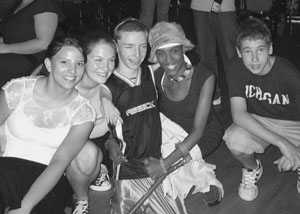
Success stories prove that some people with disabilities overcome multiple barriers to college and careers. However, this group continues to be underrepresented in challenging academic and career fields, such as science, technology, and engineering. The DO-IT Scholars program integrates activities for young people who have disabilities that, together, promote positive postschool outcomes. The disabilities of participants include sensory impairments, mobility impairments, health impairments, attention deficits, Asperger's Syndrome, and learning disabilities.
DO-IT (Disabilities, Opportunities, Internetworking, and Technology) serves to increase the participation of individuals with disabilities in challenging academic programs and careers. It was founded and continues to be directed by co-author Sheryl Burgstahler, Ph.D., at the University of Washington in Seattle. DO-IT promotes the use of computer and networking technologies to maximize independence, productivity, and participation in education and employment. Since 1992, the DO-IT Scholars program has provided students with disabilities with the tools and skills needed for postsecondary and career success through interventions that include technology access, live-in summer programs, peer and mentor support, college preparation activities, and work-based learning.
Repeated funding from the National Science Foundation has resulted in DO-IT strengths in the fields of science, technology, engineering, and mathematics (STEM). DO-IT's Alliance for Access to STEM (AccessSTEM) promotes the participation of people with disabilities, including the DO-IT Scholars, in STEM fields. For more information on AccessSTEM and for a searchable Knowledge Base of questions and answers, case studies, and promising practices, consult the AccesssSTEM page.
DO-IT has evolved into a collection of projects and programs to increase the number of people with disabilities who:
- use technology as an empowering tool
- communicate with peers and mentors in a supportive electronic community
- develop self-determination skills
- succeed in postsecondary education and employment
- pursue careers that were once considered unavailable to them, such as science and engineering
- have opportunities to participate and contribute in all aspects of life
This manual was developed to help you create summer study, work-based learning, and e-mentoring programs for youth. Although DO-IT focuses efforts on college-based teens with disabilities, activities, forms, and publications can be adapted for other groups. Chapter One provides an overview of research that supports DO-IT practices. The chapters that follow share how DO-IT employs evidence-based practices in a cohesive set of programs and activities for students who have disabilities. Within those chapters you will see how we've put research into practice to promote the success of students with disabilities as they transition from high school to college and careers. The last chapter shares information on resources that include websites, references, and a collection of DO-IT publications and video presentations, such as How DO-IT Does It, DO-IT Pals, and Opening Doors: Mentoring on the Internet. Appendices include ready-made forms and other documents that can be adapted for use in your program.
Organizational details shared in this book have been implemented for more than fourteen years at the University of Washington in Seattle. Applying these practices can promote the development of self-determination and technology skills that contribute to success in college, careers, and independent living. Please note that including content in sections and on documents and forms in this book does in no way suggest that they are applicable to any other program. Administrators should seek counsel from attorneys and decision-makers of sponsoring organizations to determine the appropriate policies and procedures for their transition programs.
Much of the content of this book is duplicated in other publications, training materials, and web pages published by DO-IT at the University of Washington, most of which can be found within the comprehensive website at https://doit.uw.edu/. Permission is granted to modify and duplicate these materials for noncommercial purposes provided the source is acknowledged.
An electronic version of this book is available at Creating a Transition Program for Teens: How DO-IT does it, and how you can do it too. Related videos and brochures are available on the Resources page. For additional information and resources on technology, education, and employment for people with disabilities, visit the DO-IT website at https://doit.uw.edu/.
Project Team

A team of professionals, representing postsecondary institutions from twenty-three states in the United States, met in three collaborative meetings, communicated year-round, delivered professional development to faculty and staff, and helped develop and test the professional development content and strategies included in these train-the-trainer materials. Their continuous involvement assures that project products have applicability nationwide.
The DO-IT Admin project team includes disabled student services staff, faculty, and administrators at institutions of higher education in twenty-three states. The nationwide recruitment process was highly competitive. Applicants for project team membership were rated by DO-IT's Academic Advisory Board. The Board based its ratings on past efforts in this area, team diversity, and the potential to contribute to project efforts.
DO-IT Admin team members are listed below. Each member chose an institutional partner in the team member's state. A team member from a four-year institution partnered with one from a community or technical college, and a team member from a community or technical college partnered with one from a four-year institution. Each partner school has demographics (e.g., racial/ethnic diversity, size, location) that are different from those of the project team institution.
Alice Anderson
University of Wisconsin-Madison
Madison, Wisconsin
alice.anderson@doit.wisc.edu
Partner: Jackey Higby Thomas
Madison Area Technical College
Madison, Wisconsin
Beatrice Awoniyi
Florida State University
Tallahassee, Florida
bawoniyi@admin.fsu.edu
Meryl Berstein
Johnson and Wales University
Providence, Rhode Island
mberstein@jwu.edu
Partner: Tracy Karasinski
Community College of Rhode Island
Warwick, Rhode Island
Sharon Bittner
Des Moines Area Community College
Ankney, Iowa
sgbittner@dmacc.org
Deborah Casey-Powell
Green River Community College
Auburn, WA
dcasey@greenriver.edu
Rosemary Coffman
Lee College
Baytown, Texas
rcoffman@lee.edu
Partner: Jean Ashmore
Rice University
Houston, Texas
Jane Furr Davis
Hunter College
New York, New York
jane.davis@hunter.cuny.edu
Partner: Columbia-Greene Community College
Hudson, New York
Jill Douglass
Santa Fe Community College
Santa Fe, New Mexico
jdouglass@sfsccnm.edu
Partner: Donna Collins College of Sante Fe
Santa Fe, New Mexico
Jim Gorske
University of South Carolina Spartanburg
Spartanburg, South Carolina
jgorske@uscs.edu
Partner: Sharon Bellwood
Greenville Technical College
Greenville, South Carolina
Pam Griffin
University of Minnesota, Duluth
Duluth, Minnesota
pgriffin@d.umn.edu
Partner: Anita Hanson
Fond Du Lac Tribal and Community College
Cloquet, Minnesota
Grace T. Hanson
Mt. San Antonio College
Walnut, California
ghanson@mtsac.edu
Partner: Dave Sanfilippo
California State University Long Beach
Nancy Hart
Lane Community College
Eugene, Oregon
hartn@lanecc.edu
Partner: Margaret Dibb
Southern Oregon University
Ashland, Oregon
Dyane Haynes
University of Washington Seattle
Seattle, WA
dyane@u.washington.edu
Partner: Richard Okomoto
Seattle University
Seattle, Washington
Elaine High, or John Pedraza
Michigan State University
East Lansing, Michigan
high@msu.edu or pedrazaj@msu.edu
Partner: Scott Hickman
North Central Michigan College
Petoskey, Michigan
Richard Jones
Arizona State University
Tempe, Arizona
richj@asu.edu
Partner: Steve Schroeder
South Mountain Community College
Phoenix, Arizona
R. Scott Laurent
University of Missouri-Kansas City
Kansas City, Missouri
laurentr@umkc.edu
Partner: Mary Ellen Jenison
Longview Community College
Lee's Summit, Missouri
Rodney Pennamon
Georgia State University
Atlanta, Georgia
disrep@langate.gsu.edu
Partner: Carolyn Swindle
Gainsville College
Oakwood, Georgia
Patricia Richter
Kutztown University
Kutztown, Pennsylvania
richter@kutztown.edu
Partner: Lehigh Carbon Community College
Schnecksville, Pennsylvania
Sharon Robertson
University of Tennessee, Martin
Martin, Tennessee
sroberts@utm.edu
Partner: Fred Deaton
Jackson State Community College
Jackson, Tennessee
Rosezelia Roy
Virginia State University
Petersburg, Virginia
rroy@vsu.edu
Partner: Debby Wilkerson
J Sargeant Reynolds Community College
Richmond, Virginia
Al Souma
Seattle Central Community College
Seattle, Washington
asouma@sccd.ctc.edu
Partner: Richard Okomoto
Seattle University
Seattle, Washington
Suzanne Tucker
Southern Connecticut State University
New Haven, Connecticut
tucker@scsu.ctstateu.edu
Partner: Toni Page
Gateway Community College
New Haven, Connecticut
Linda Walter
Seton Hall University
South Orange, New Jersey
walterli@shu.edu
Partner: Cathleen Doyle
Raritan Valley Community College
Somerville, New Jersey
DO-IT Admin project team members conducted focus groups with student service staff and administrators and students with disabilities on their campuses to explore strategies for increasing access for students with disabilities. At collaborative meetings in Seattle, team members discussed professional development and technical support issues and strategies and created professional development materials.
At team member and partner campuses, professional development programs were delivered, materials were disseminated, strategies for providing technical assistance to student service administrators and staff were explored, and successful practices were implemented. Discussion and coordination of DO-IT Admin activities took place year-round on an interactive Internet discussion list.
All DO-IT Admin project materials, including online resources, video presentations, and printed materials, are available in The Conference Room, and are offered in formats that are readily accessible by individuals with disabilities. Permission to copy and further distribute project products is granted provided the source is acknowledged.
Ultimately, DO-IT Admin and DO-IT Prof materials and activities will result in greater postsecondary education and career opportunities for individuals with disabilities. I hope you will find these materials useful in your efforts to ensure that all students on your campus have equal opportunities to learn, explore interests, access services, and express ideas.
Sheryl Burgstahler, Ph.D. Director, DO-IT
How to Use These Materials
The enclosed videos, written materials, and handout templates were developed for those providing professional development to help faculty and administrators in postsecondary institutions become more aware of:
- the rights, responsibilities, potential contributions, and needs of students with disabilities
- the rights and responsibilities of postsecondary institutions
- reasonable accommodations and instructional strategies for working with students who have disabilities
- campus resources that help provide equitable educational opportunities for all students
These materials are for use in departmental and campus-wide presentations to stimulate discussion and action. Each presentation option can be tailored for meetings of administrators, departmental chairs, advisors, faculty, teaching assistants, and support staff. The presentations are intended for use in public and private; large and small; and two-year, four-year, and technical postsecondary institutions. Presentation lengths vary from 20 minutes to several days. The materials were tested nationwide and refined based on faculty and staff evaluations.
In addition to the presentations themselves, a synthesis of research, implementation and institutionalization strategies, presentation tips, frequently asked questions, and resources are included. The following paragraphs describe the content of this handbook.
Synthesis of Research
The content included in this handbook is based on research in a number of relevant areas. These include experiences of students with disabilities, reported postsecondary faculty training needs, adult learning, learning styles, types of learning, universal design of instruction, and systemic change. This section describes the underlying theory and research that supports the practices suggested in these materials.
Institutionalization Strategies
Setting up one training session for a department is not difficult; however, developing strategies to institutionalize faculty and administrator training requires more thought and planning. This section provides suggestions that can result in long-term improvements on your campus. Implementing institutionalization strategies will help ensure that students with disabilities have equal access to your academic programs and resources.
Presentation Tips
This section provides suggestions for making engaging and informative presentations to faculty, administrators, and staff. You will also find case studies to use in your presentations.
Presentations
Several presentation options are outlined in this section:
- 20-30 minute overview to introduce participants to basic legal issues, accommodation strategies, and resources specific to their campus;
- 1-2 hour presentation with a special focus on providing accommodations to students with a variety of disabilities and introducing participants to legal issues and campus resources; and
- 10 tailored workshops for in-depth training on topics of special interest to faculty and administrators.
For each presentation option, a sample script is included to minimize the preparation that might otherwise be required. The presenter may use the script verbatim or extract ideas to customize a presentation.
The videos included in this notebook can be used in specific presentations or broadcast on public television. Handout and overhead projection templates are provided in the Presentation Tools section for easy duplication and use.
A web-based instructional option is also available for faculty and administrators. To access web-based instruction, visit The Faculty Room. A distance learning course that can be delivered via email to faculty and administrators on your campus can be found in The Faculty Room at https://doit.uw.edu/brief/academic-accommodations-for-students-with-learning-disabilities/.
Frequently Asked Questions
Frequently asked questions (FAQs) and their answers provide a useful reference for presenters. They represent a small sample of the articles available in the searchable Knowledge Base at https://doit.uw.edu/programs/accesscollege/. If reviewed before delivering a presentation, the FAQs can help the presenter prepare responses to questions commonly asked by faculty and administrators.
Resources
A glossary of disability-related terms, a list of resources, and references are included.
Presentation Tools
The presenter will find ready-to-use presentation tools included in this section.
Overhead Projection Templates
Templates that can be developed into presentation slides are included for use in the presentations. There are many templates included to optimize custom presentations. In addition, slides are provided on The Faculty Room website.
Handouts
Reproducible, camera-ready handouts for presentations are inserted in the plastic pouch in the back of the binder.
Final Evaluation Tools
One of two evaluations can be selected for use with participants at the end of the session. They are found on pages 188-190 of this notebook.
Videos
Videos referenced throughout this handbook are collected on eight DVDs (located in the back of this binder) and are also freely available online at https://doit.uw.edu/videos/.
Their titles follow.COLLEGE 1
- Working Together: Faculty and Students with Disabilities. Successful students with disabilities tell about techniques and accommodations that contributed to their success, emphasizing the importance of the faculty-student relationship. (9 minutes)
- Building the Team: Faculty, Staff, and Students Working Together. Learn how to create an inclusive postsecondary learning environment. (16 minutes)
- Equal Access: Universal Design of Instruction. Learn to make instruction in a classroom or tutoring center accessible to all students. (13 minutes)
- Equal Access: Student Services. Learn how to apply universal design principles to make postsecondary student services accessible to all students. (15 minutes)
COLLEGE 2
- Invisible Disabilities and Postsecondary Education. Learn strategies to help students with learning disabilities, attention deficits, and other invisible disabilities achieve success in college. (19 minutes)
- Self-Examination: How Accessible Is Your Campus? Learn issues to address to make a postsecondary institution welcoming and accessible to students with disabilities. (10 minutes)
- Equal Access: Campus Libraries. How to apply universal design principles to make libraries accessible to all visitors. (10 minutes)
TECHNOLOGY 1
- Working Together: People with Disabilities and Computer Technology. Individuals with disabilities demonstrate adaptive technology for people with mobility impairments, blindness, low vision, hearing or speech impairments, and learning disabilities. (13 minutes)
- Working Together: Computers and People with Mobility Impairments. People with mobility impairments demonstrate computer access technology. (14 minutes)
- Working Together: Computers and People with Sensory Impairments. People with visual and hearing impairments demonstrate computer technology for school and work. (10 minutes)
- Working Together: Computers and People with Learning Disabilities. Students and workers with learning disabilities demonstrate computer- based tools and strategies. (12 minutes)
- Computer Access: In Our Own Words. Students with disabilities demonstrate adaptive technology and computer applications. (10 minutes)
TECHNOLOGY 2
- Equal Access: Universal Design of Computer Labs. Learn how computer labs can be designed to be accessible to students with disabilities. (11 minutes)
- World Wide Access: Accessible Web Design. People with disabilities describe roadblocks they encounter and examples of accessible web design. (11 minutes)
- Real Connections: Making Distance Learning Accessible to Everyone. Learn issues to consider when designing courses to fully include students with disabilities. (12 minutes)
- Access to Technology in the Workplace: In Our Own Words. Employees show how to make technology accessible. (13 minutes)
- Camp: Beyond Summer. Learn how to add Internet experiences to summer camp programs for children and youth with disabilities. (10 minutes)
DO-IT STEM 1
- Working Together: Science Teachers and Students with Disabilities. Successful science students with disabilities suggest ways to make science activities accessible. (13 minutes)
- Equal Access: Science and Students with Sensory Impairments. Students and employees with sensory impairments share strategies for success. (14 minutes)
- The Winning Equation: Access + Attitude = Success in Math and Science. Science and math teachers share strategies for making these subjects accessible to students with disabilities. (15 minutes)
- STEM: Science, Technology, Engineering, Mathematics at the University of Washington. Students and faculty highlight STEM programs offered to a diverse student body at the UW. (10 minutes)
SELF DETERMINATION 1
- Taking Charge 1: Three Stories of Success and Self-Determination. Successful young people with disabilities share strategies for living self-determined lives. (17 minutes)
- Taking Charge 2: Two Stories of Success and Self-Determination. Teens with disabilities share how they are learning to live self-determined lives. (15 minutes)
- Taking Charge 3: Five Stories of Success and Self-Determination. This video combines the five stories presented in Taking Charge 1 & 2 videos. (27 minutes)
PART OF ME, NOT ALL OF ME
- Part of Me, Not All of Me. Teens with disabilities share their interests, activities, and other aspects of their lives showing that their disabilities do not define who they are. (6 minutes)
DO-IT PROGRAMS 2
- How DO-IT Does It. Successful practices employed by DO-IT programs to increase the success of young people with disabilities in college and careers. (34 minutes)
- Opening Doors: Mentoring on the Internet. Mentors help students with disabilities achieve success in college studies and careers. (14 minutes)
Permission is granted to reproduce any of these materials for noncommercial, educational purposes as long as the source is acknowledged. Much of the content is duplicated in other publications, training materials, and webpages published by the DO-IT Center; most can be found within the comprehensive website at https://doit.uw.edu/.
Synthesis of Research
The purpose of this section is to summarize research that relates to the professional development of faculty and administrators to ensure that students with disabilities have equal access to their courses. Selected research areas were developed through literature review and collaboration with various DO-IT project team members. The "Implications for Practice" section of each topic area shows how the specific body of research can be applied to create an effective professional development program.
The body of research shared in this section provides the foundation for the presentation content and delivery strategies included in other sections of this notebook. Professional development facilitators may find this foundation useful as they develop effective faculty and administrator training materials and programs.
Six subsections are organized around key questions that must be addressed in order to be fully informed when developing educational opportunities for postsecondary faculty and administrators. Subsection topics and questions are listed below.
Professional Development: Need, Content, and Methods
- Why do faculty and administrators need professional development regarding teaching students with disabilities in their courses and programs?
- What do we know about the knowledge, experiences, and attitudes of faculty and administrators regarding students with disabilities? What do faculty and administrators want and need to know about fully including students with disabilities in their classes? How do faculty and administrators want to gain this knowledge?
- What do students with disabilities think faculty members and administrators need to know about providing full academic access in their classes?
Adult Learning
- What do we know about adult learning that can be applied to the design and delivery of professional development for faculty and administrators regarding equal access of students with disabilities to courses and programs?
Learning Styles
- What do we know about learning styles that can guide the delivery and design of professional development for faculty and administrators regarding equal access of students with disabilities to courses and programs?
Types of Learning
- What do we know about types of learning that can guide the design and delivery of professional development for faculty and administrators regarding equal access of students with disabilities to courses and programs?
Universal Design of Instruction
- What do we know about universal design of instruction that can guide the design and delivery of professional development for faculty and administrators regarding the equal access of students with disabilities in their courses and programs?
Systemic Change
- What do we know about systemic change that can guide the design and implementation of professional development for faculty and administrators regarding equal access for students with disabilities in their courses and programs?
- What do we know about sustaining faculty and administrator development activities for supporting students with disabilities?
In each topic area, research questions are followed by an overview of research as well as suggestions for preparing and delivering presentations to faculty and administrators. A concluding section, "Application of Research Findings," summarizes how each research area can be applied to the delivery of professional development presentations for faculty and administrators. Note that research in several different areas supports some of the same recommendations, thereby reinforcing essential characteristics of successful professional development programs.
Institutionalization Strategies
This section shares strategies for implementing faculty and administrator training for the purpose of creating academic programs and services that are accessible to all students. Ideas for promoting systemic change, as well as how to measure change and impact, are included.
Introduction
Creating a climate that fosters equal access for students with disabilities may require systemic change on your campus. How to best institutionalize change depends on the characteristics of your school. Consider the size of the organization, programs offered, resources available, administrative structure, current availability of training and support for faculty and administrators, and mechanisms to monitor compliance. Review the policies in place that pertain to accessibility and how well they are articulated and enforced.
As you work toward making your campus more accessible, regularly remind yourself of the importance of your work. Human rights and quality of life issues are at stake. Your efforts can result in greater academic and career success for the students you serve, even if changes are small and slow in coming. Keep your ultimate goal in mind and persist in reaching it.
No single solution will apply to all campuses. However, you can learn from the experiences of others. Included in this section are general guidelines, promising practices, and successful experiences from two- and four-year postsecondary institutions nationwide. This advice is given by faculty and staff from institutions of higher education who were part of the DO-IT Prof team. The strategies are organized into eight areas: needs assessment, teamwork, administrative support, professional development, training, promotion, networking, and evaluation. For details about a specific example, contact the appropriate team member listed in the "About the Contributors" section at the beginning of this notebook.
Needs Assessment
Conduct a needs assessment. Administer surveys and/or conduct focus groups with students, administrators, and faculty members to determine problems and identify solutions regarding equal access to campus programs. A needs assessment can help you share knowledge, prioritize issues, develop goals, and brainstorm strategies. Faculty members can share their experiences and needs for resources and training. Administrators can provide insight into current policies and possible barriers to implementing change. Students can share their personal experiences and observations regarding gaps in support on your campus.
Following are examples of needs assessments conducted by institutions across the country.
Example: Focus Groups
Through the DO-IT Prof, DO-IT Admin, and AccessCollege projects, focus groups of faculty members, teaching assistants, staff members, and students with disabilities were conducted on campuses around the country. Focus groups with faculty and staff examined their experiences working with students with disabilities, their knowledge and level of satisfaction with campus services, and their ideas about effective professional development methods and content. Students shared their experiences on campus and made recommendations for the delivery of professional development to faculty (Burgstahler & Doe, 2002). Focus group results guided the creation of the content and format of the professional development materials described in this publication and available in The Faculty Room.
Example: Focus Groups
Some campuses conducted focus groups with students without disabilities to gain insights into how the academic climate can be more inclusive of all students, including those with disabilities.
Example: Survey of Staff
The University of Kentucky conducted an online survey of university academic administrators, instructors, and auxiliary service personnel to assess activities, practices, and resources.
Example: Survey of Faculty
Some campuses designed their professional development program after determining faculty knowledge and interests through a campus-wide survey.
Example: Meetings
Some disability support staff met with groups of faculty, administrators, and/or students from a specific department to learn about needs, experiences, and problems unique to that department. In order to solicit the most honest responses, the three groups —faculty, administrators, and students with disabilities—met separately. Actions were taken in response to the needs identified.
Example: Response to Needs Identified by Students
At the University of Minnesota–Duluth (UMD) students found that the only accessible path to a music classroom and practice hall located on the basement level required the use of a freight elevator. The pathway to the classroom also required going through a performance theater, a dark hallway to the elevator, storage space, and another poorly lit area. With cooperation from the theater department, the storage space was cleared, and a path through the area was created. Working with facilities management, the lighting and door pulls were improved. Staff of the music department instituted a practice to walk the accessible path to class each day to ensure that lights were on and pathways unblocked. While these temporary measures were instituted, students sought and received approval from the chancellor to fund a passenger elevator that made the entire building more accessible.
Teamwork
Know your organization and stakeholders. Who are the leaders and policy makers on your campus? Who are other stakeholders? How can stakeholders become involved in activities and/or in advisory capacities? Who is (or should be) involved in the stages of planning disability-related awareness activities, training, support, policy and procedure development, implementation, compliance, and evaluation? How does policy get formed? Where does funding come from; who decides what it is used for? What are the barriers to change? Who promotes change? Who implements change?
Include all stakeholders in developing campus and departmental action plans for improving the instructional climate and accessibility for students with disabilities. Consider the following as potential stakeholders on your campus when it comes to making facilities, programs, and services accessible to students with disabilities:
- students
- faculty
- administrators
- academic departments
- administrative units
It is easier to garner resources, face opposition, and maintain your enthusiasm and direction as part of a group. Look for allies everywhere. Some may be found in these places:
- ADA compliance offices
- community and governmental service providers
- computing services
- disability services office
- disability services offices on nearby campuses
- disabled student organizations
- equity and diversity committees
- faculty and staff development or training centers
- physical plant or facilities units
- teaching assistant organizations
Organize yourselves into a team. Put together a committee to design and implement professional development for faculty and administrators that will result in a more inclusive campus. Not only is there strength in numbers, but more partners and coalitions result in more ideas and more resources to implement plans. Work together as a team to consider and tailor the suggestions in this handbook to the unique needs of your campus.
Example: ADA Task Force
When the ADA was passed, UMD developed an ADA Task Force to ensure compliance. The Access Center (which provides disability-related services) worked with the chancellor to identify a core group of people to assess the needs of the campus. When the initial assessment of the ADA Task Force was complete, the value of supporting ongoing assessment and recommendations was recognized by both staff and students. Task force members now represent all units on campus from collegiate units and facilities management to students, IT, and housing. Representatives are appointed by heads of departments. Access center staff are ex-officio members. The task force continues to identify and resolve access issues on campus.
Administrative Support
Garner support from faculty, departments, and service units campus-wide; create linkages and collaborations. Ensure that campus recruiters, admissions staff, financial aid, personnel, staff associations, academic counselors, computer labs, and other campus units are knowledgeable about campus resources available to faculty and to students with disabilities. Let student support units and student organizations know of services. Suggest ways they can contribute to your efforts. Ask to be included on regular meeting agendas. Inform these groups about legal issues, accommodation strategies, and campus resources. Meet with departmental and campus administrators to elicit suggestions regarding how to best reach tenured faculty, new faculty, TAs, and part-time instructors.
Gain the attention and support of the administration. Let key administrators know about campus needs and your efforts and accomplishments. Encourage the administration to distribute written notices across campus that describe the policies, guidelines, and practices that enhance access and the education of students with disabilities.
Example: Evaluating Policies and Procedures
Southwest Missouri State University (SMSU) disability services carefully evaluated their system-wide policies and procedures regarding disability and discovered many inconsistencies. They began the process of working with student affairs, academic affairs, administrative services, and the president to streamline the university policies on disability. From these discussions, a few significant things happened:
- They gained tremendous support from upper administration for the disability support program. Once many of these individuals saw the positive impact and student numbers, they were open to looking at training programs and additional supports for faculty and staff.
- They rewrote their statement of commitment to students with disabilities and to diversity as a whole. Once again, this forced administrators to revisit related issues.
- Campus catalogs, departmental statements, and other campus publications were modified to include the new statement of commitment to students with disabilities.

Example: Web Publishing Policy
The University of Wisconsin–Madison (UW–Madison) developed a policy governing web accessibility. The purpose of the UW–Madison policy is to ensure that individuals with disabilities have access to the increasing amount of web-based material originating on campus. As part of the strategy to implement the policy, informative letters were sent to all faculty and staff by the vice chancellor for Legal and Executive Affairs and the university's Americans with Disabilities Act coordinator.
Example: Funding and Cooperation
At UMD, the director of Information Technology Systems and Services (ITSS) sets aside a portion of the budget to ensure that computers and computer labs are accessible to students with disabilities. One staff person from the Access Center works with a representative from ITSS to plan for and purchase necessary adaptive software and hardware based on student needs. The director has found that much of the accessible software and hardware is beneficial to other students on campus. Screen enlargement software, for example, has helped many students avoid eye strain when working on computers. Following the model set up by ITSS, other departments are working with the Access Center to project funding requirements to ensure accessibility.
Example: Securing Campus Support
Some campuses use the process of developing a campus policy and/or drafting materials to be distributed as a strategy for working with administrators without scaring them away by stressing meeting attendance.
Example: Departmental Support
The UW–Madison formed a partnership with Macromedia to develop accessible multimedia, specifically Flash. Several department representatives collaborated in this project, which they will ultimately showcase nationwide through the New Media Center Consortia. The university group, E-curb Cuts, has identified training needs for web developers to retrofit inaccessible webpages. The training was piloted with web developers who support instructional webpages. It is available for campus computer support staff using a train-the-trainer model. The trained support staff train others within their colleges, schools, and departments.
Example: Policy Development
The Educational Policy Committee (EPC) at UMD was established by the chancellor to set academic policy. As one of their accomplishments, they developed a policy that listed the essential components for all syllabi on campus. The Access Center worked with the EPC to include a statement in the policy regarding academic accommodations for students with disabilities.
Example: Sharing Accomplishments with Administrators
The DO-IT Prof project director drafted a letter that was tailored to specific campuses and mailed to key administrators selected by team members. The letter emphasized that their selection as a member of the DO-IT Prof team recognized their knowledge, experience, mission, accomplishments, and motivation to address the issue of helping faculty more fully include students with disabilities in their classes. The importance of the project was also emphasized. Several administrators who received letters contacted the DO-IT Prof team member on their campuses with supportive comments such as:
"Congratulations on being chosen as a member of the DO-IT Prof team sponsored by the folks at UW Seattle. Great to be included! As this moves further along, please see that you get on the cabinet agenda to update the cabinet on what the program is up to and our contributions to it. As you know, the chancellor signed the letter to the President (of the United States) indicating that UW–Madison was supportive of his initiatives to provide more accessibility—and that as a university we did work in that direction. This is another way that we can demonstrate that work. Thanks."
Example: Campus Support
On some campuses, written notices are distributed yearly through the president's or provost's office. These notices describe the institution's commitment to diversity, including the full inclusion of students with disabilities in all programs and services. Opportunities for faculty training sessions to help them more effectively incorporate diversity topics into their courses are also announced.
Example: President's Support
The presidents of universities nationwide signed a letter to President Clinton, "Twenty-five Universities Pledge to Increase Research in Computing for the Disabled," which appeared in The Chronicle of Higher Education (www.chronicle.com/), on October 6, 2000.
Example: Shared Responsibility
At the UW–Madison the Faculty Senate affirmed that the accommodation of qualified students with disabilities in instructional programs is a shared faculty and student responsibility. To this end, each department has appointed an Access and Accommodation Resource Coordinator to help faculty, staff, and students address issues of access and accommodation in instructional settings. Collaborative disability-related awareness and training events are coordinated through these department representatives on a regular basis.

Professional Development for Faculty and Administrators
Find out how your campus faculty members and administrators organize (e.g., unions, departments, senates) and arrange to be placed on meeting agendas. Let them know about your goals and activities in creating programs that are accessible to all students as well as how their organization can help. Meet with groups regularly to discuss issues and activities.
Format faculty and administrator professional development offerings to match the customs, organizational structure, and climate of your campus. Some institutions are well-served by presentations at regular division or department meetings where the expectation is that all faculty members will attend. This approach brings faculty development regarding disability issues to a broad audience and requires a minimum amount of coordination on the part of the presenter.
Offer presentations and training tailored to specific audiences. Provide many options for faculty and TAs to learn how to fully include students with disabilities in classes. Options include
- short orientations to legal issues, accommodation strategies, and campus resources at departmental faculty meetings
- tailored presentations to address issues of special importance to a specific group
- comprehensive workshops offered through centralized staff training programs
- accessibility modules integrated into mainstream training sessions (e.g., accessibility guidelines incorporated into webpage development classes; universal design strategies integrated into instructional strategy presentations)
- resources tailored to faculty and administrators available on the web
- instructional videos presented on cable or public television
- distance learning training options provided on the Internet
- a short publication mailed periodically to faculty and administrators that highlights legal issues, accommodation strategies, and campus resources
Example: Integrate Accessibility into Web Training
Many campuses offer workshops to faculty and staff on the development of webpages. Some campuses include a section on accessibility in each of the courses. The video and handout, World Wide Access: Accessible Web Design, included in this notebook can be used for this purpose.
Example: Computer Staff Training
On some campuses, staff who are knowledgeable about accessibility work with the staff at computer labs and support centers to ensure that their facilities, software, websites, and hardware are accessible to students with disabilities. In addition, they make sure staff know what resources are available when special needs arise. Several videos and handouts included in this handbook can be used in this type of training. They include:
- Computer Access: In Our Own Words
- Equal Access: Universal Design of Computer Labs
- Real Connections: Making Distance Learning Accessible to Everyone
- Working Together: Computers and People with Learning Disabilities
- Working Together: Computers and People with Mobility Impairments
- Working Together: Computers and People with Sensory Impairments
- Working Together: People with Disabilities and Computer Technology
- World Wide Access: Accessible Web Design
Example: Faculty and Staff Training
The Administrative Council at SMSU passed a mandatory six-hour training session for all faculty and staff regarding sexual harassment, diversity (including disability), and effective communication. A full-time trainer was hired to coordinate this effort.

Example: Orientation for New Faculty and Staff
The administration of Seattle Central Community College (SCCC) in Washington State requires new employees to attend a full-day orientation that includes a brief presentation by the Disability Support Services Office on the ADA and accommodation issues. Similar practices are implemented on many other campuses around the nation.
Example: Administrator Training
Some campuses provide disability awareness training for department heads. Sessions include legal issues, accommodation strategies, and campus resources. These trainings offer materials and speakers to deliver faculty training. Presenters provide suggestions for developing plans and institutionalizing practices in their departments.
Example: Academic Advisor Training
SMSU has a Master Advisor program to train campus advisors. Disability services staff deliver a presentation and participate in this one-and-a-half day training session.
Example: Training for Multiple Audiences
A two-credit course entitled "Issues in Group Leadership" was offered at the University of Rochester (Rochester). Several sessions were devoted to disability awareness and strategies for improving access to cooperative learning groups for those with disabilities. Students in this course were undergraduate and graduate TAs. A secondary audience included faculty members who were team-teaching the course. These instructors came from biology, biochemistry, computer science, and physics departments. The textbook for this training course included a short chapter entitled "Students with Disabilities and the Workshop."
Example: Distribute Current Information
Campuses nationwide have sent printed copies of the brochure entitled Working Together: Faculty and Students with Disabilities to faculty and instructional staff. (Every two years at the University of Washington (UW) all faculty and administrators are sent this brochure.) This brochure, which summarizes legal issues, accommodation strategies, and campus resources can also be used at presentations for specific academic departments. The back panel includes space for tailoring the brochure to include campus resources. A template for this short handout is included in the back pouch of this notebook.
Example: Survey Faculty and Staff
A DO-IT Prof team member from a four-year college worked with her partner school, a community college, to put together a training session for community college faculty and staff. All faculty and staff were required to attend. A questionnaire was sent out ahead of time to identify issues of concern, and these issues were addressed during the training.
Example: Publicize Accomplishments
Some organizations identify local papers, radio stations, and television channels and then send press releases that showcase their efforts to make their campuses more accessible to people with disabilities.
Example: Outreach to New Faculty
Some disability student service offices insert brochures in packets that are given to new faculty members and TAs and deliver presentations at orientations for new faculty and TAs.
Example: New Faculty Luncheon
The ADA Task Force at UMD invites new faculty to a luncheon at the beginning of the year to become acquainted with Task Force members and learn more about academic accommodations for students with disabilities on campus.
Example: One-on-One Training
Providing individualized assistance (on an as-needed basis) to faculty and staff regarding questions on providing accommodations to students with disabilities has been proven to be very effective on many campuses. Sometimes, this one-on-one assistance is provided by faculty mentors who have received in-depth train-the-trainer instruction.
Training for Students
Consider ways to get disability-related topics into course offerings on your campus. Determine how new programs and courses are started at your school (e.g., gerontology, women's studies, ethnic studies) and work toward getting a course or program on disability studies on your campus. Alternatively, locate existing courses on education, engineering, diversity, computing, or other topics where disability issues should be included but are not. Meet with instructors and offer suggestions, videos, printed publications, and speakers to help them integrate this topic into existing classes.
Example: Learning from One Another
Disabled student support staff at Rochester were asked to provide a general disability awareness session for senior biomedical engineering students who were completing projects for children and adults with disabilities (e.g., designing a new tie-down system for wheelchair transportation). The primary audience for this presentation was the group of seniors, but an important secondary audience was the biomedical engineering faculty. One engineering faculty member sent the following email to his students after a discussion about appropriate terminology for people with disabilities (e.g., people words first, disability words second): "I have updated the BME 392 webpages to include links to the sites recommended by [speakers], and several that I have found. If you find particular sites that you think we should all know about, please let me know and I'll try to get them on the page (or start a new page of useful links). I will keep you notified of further changes to the course page."
Example: Disability-Related Engineering Project
The DO-IT director gave advice to mechanical engineering students whose project was to design a fishing pole for someone with a mobility impairment. She shared several case studies of young people with disabilities who might want to go fishing. The students made their inventions usable by the people featured in the case studies.
Example: Teaching Assistants
Some DO-IT Prof team members work with TA training programs to ensure that a component on accessibility for students with disabilities is included. Various DO-IT Prof videos, brochures, and curriculum components included in this notebook can be easily used within TA training programs.
Example: Faculty Website
The Faculty Room, a resource-rich website, is linked from many campus disability services and departmental websites to provide faculty with an overview of rights, responsibilities, and accommodation strategies as well as access to specialized instructional techniques.
Example: Summer Faculty Institutes
Some campuses provide summer institutes on various topics for faculty and administrators. A potential focus is working with students who have disabilities.
Example: Distribution List
Electronic distribution lists provide an excellent vehicle for sharing information, discussions, common concerns, and providing immediate feedback on ideas, opinions, or problems. Individual discussion groups can be set up for students with disabilities, departmental administrators, and faculty members.
Example: Disability Topics in Courses
Some disability advocates have helped instructors teach disability-related topics in existing courses. They offered videos, sample curricula, and handouts.
Example: Disability Studies Courses
At SMSU, Disability Support Services, in conjunction with Academic Affairs, developed a senior capstone course called Disability Issues for the 21st Century, which deals with disability-related issues in society. All graduating seniors are required to take a capstone course. The course is offered each semester. At Rochester, a disabilities studies project has been funded to develop courses in this area of study.
Example: Student Panels
The disability-related services staff at some postsecondary institutions regularly offers to bring a panel of students into classrooms to address disability issues. The panels have been well received by students and faculty alike. Students with disabilities who use access center services are recruited for these panels.
Example: Usability Testing
The DO-IT Center has developed a partnership with Microsoft and the departments of Technical Communication and Computer Science to incorporate accessibility testing into curricula, student projects, and research related to usability studies.
Promotion
Raise the visibility of campus disability support services. Create a publication and webpages with procedures and services of the office that supports students with disabilities. Increase the number of disability-related presentations on campus. Work with your campus and community press to get the word out. Issue regular press releases about disability-related topics and events to campus newspapers. Make resources prominent on the campus website. Develop webpages for the office of support services for students with disabilities to include a link to The Faculty Room. Encourage other campus departments to link to your site.
Example: Teaching Awards
Each year SCCC nominates a faculty or staff member who has provided exceptional and creative accommodations to a student with a disability. Awardees share a traveling plaque engraved with their names on it. The award is presented at a Presidents' Day event that all faculty and staff attend.
Example: Accessible Web Awards
Ohio State University gives awards to departments that produce the most accessible webpages. Recipients are honored with plaques at a special reception.
Example: Marketing
At SMSU, a marketing plan to promote disability awareness was developed with the help of the marketing department on campus. The plan included the following initiatives:
- Everything is centered around the theme "You Can," with a related logo.
- New faculty, staff, and student brochures and a new website were created.
- Signage was placed in each departmental office and included contact information for the support of students with disabilities.
- A display board with the "You Can" theme was created and displayed at the New Student Festival, orientation sessions, and other activities.
- Department staff wore t-shirts with the "You Can" logo on numerous occasions.
- Staff purchased and distributed magnets, screen sweeps, and stress balls, all of which had the "You Can" logo printed on them.
- Staff are working with the organizational psychology department on campus to develop a high-energy, five-to-seven minute infomercial about campus programs that support students with disabilities to show on the campus television station and in classes.
Example: Online Resources
UW–Madison's website was developed by the Division of Information Technology. These pages have become a major resource for the campus. In addition to campus policy resources, DO-IT Prof materials, frequently asked questions, examples of accessible webpages, and online tutorials and resources are posted. A link is provided to The Faculty Room.
Example: Disability Awareness Day
The student group, Access for All, at UMD works with the Access Center to sponsor a yearly disability awareness program. Administrators, faculty, and students are invited. A bulletin board by the Learning and Resource Center also prominently displays disability-related information. The group is advised by a staff person from the Access Center.
Example: Model Webpage
The Access Center at UMD makes sure that its webpage is a model of accessible design. As other faculty and staff are learning to create accessible webpages, the Access Center's page is used as an example.
Create and promote disability-related events and include people with disabilities in other events on campus. Bring music, dance, art, poetry, and speakers to your campus that celebrate and increase awareness of the wide range of abilities and disabilities in our society. Many campuses have funding for cultural events that increase awareness of underrepresented groups; tap into these resources. Recruit speakers with disabilities to be part of regular campus programs. A presenter who happens to be blind sharing her research on climate trends as part of a campus lecture series may be more effective in changing attitudes about the capabilities of people with disabilities than a lecture on the topic.
Example: Disability-Related Events
Each semester, the UW–Madison holds an "Accessibility Series" as part of the Technology Accessibility Program. The series attracts faculty, administrators, and support staff. Follow-up resources are posted on a website. The Accessibility Series is a collaboration of several departments, including the Department of Learning Technology and Distance Education (LTDE), McBurney Disability Resource Center New Media Centers (NMC), Center for Biology Education (CBE), College of Letters and Science Learning Support Services (LSS), DoIT Media and Communications Technology (MCT), and DoIT Platform and Operating Systems Technology (POST).
Example: Joint Campus Events
The UW–Madison and Madison Area Technical College jointly hosted a spring collaborative "ADA Global Horizons Series," which included a keynote speaker and focus on learning disabilities.

Example: Sports Events
The Access Center staff at UMD work with the recreation sports staff on campus along with two nonprofit organizations, the Courage Center and North County Independent Living, to sponsor a disabled sports event. Teams and instructors for wheelchair basketball, wheelchair floor hockey, wheelchair rugby, and goal ball provide opportunities for people with and without disabilities to play. Plans are underway to create a sled hockey team and to sponsor a tennis tournament for participants with disabilities. The UMD student group, Access for All, helps publicize these events.
Example: Interpreter Services
Some disability services offices work with campus drama departments to have at least one of each of their performances interpreted by sign language interpreters and to publicize these offerings in promotional materials.
Create an electronic discussion list to support dialog and develop awareness of legal issues, accommodation strategies, resources, or events. Each month start a new discussion (e.g., Is your webpage accessible to people who are blind?). Encourage staff from human resources, physical plant, admissions, disabled student services, and other campus services to join the list.
Example: Technology Issues Distribution List
The UW–Madison, Division of Information Technology developed an electronic discussion list to address a variety of technology issues. Accessibility issues quickly surfaced and generated lively discussions and information sharing.
Share expertise by presenting at conferences. Submit proposals to present at campus events and local, regional, and national conferences. Videos, handouts, and visuals included in this notebook can be used for your presentation.
Example: Conference Presentations
National conferences at which DO-IT Prof team members have presented include the Annual Conference on Distance Teaching and Learning, CSUN's conference on Assistive Technology, Association of Higher Education and Disability (AHEAD), National Association of Student Personnel Administrators (NASPA), American Association of Higher Education (AAHE), American Association of Community Colleges (AACC), The Teaching in Higher Education (THE) Forum, and the American Society of Higher Education (ASHE). Examples of presentation titles include:
- Accessible Web Design
- Making Distance Learning Courses Accessible to Everyone
- Professional Development for Faculty on Including Students with Disabilities
- Strategies for Making Programs Accessible
- Accommodating Students with Learning Disabilities
- Overview of Adaptive Technology for Students with Disabilities
- Accommodating Students with Psychiatric Disabilities
- Legal Issues Regarding Students with Disabilities
- Helping Students with Disabilities Transition from Two- to Four-Year Schools
Example: Outreach to High School Students
Access Center staff at UMD have been regular participants and planners of a yearly transition fair for high school juniors and seniors called "Rocketing into the Future." They also sponsored their own workshop for college-bound high school juniors and seniors called "Try-It." The workshop featured opportunities to try out adaptive hardware and software available on campus as well as hear information about Access Center services.
Consider outside sources of funding. Check if there are general campus or external state funds available for building your program.
Example: Funding
The UW–Madison obtained funds by collaborating with University of Wisconsin–Eau Claire to develop a collaborative database of disability-related resources on all University of Wisconsin campuses (https://www.uwec.edu/). Resources from DO-IT Prof are shared statewide through this project.
Example: Minigrants
Some campuses have obtained funds to develop minigrant programs to provide assistance to faculty for developing accessible webpages, employing principles of universal instructional design, and developing accessible online courses.
Example: Community Funds
The "Try-It" workshop was made possible by funding from a local community foundation. After submitting their final report, the UMD Access Center was informed that the foundation was interested in funding additional projects that fit their guidelines.
Connect accessibility compliance with resources. Establish a policy that requires faculty to comply with access issues to qualify for funding of special centrally-funded projects.
Example: Accessibility Requirements
On one campus, policies were adopted that require faculty members who receive special funds to develop distance learning courses to meet accessibility standards. As a result, all funded distance learning courses are accessible to students with disabilities and faculty participants learned to develop accessible webpages.
Network with External Organizations

Develop a regional model with a set of consistent practices. Work collaboratively and individually with postsecondary institutions in your state to help each develop and employ appropriate training strategies, policies, and procedures. Utilize the web and electronic discussion lists to promote communication between faculty and staff from postsecondary institutions across the state. Create a summary sheet of intake and documentation requirements for all state schools and standardize them if possible.
Example: Regional Support Group
The Access Center at UMD was instrumental in developing a network of postsecondary institutions from the northern part of Minnesota and Wisconsin called the Northern Bridge. The group meets two to three times per year with different colleges hosting the meeting. A planning committee helps set programs and agendas. The group has been a valuable resource for new service providers and a good network for those in continuing positions.
Example: State Distribution List
The UW hosts the Internet-based distribution list for postsecondary offices and related organizations that provide support to students with disabilities in Washington State (WAPED). List members share policies and procedures and discuss issues of common interest.
Evaluation
Measure the impact of your activities. Although it is difficult to develop measures that show how your efforts have resulted in greater course completion, higher grades, and more diplomas for students with disabilities, it is still worth the effort to collect statistical data and feedback from stakeholders. Participants in presentations can be surveyed, focus groups can be conducted, and yearly enrollment and graduation figures can be collected and compared.
Example: Document Services Provided
The UMD Access Center has been involved in a quality review project sponsored by the vice chancellor of Academic Support and Student Life. As part of the project, the Access Center has been keeping figures on daily activities with a scoreboard that is shared with the other units under the vice chancellor. Through this process, the Access Center has been better able to document the numbers of students they serve and the services that they provide.
Example: Training Evaluation
DO-IT Prof team members developed long and short evaluation forms titled "Presentation Evaluation." Feedback is used in preparing future presentations. These forms can be found at the end of the "Presentations" section. The two-page form is intended for use in full- or multi-day workshops. The one-page form is intended for use in partial-day workshops. Other campuses are welcome to use these forms to evaluate their presentations.
Example: Institutional Data Collection
DO-IT project team members collect data from their campuses annually. Yearly data is compared to show trends in enrollment and graduation. A sample Institution Data Collection Form can be found on pages 52-54. Other campuses are welcome to use this form to collect data on enrollment and graduation.
Presentation Tips
Prepare
"The mind is a wonderful thing. It starts working the minute you're born and never stops working until you get up to speak in public." (Unknown)
The quality of your presentation is most directly related to the quality of your preparation. Rarely will you have difficulties in your presentation due to being overprepared.
- If you are responsible for the promotion of your presentation, create an accurate, but inviting, description. Emphasize the relevance of the content to the audience.
- Include a statement in promotional materials on how participants with disabilities can obtain disability-related accommodations for the presentation. This statement will provide an example that may be adapted by participants to use in their own publications.
- Believe in the importance of your message.
- Visualize yourself giving a great speech.
- Organize your material in a way that is most comfortable to you by using a script, outline, notes, or 3 x 5 cards. Number them.
- Proofread all printed materials.
- Practice, practice, practice—by yourself or with someone. During practice sessions you can work out the bugs and add polish to your presentation. (Note: a rehearsal usually will run about 20% shorter than a live presentation; adjust your content accordingly.)
- As participants enter, consider providing them with 3 x 5 cards and asking them to write at least one question they have about the topic of the presentation. Read them silently as people settle in. Address the questions throughout the presentation and/or at the closing.
- Have a backup plan for delivering the presentation if all of your audiovisual materials become unavailable. Do not rely on technology to work.
- Test all audiovisual equipment. Practice using your presentation slides and other visual displays. If you are using a video, make sure it is set to the correct beginning point, at the appropriate volume and with captions turned on.
- Check the lighting. If you need to adjust it during your presentation, practice the adjustments before you begin. Consider showing someone else how to make the adjustments for you.
- Have a glass of water available for yourself.
- Think about questions that might be asked and rehearse brief, clear answers to each.
- Memorize the first few minutes of your presentation.
- Review your main points.
- Dress for success.
Create a Comfortable Learning Environment
"More important than the curriculum is the question of the methods of teaching and the spirit in which the teaching is given." (Bertrand Russell)
- It is important to create a learning environment that is comfortable and welcoming.
- Arrive early and get a feel for the room, including its temperature, size, and overall set-up. Re-arrange furniture as needed.
- Warmly welcome participants, use eye contact and a welcoming posture, and thank participants for coming.
- For smaller groups, ask them to introduce themselves and indicate what they hope to learn. For larger groups, poll the audience, asking them to respond to questions related to your topic. For example, ask the audience, "How many of you have had a student with a learning disability in your class?" and then ask one individual to elaborate.
- Create a safe and nonthreatening environment where participants are not afraid to ask questions. Encourage them to share experiences and ask questions of you or other participants.
- Emphasize that everyone can contribute to the learning process.
- Clearly identify the objectives at the beginning of the session.
- Keep to the time schedule, but show that you value participant input by not rushing.
- Frame questions so that they are easy to understand.
- Do not criticize or allow audience members to criticize other participants.
- Maintain confidentiality and ask the audience to respect the privacy of other participants.

Manage Your Anxiety
"There are two types of speakers. Those who get nervous and those who are liars." (Mark Twain)
Nervousness before a talk or workshop is healthy. It shows that your presentation is important to you and that you care about doing well. The best performers are nervous prior to stepping on stage. Below are suggestions for assuring that anxiety does not have a negative impact on your presentation.
- Use nervousness to your advantage—channel it into dynamic energy about the topic.
- Remind yourself that you and the audience have the same goal, and, therefore, they want you to succeed as much as you do.
- Speak about what you know. Keeping your presentation within the realm of your knowledge and experience will build confidence and minimize nervousness.
- Focus on delivering your message, not on how you feel.
- Smile. Be relaxed, poised, and at ease on the outside, regardless of how you feel internally. Acting relaxed can help make you relaxed.
- Keep presenting! Your anxieties decrease the more presentations you give.
Create a Strong Beginning
"The greatest talent is meaningless without one other vital component: passion." (Selwyn Lager)
Keep your opening simple and exciting to engage your audience in your content.
- Consider using a short icebreaker activity.
- A tasteful, humorous commentary can be effective if related to the topic.
- Explain the purpose of your presentation in one sentence that is free of professional jargon and emphasizes what participants will gain.
- Start off with a natural pace—not too fast and not too slow—to establish a strong, positive image. Make a strong ending statement that reinforces the objectives of the presentation.
Incorporate Universal Design Principles
"I hear and I forget. I see and I remember. I do and I understand." (Confucius, 451 BC)
Model accessible teaching methods that your participants can use. Incorporate universal design principles to address the needs of participants with a wide range of knowledge, abilities, disabilities, interests, and learning styles. Examples are listed below.
- Use large fonts in your visuals. Make copies of slides available for participants.
- Be prepared to provide your materials in an alternate format, which may include electronic text, audio recording, large print, or Braille.
- Show captioned videos. If not available, provide a transcription of the content upon request.
- Arrange for a sign language interpreter if requested by a participant.
- Use a clear, audible voice. Use a microphone as needed. Face the audience at all times.
- Make sure the room is well-lit.
- Use multimedia in your presentation, such as videos, visual aids, props, and handouts.
- Demonstrate how to speak the content presented on slides and other visuals. For example, verbally describe graphs and cartoons.

Create a Dynamic Presentation
"It is the supreme art of the teacher to awaken joy in creative expression and knowledge." (Albert Einstein)
If your audience enjoys and remembers your presentation, it is because you presented it in a dynamic or compelling manner.
- Talk to your audience, not at them.
- Project enthusiasm for the topic without preaching. The majority of communication is nonverbal, so how you look and sound are vital.
- Present your material in a well-organized manner. However, be flexible to adjust to your audience. Let participants know if you wish to field questions during or after your presentation.
- Speak to the knowledge level of your audience. Define all terms they might not be familiar with.
- Choose your major points carefully and illustrate them with examples or stories.
- Incorporate real-life experiences into your presentations. Recruit students with disabilities or faculty to share their experiences. Ask audience members to share experiences and use these examples to illustrate key points or to answer questions.
- Role-play interactions between students and professors.
- Use natural gestures and voice inflection to add interest to your presentation.
- Address different learning styles by incorporating a variety of instructional methods that use a variety of senses (e.g., visual, auditory, kinesthetic).
- Repeat questions participants pose to ensure that the entire audience hears and understands them.
- Redirect the discussion if it strays from the topic at hand.
- Postpone questions related to resolving specific or individual problems to private discussions later. Do not get locked into an extended dialogue with one person; move on to questions from other participants and offer more time to talk after the presentation.
- If people ask questions that you cannot answer, say that you will locate the answer and get back to them (and then do!), suggest appropriate resources that will provide the answer, or ask for suggestions from members of the audience.
- Give demonstrations.
- Never apologize for your credentials or your material.
- Tailor your topic to audience interests.
- Never read your presentation word for word.
- Talk clearly and in well-modulated tones. Avoid speaking too rapidly, softly, or loudly. Make sure that the ends of your sentences don't drop off.
- Maintain eye contact. It conveys confidence, openness, honesty, and interest. It also lets you know how the audience is responding to your presentation. In large groups, mentally divide up the room into sections, and then make eye contact with different people in each section on a rotational basis.
- Use hand gestures naturally, gracefully, and to emphasize points. When not gesturing, let your hands drop to your sides naturally. Keep them out of pockets, off your hips, or behind your back. Avoid fiddling with clothes, hair, or presentation materials.
- Maintain good posture, but do not be rigid.
- Occasionally move from one spot to another, stop, then continue to speak. Don't pace.
- Remember that adult learners have a wealth of experience; are goal oriented and appreciate outcomes more than process; have set habits, strong tastes, and little time to waste; have strong feelings about learning situations; are impatient in the pursuit of objectives, and appreciate getting to the point; find little use for isolated facts and prefer application of information; and have multiple responsibilities, all of which draw upon their time and energy.
Make Your Presentation Interactive
"It is better to know some of the questions than all of the answers." (James Thurber)
Avoid simply lecturing to your audience. Engage your audience in an active discussion.
- Listen attentively before responding to questions.
- Encourage interactions between audience members.
- Present an accommodation challenge and ask audience members how they would address the issue.
- Respectfully reflect back to people what you observe to be their attitudes, rationalizations, and habitual ways of thinking and acting.
- Allow plenty of time for questions. Address all questions within your presentation or direct participants to appropriate resources.
- Demonstrate or provide hands-on experiences with assistive technology.
- Give useful or entertaining prizes for responses from the audience or have a drawing for a larger prize at the end of the presentation.
- If your audience is small, ask members to identify themselves and their
- experiences and interests related to the topic.
- Involve the audience in a learning activity. People remember more of what you teach them if they are able to learn it via an activity.
- Ask audience members how they have used specific accommodations or worked with students with specific disabilities. Ask questions like, "Has anyone done this? How did it work for you?"
- Stimulate group interaction and problem-solving.
- Promote discussion to help participants integrate themes and key points.
Include a Group Activity
"Real prosperity can only come when everybody prospers." (Anna Eleanor Roosevelt)
Include a short activity that makes an important point and encourages participation and discussion. Here's one to try. Announce that you're going to have a five-minute activity, then ask your participants to choose someone sitting nearby and share with each other two things:
- One thing you are very good at.
- One thing you are not very good at.
Have the instructions written on a presentation slide or write them on a flip chart. Read the instructions aloud. Give participants three to four minutes (there will be a lot of laughter and lighthearted talk), and then say you're not really interested in what they do well; ask people to share things that their partner does not do well. (This usually ends up funny—participants enjoy sharing that he can't do math, he hates public speaking, she's not good at fixing things around the house.)
After the fun, make the point that, "You have experienced, in a small way, what a person with an obvious disability experiences all the time—that people first notice something they are not particularly good at (e.g., walking, seeing, hearing) and don't take the time to learn his or her strengths. A disability may impact 10% of a person's life, yet is considered a defining characteristic by others. We need to pay attention to what everyone, including those with disabilities, can do, rather than accentuating what they can't do." To emphasize the point ask participants to reflect on how they felt when you said you weren't really interested in what they do well.
This activity is short, fun, and effective. It addresses the issue of attitudes, yet does not have some of the negative elements of traditional simulations that leave people feeling like having a disability is an impossible problem with no solution. This activity is also good to use when talking about internal and external barriers to success for students with disabilities, which can include lack of self-advocacy skills (internal barrier), and negative attitudes or low expectations on the part of individuals with whom they interact (external barrier).

Incorporate Case Studies
"Learning is an active process. We learn by doing . . . Only knowledge that is used sticks in your mind." (Dale Carnegie)
Have participants discuss case studies in small groups. At the end of this section are sample case studies that can be used in your presentation. They are all based on real experiences at postsecondary institutions. Each case study is formatted as a handout that can be duplicated for small group discussion. On the back of each activity sheet is the full description, including the solution actually employed. This version can be used for your information only or can be distributed to the group after the initial brainstorming has occurred. Participants can compare their ideas with the resolution in the actual case.
Address Key Points
"Enthusiasm is one of the most powerful engines of success. When you do a thing, do it with all your might. Put your whole soul into it. Stamp it with your own personality. Be active, be energetic, be enthusiastic, and faithful, and you will accomplish your objective. Nothing great was ever achieved without enthusiasm." (Ralph Waldo Emerson)
Be sure that your presentation covers the most important content for your audience.
- Explain the legal requirements regarding accommodating students with disabilities in clear, simple terms. Make it clear that legislation, such as the ADA, provides broad statements about accessibility, but our judicial system ultimately decides what is legal or illegal in a specific situation.
- Explain the rights and responsibilities of students with disabilities, faculty, and the disabled student services office.
- Describe specific situations that have occurred on your campus, including what was successful and situations that could be improved, and how.
- Demonstrate low-tech and high-tech accommodations, including adaptive computer technology.
- Explain how accommodations that are useful to students with disabilities can also benefit all learners.
- Provide information on campus-specific resources and procedures.
Provide Resources for Participants to Keep
"The philosophers have only interpreted the world in various ways; the point, however, is to change it." (Karl Marx)
Make sure that you provide your audience with information on which they can follow up after your presentation.
- Provide written materials of key content for future reference.
- Provide contact information and invite participants to contact you with questions after the presentation. Distribute business cards.
- For further exploration refer participants to The Faculty Room and to the Center for Universal Design in Education.
Conclude with a Strong Ending
"The greatest good you can do for another is not just to share your riches but to reveal to him his own." (Benjamin Disraeli)
The most important and remembered words you speak are the last ones.
- Summarize key points.
- Consider concluding with examples that show the importance of providing educational opportunities for students with disabilities. One idea is to have an alumnus with a disability discuss how they navigated your campus, worked with the disability services office, received the accommodations they needed, graduated with a degree, and went on to succeed in employment.
- Empower your audience to use information you presented to improve access for and education of all students with disabilities.
Improve Each Presentation
"I have the simplest tastes. I am always satisfied with the best." (Oscar Wilde)
Take steps to gain feedback about your presentation that will lead to improvements.
- Practice your presentation with colleagues or friends and ask for their feedback.
- Record your presentation for self-analysis.
- Evaluate your presentation through an anonymous written survey. Two examples of evaluation instruments are included on pages 188-190.
- Incorporate suggestions into subsequent presentations.
Conclusion
"When you can do the common things in life in an uncommon way, you will command the attention of the world." (George Washington Carver)
In summary, to give effective presentations where participants gain valuable information in a dynamic way, make sure to:
- prepare well in advance
- incorporate universal design principles
- facilitate interaction, sharing of experiences, and creative problem?solving within the session
- promote a welcoming and non?judgmental learning environment
Presentations
The links below are a collection of stand-alone presentations on specific topics of interest to campuses nationwide. The presentations are designed for use with postsecondary faculty and administrators. They can be easily adapted to specific audience interests and program lengths. They can also be combined to create a series of presentations for a single group.
These topics were selected after conducting focus groups and a literature review which is summarized in the Synthesis of Research section of this publication. The DO-IT Prof and AccessCollege project team members helped develop the content. After the last presentation module in this section, you will find a long and a short presentation evaluation form (pages 189-191) to give to your audience participants at the end of each presentation.
The suggestions in the sections entitled Presentation Tips and Institutionalization Strategies can be used in the process of developing an individual presentation and implementing professional development of faculty and administrators throughout the institution, respectively. Further details about the materials in this notebook are located in the section "How to Use These Materials."
Resources
You can find the full text for Policy #188, information about waivers, and the minimum accessibility standard by visiting the following:
- Policy #188
- Standard #188.10 – Minimum Accessibility Standard
- Policy #103 – Technology Policy & Standards Waiver Request
The UW’s Accessible Technology website includes a variety of resources:
- the IT accessibility policy and guidelines for the UW
- legal issues and civil rights complaints and resolutions nationwide
- instructions and tips for making IT accessible
- more resources for creating and procuring accessible IT products
The DO-IT (Disabilities, Opportunities, Internetworking, and Technology) website contains the following:
- information about DO-IT projects
- evidence-based practices that support project goals and objectives
- resources for students with disabilities
- educational materials for teachers and administration
DO-IT maintains a searchable database of frequently asked questions, case studies, and promising practices related to how educators and employers can fully include students with disabilities. The Knowledge Base is an excellent resource for ideas that can be implemented in programs in order to better serve students with disabilities. In particular, the promising practices articles serve to spread the word about practices that show evidence of improving the participation of people with disabilities in postsecondary education.
Examples of Knowledge Base questions include the following:
- Are electronic whiteboards accessible to people with disabilities?
- Are peer review tools accessible?
- Are there computer keyboards designed to be used with only one hand?
- Are touch screens accessible?
- Do postsecondary institutions have to provide assistive technology (for example, screen enlargement or voice recognition software) to students with disabilities who enroll in distance learning courses?
- Does a postsecondary institution have to provide specific hardware or software (known as assistive technology) that an individual with a disability requests so that they can access information technology used on campus?
- Does making our school web content accessible mean I cannot use multimedia on my site?
- How can educational entities determine if their websites are accessible?
Individuals and organizations are encouraged to propose questions and answers, case studies, and promising practices for the Knowledge Base. Contributions and suggestions can be sent to doit@uw.edu.
For more information on making your campus technology accessible and to learn more about accessible learning or universal design, review the following websites and brochures:
- The University of Washington’s hub for information on accessible technology, featuring how to create and develop accessible documents, videos, and websites, can be found at Accessible Technology.
- WCAG 2.0 are the expected guidelines to be followed for all websites.
- The Access Technology Center’s website.
- A list of thirty different web accessibility tips, and how to implement those tips.
- Accessibility training and certification.
- More information about accessibility standards and procurement.
- Cheat sheets for making accessible documents and content, as well as a plethora of other resources for accessible websites, can be found at the NCDAE.
- The AccessDL website shares resources for making distance learning and online courses accessible.
- Accessible University’s website featuring common web accessibility principles and solutions.
- A brochure on universally designing distance-learning programs.
- A brochure on what accessible distance learning is and how it helps students.
- A brochure on the top tips for creating an accessible distance-learning course can be found at the 20 Tips website.
- A brochure on why accessible web design matters, and some resources to make your website accessible, can be found at Accessible Web Design.
- Blindmath is a listserv for those who want to learn more about all issues around accessible mathematics.
- More information on universal design in education can be found at the Center for Universal Design in Education.
Conferences can be a great way to share resources, collaborate, and come up with new ideas. Consider attending the following:
- ATHEN (Accessing Higher Ground)
- CSUN
- ATIA
- Closing the Gap
- Smaller, local IT conferences, like TechConnect
- NW E-Learn
- EDUCAUSE
- Building Bridges
- Faculty Accessibility Retreat for 2-year colleges
Students with Disabilities and Campus Services: Building the Team - PDFs
Introduction - 588 KB
pages iii-vi, includes:
- About the Editor
- Table of Contents
- Introduction
- How to Use These Materials
Synthesis of Research - 530 KB
pages 11-34, includes
- Professional Development: Need, Content, and Methods
- Adult Learning
- Universal Design
- Systemic Change
- References
Institutionalization Strategies - 357 KB
pages 35-49
Presentation Tips - 222 KB
pages 49-56
Presentations - 1579 KB
pages 57-146, includes
- Accessible Student Services: Short Presentation
- Accessible Student Services: Comprehensive Presentation
- Case Studies
- Overhead Templates
- Evaluation Instruments
- Action Plan for a More Accessible Service Unit
- Frequently Asked Questions
Resources - 376 KB
pages 147-176, includes
- Organizations and Websites
- Glossary
- Index
Appendices - 91 KB
pages 177-178